THX Spatial Synapse Not Working after new update | Razer Insider

Skip to main content
Question

THX Spatial Synapse Not Working after new update
  • November 8, 2023
  • 5 replies
  • 531 views

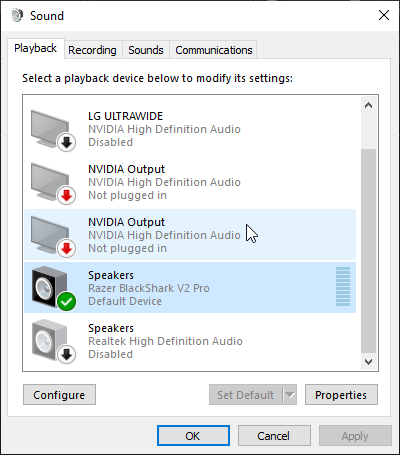
cannot find THX Spatial Synapse after the new update. Have tried every trick in the book. pls fix or revert changes

5 Replies

1LeNu
  • Insider Mini
  • November 8, 2023

apparently this new update in synapse is fucking up a lot, cause i’m checkin the forum and u and some other dudes like me have different issues ever since


  • Insider Mini
  • November 9, 2023

Same issue here, THX device is gone, and

audio quality reduced


  • Insider Mini
  • November 9, 2023

Yeah same here on kraken v3 hypersense , no THX option , audio quality gone down the drain.


I did see on another post they are aware of this and are working on a fix.


how long though I do not know.


AZeroEight
  • Insider Mini
  • November 9, 2023

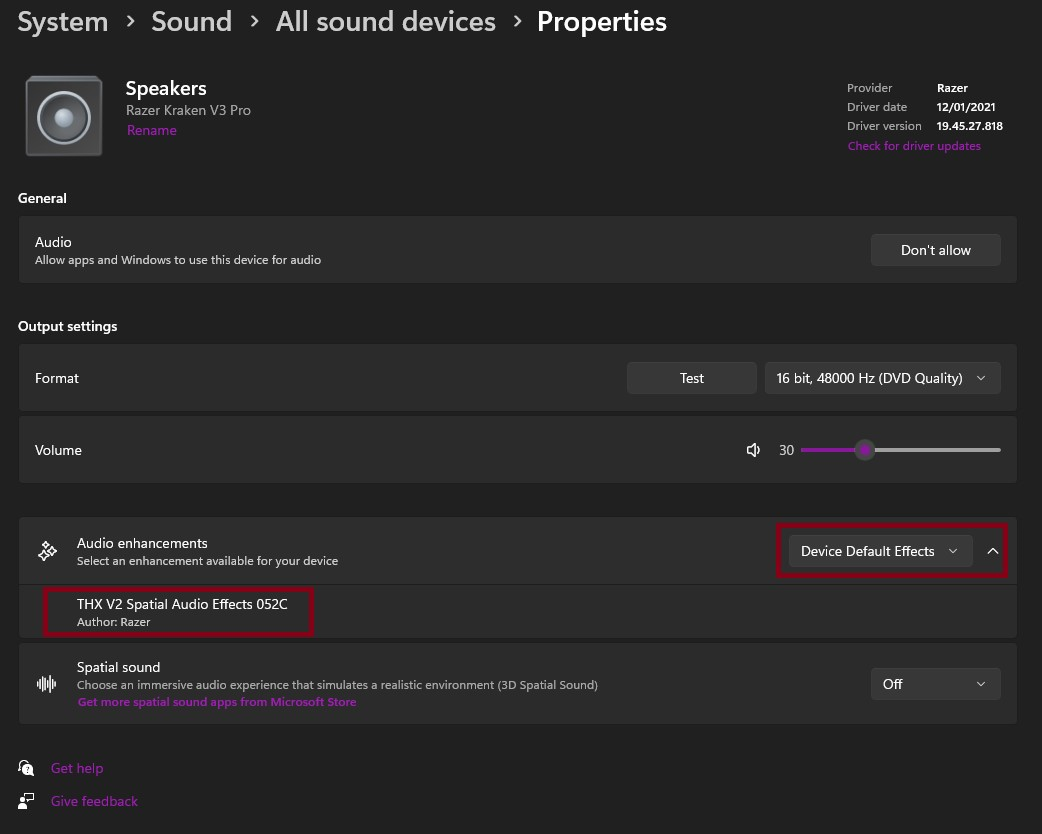
You no longer need a “THX Spatial Audio” Device - you simply select your standard audio device like “Kraken V3 Pro” and switch between THX or stereo in Synapse 3. The Driver taking care of is an “Audio enhancement” in the Windows settings. The driver is broken, though and gives you terrible sound. Here is a screenshot from Windows 11:


I ended up disabling the Audio enhancements for the time being, thus having plain stereo which will bypass THX, EQ, Bass boost, etc. on the Razer Synapse but you still can enable Haptics from it. But I believe it reverts back on reboot.


CerdoMaravilloso

🎧 Qué está pasando exactamente

Según los usuarios del hilo:

  • El dispositivo THX Spatial desaparece de Windows o de Synapse.

  • La calidad de audio baja drásticamente.

  • En algunos modelos (Kraken V3, Hypersense, etc.) ya no aparece la opción THX.

  • El controlador de “mejoras de audio” de Windows está roto tras la actualización.

Un usuario incluso comenta que Razer ya reconoció el problema y está trabajando en una solución, pero sin fecha.

🛠️ Soluciones que sí están funcionando (temporalmente)

1) Desactivar las mejoras de audio en Windows

Es lo que más gente reporta como “arreglo temporal”:

  1. Configuración de Windows

  2. Sistema → Sonido

  3. Selecciona tus auriculares

  4. Desactiva Mejoras de audio

Esto evita el driver roto y te deja al menos con audio estéreo limpio.

2) Seleccionar directamente tu dispositivo (no el THX Spatial)

Razer cambió el funcionamiento: Ahora eliges tu dispositivo real (ej. Kraken V3 Pro) y dentro de Synapse cambias entre THX o Estéreo.

El problema es que, con el driver roto, THX suena mal o no aparece.

3) Reiniciar Synapse o Windows

Algunos usuarios dicen que tras reiniciar vuelve a aparecer, pero es inestable.

❌ Lo que NO va a funcionar

  • Reinstalar Synapse una y otra vez

  • Reinstalar drivers manualmente

  • Cambiar de puerto USB

  • Restaurar Windows

El fallo viene de la actualización de Synapse, no de tu PC.

🟢 Qué te recomiendo hacer ahora

  1. Desactiva las mejoras de audio para recuperar sonido decente.

  2. Usa el modo Estéreo hasta que Razer publique un parche.

  3. Si quieres, puedo ayudarte a redactar un mensaje para soporte para que te añadan al caso.