How to disable Auto updates Synapse 4 beta? | Razer Insider
Skip to main content
Question

How to disable Auto updates Synapse 4 beta?

  • June 2, 2024
  • 5 replies
  • 360 views

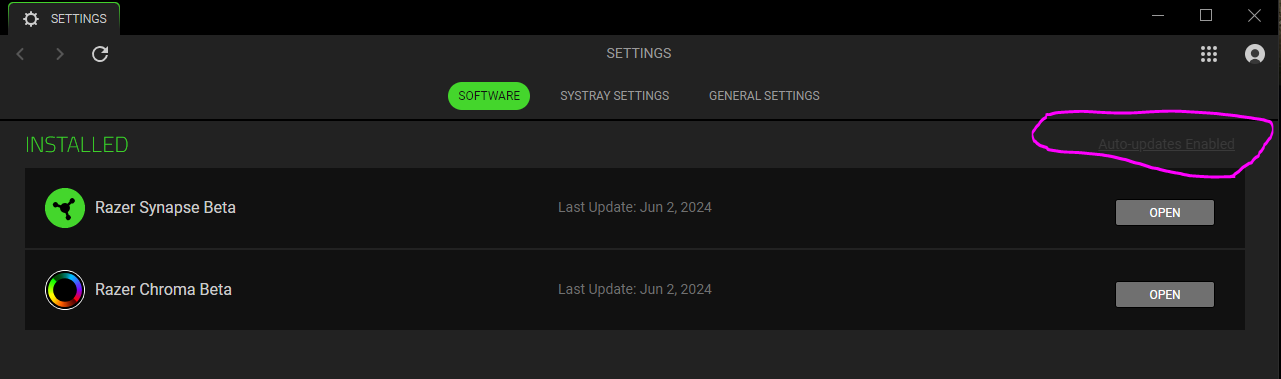
These is no way for me to turn off the automatic updates. Everything is disabled that allows me to do so.

How do I disable these automatic updates so I can choose when/where to update the software on my laptops?

5 Replies

  • Author
  • Insider Mini
  • June 18, 2024

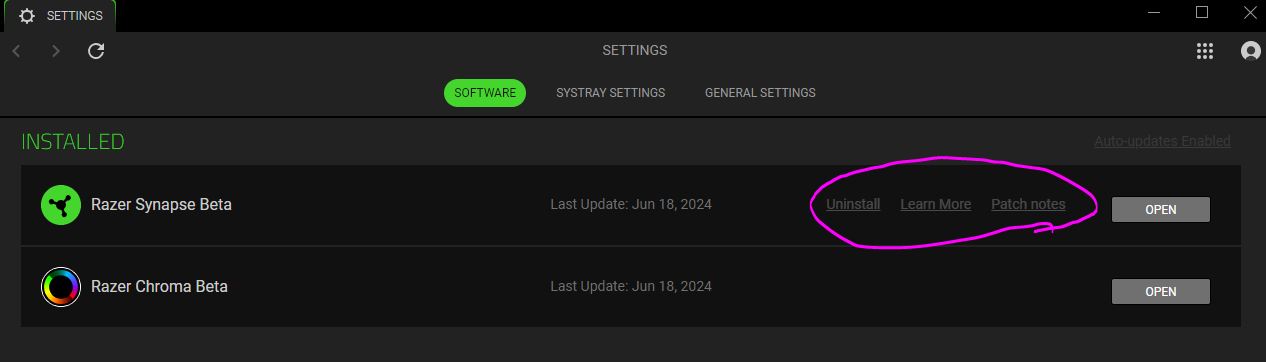
As a follow up, I also cannot click on any of the “uninstall, learn more, patch notes” links circled below. They are all disabled as well! 


What does one have to do to be able to click on anything in this software?


  • June 18, 2024

Same.  Windows 11… nothing clickable for updates.


FiszPL
Vanguard
Forum|alt.badge.img+1
  • VANGUARD
  • June 18, 2024

As a follow up, I also cannot click on any of the “uninstall, learn more, patch notes” links circled below. They are all disabled as well! 


What does one have to do to be able to click on anything in this software?

This never worked.

Also I’ve mentioned in some older topic that it’ll be great if Razer will inform their users about the changes (complete changelog), instead of “Generic bug fixes and improvements”, when new update is available.


Terepin
  • Insider
  • June 18, 2024

That’s because it’s beta. It will be available once the stable is out you will able to disable it.


  • Author
  • Insider Mini
  • June 21, 2024

I want to show everyone what you can expect from their Support Team.

This is part of the support email I sent them:


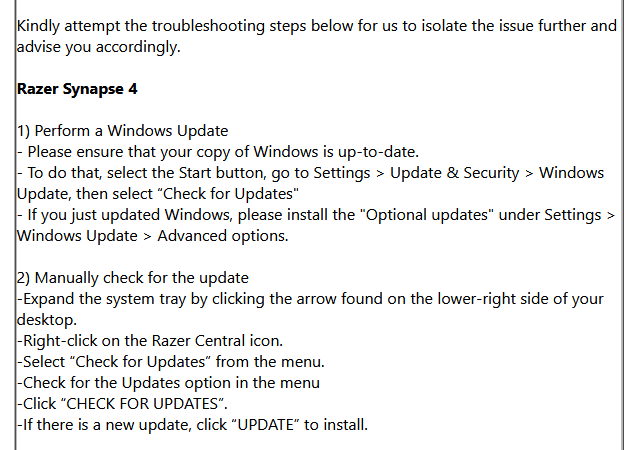
This is part of what they respond with:


There is no option to check for updates in my Syn 4 Beta version

There is no “Razer Central Icon” with Synapse 4 Beta

🤦🏻🤦🏼

Really Razer?