


Hello Razer Team,
I am experiencing an issue with Razer Synapse Beta while using my Cynosa v2 keyboard. I have set up a custom shortcut to insert a specific block of text when a key is pressed. However, when the shortcut is triggered, the defined text is not only inserted into the intended location but is also automatically copied to the clipboard on Windows 11.
Devices:
-
Keyboard Model: Razer Cynosa v2
-
Operating System: Windows 11
Whenever I set up a custom shortcut for a key (e.g., shortcut key for 'previous track'), to press it and insert the following text via macro or text function:
```
TextHere
```
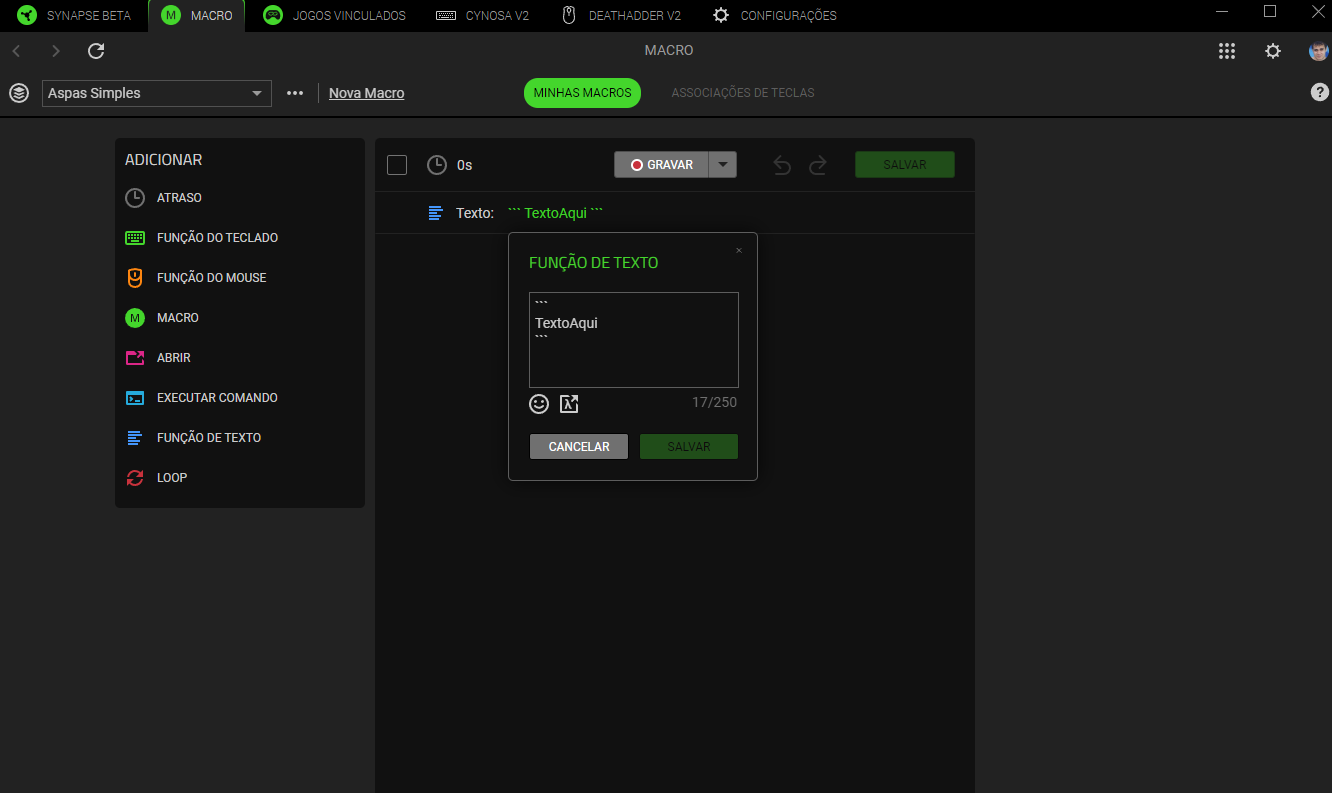
This text is correctly inserted into the desired location but is also copied to the Windows 11 clipboard. This occurs when using both the macro functionality and the direct text function.
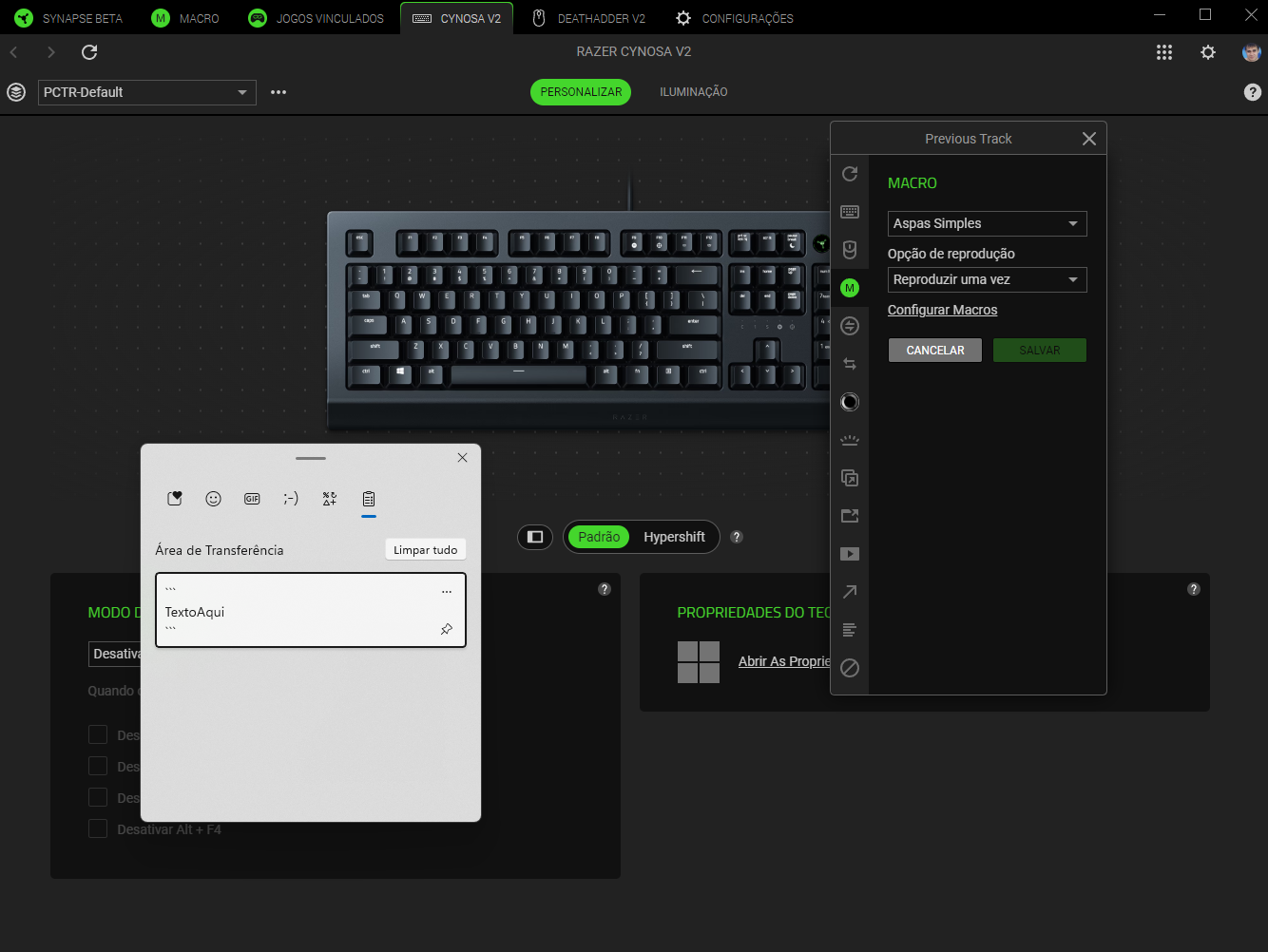
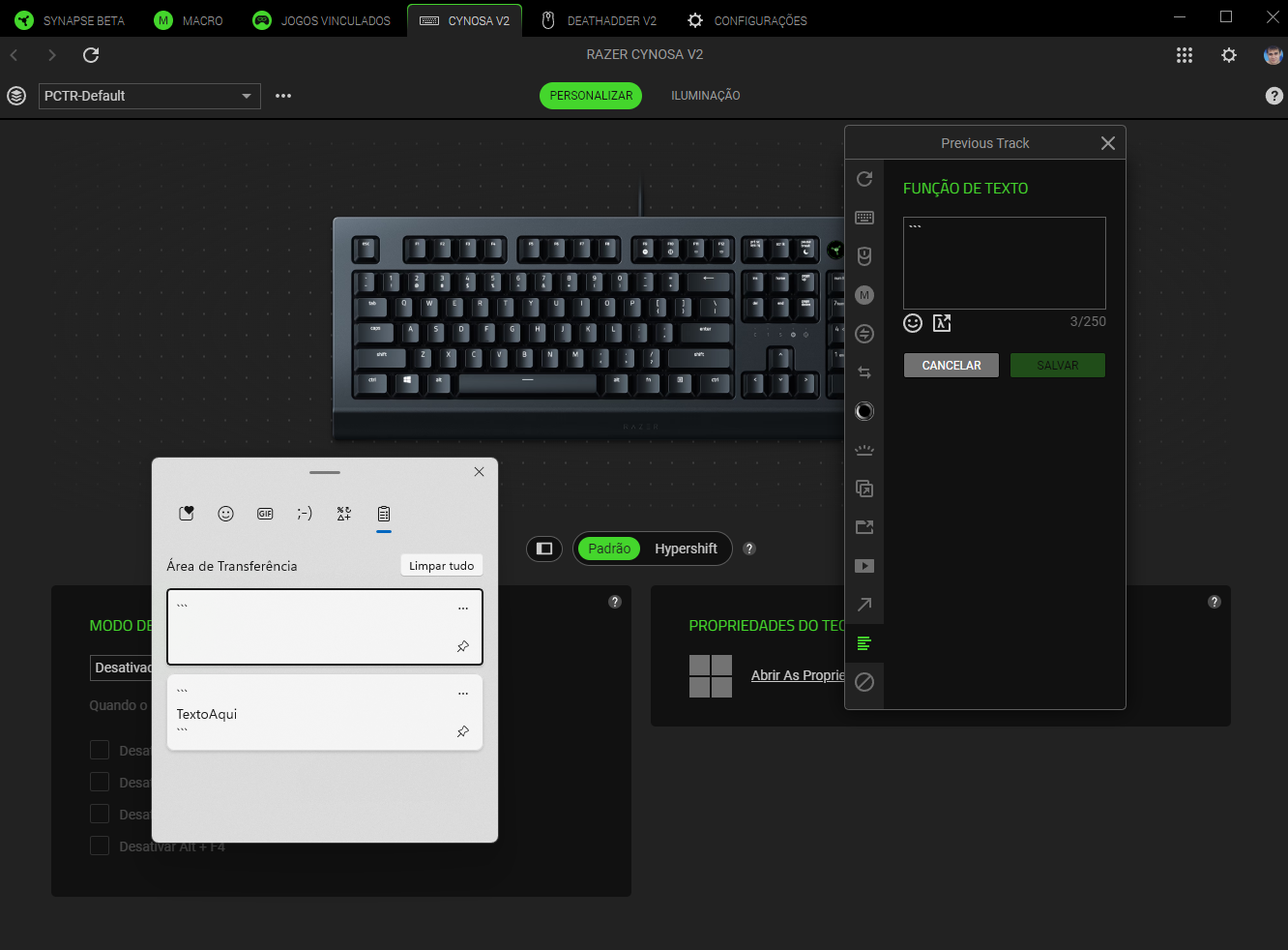
In Synapse 3, this specific issue of copying to the clipboard did not occur, although I faced an issue where the shortcut would not work in programs that I have set to be opened with administrator privileges, such as in my case with VSCode. In the Synapse Beta, the shortcut works across all applications but has introduced the new issue mentioned above.
Thank you for the assistance, and I am available to provide further information if necessary.