Can't change the RGB lighting of my Razer Raptor 27 | Razer Insider
Skip to main content
Question

Can't change the RGB lighting of my Razer Raptor 27

  • May 9, 2023 3:09 PM UTC
  • 11 replies
  • 2954 views

As the title says, I can't change the RGB lighting of my Razer Raptor in Synapse 3, does anyone know why and how I can fix it?
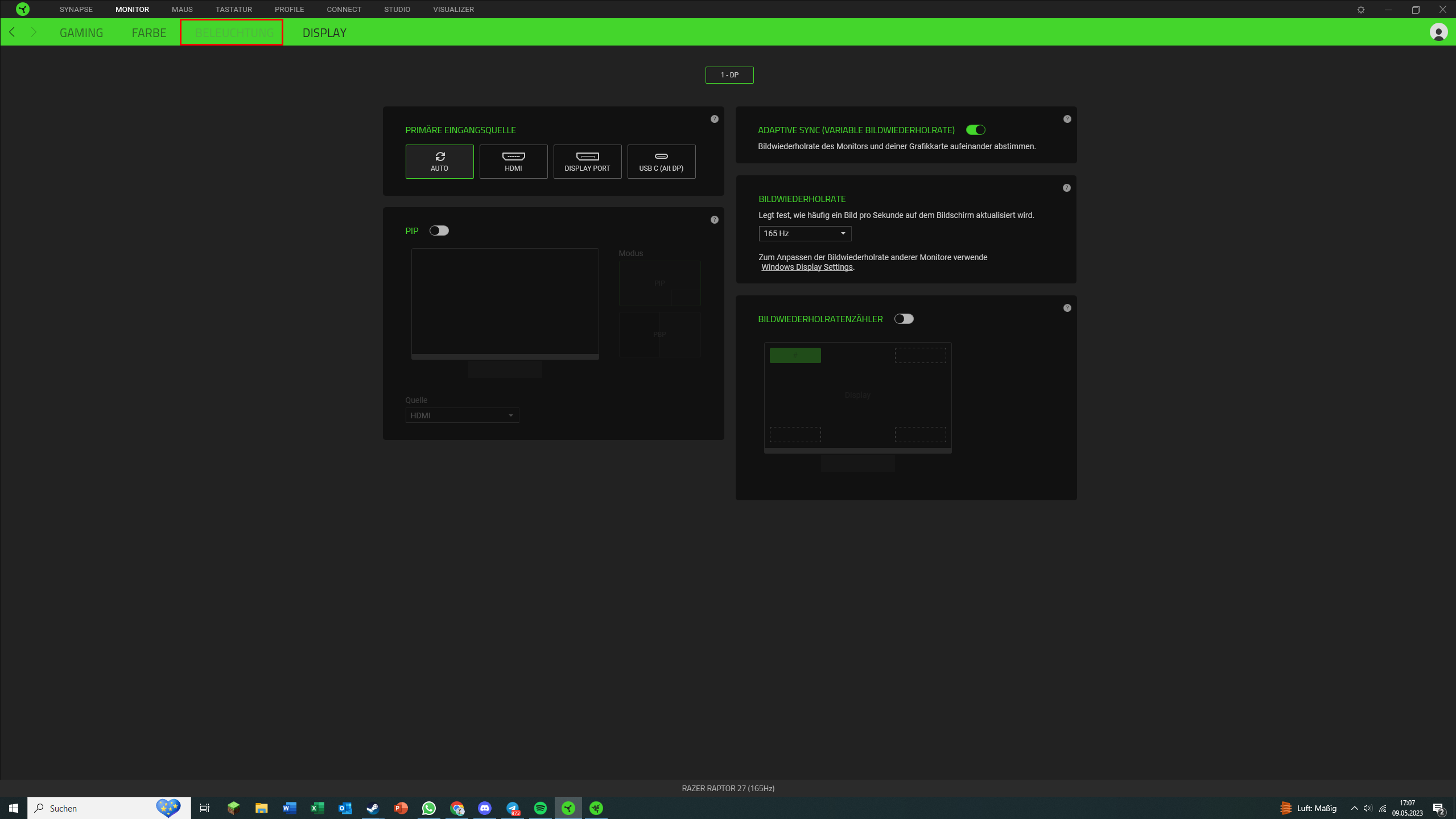


The light is fully functional however I just can’t change the rgb light in the settings, anyone know why?

11 Replies

FiszPL
Vanguard
Forum|alt.badge.img+1
  • VANGUARD
  • May 10, 2023 5:23 AM UTC

USB-C cable is connected from monitor to PC? It’s required to change Chroma settings.


cynicnd
  • Insider Mini
  • Oct 5, 2023 11:39 AM UTC

This same thing happens to me every time the power is cut off from my PC (i.e. take it apart to clean it, power outage).  I’ve found that if I disconnect the USB-C from my PC itself then reconnect it, it usually works.  Every once in a while, I have to disconnect that cable from both the PC and monitor, then reconnect both ends.  I’ve always eventually got it to work.  Although, sometimes, for whatever reason, I have to keep at it and do it several times.  Who knows why, but this has always worked for me.


  • Insider Mini
  • Mar 13, 2024 11:15 PM UTC

Same thing here. Just got the monitor and usb c is connected. It makes a noise but nothing changes 


  • Insider Mini
  • Jun 24, 2024 7:52 AM UTC

Same problem here. I plugged the monitor’s USB-C cable to my mother board’s USB-C port, and monitor’s DP cable to GPU’s DP port. Two cables on my PC at the same time. The lighting tab is still disabled in the Synapse app.

Anyone know why? I need help!😥


  • Insider Mini
  • Jun 26, 2024 7:23 PM UTC

I am having the same issue as well


  • Insider Mini
  • Nov 12, 2024 5:12 PM UTC

I had the exact same problem and my fix was to unplug and plug the light (Chroma) cable (a black thin cable) located behind the monitor, after I did this the lightning was working and the light tab from the Synapse 3 navigation bar was active. 😅 P.S.: My monitor is connected via USB-C (alt DisplayPort 1.4) to my laptop. 😸


bkhow
  • Insider Mini
  • Mar 11, 2025 10:03 AM UTC

Same here. It’s synapse 4 now. I have both laptop and desktop.

on laptop with type-c DP alt. I can have full funtion with no problem.

on desktop with DP and type-c. I can’t control the LIGHTING section.

But weired thing is, It can still be controled through chroma studio.

These screenshoot is taken from desktop.


Same here. It’s synapse 4 now. I have both laptop and desktop.

on laptop with type-c DP alt. I can have full funtion with no problem.

on desktop with DP and type-c. I can’t control the LIGHTING section.

But weired thing is, It can still be controled through chroma studio.

These screenshoot is taken from desktop.


same exzact issue here brother


bkhow
  • Insider Mini
  • May 19, 2025 2:36 AM UTC

This problem was solved in recent Synapse version 4.0.86.20250507

The Lighting section can be controlled by desktop now.

Thanks to the Synapse team. 👍👍👍


Chris_Fowler
  • Insider Mini
  • Mar 7, 2026 6:57 PM UTC

Exact same damn thing here! Blocked from synapse saying lighting can’t be controlled via hdmi & DP but my usb-c is connected. Lighting programs work fine in chroma studio….


Chris_Fowler
  • Insider Mini
  • Mar 7, 2026 6:59 PM UTC

This problem was solved in recent Synapse version 4.0.86.20250507

The Lighting section can be controlled by desktop now.

Thanks to the Synapse team. 👍👍👍

no, it wasn’t .,….