













[MONTHLY SILVER] September 2026 30,000 Silver Drawing
-
Recently active
Hello Insiders! This is a guide on how to earn Silver here on Insider. In case you do not know, Razer Silver is Razer’s loyalty reward’s program, and is obtained by spending Razer Gold (link) (Razer’s virtual currency for buying games, gift cards and much more), playing Paid to Play games with Razer Cortex and Razer Cortex Mobile, participating here on Razer Insider, among others. You can view all methods on how to earn Silver here. In this thread, we will be focusing on how to earn Silver here on Insider. The main method to get Silver here on Insider is via Insider Achievements. We have many achievements here that you can complete, and in turn receive some Razer Silver. All of those achievements are listed below, with brief descriptions and instructions on how to redeem them. If you ever need help redeeming an achievement, feel free to message one of our Vanguard’s or @Dekades, and we can help. On top of our achievements, you can also earn Silver by participating in weekly threads,
Express your style with more fan-favorite gear sporting our iconic colorways. Stand out with the latest additions to the Razer Quartz collection or keep it clean with the Razer DeathStalker V2 Pro and Basilisk V3 Pro in white. https://rzr.to/razercon
Hey Insiders, A gamer isn't a gamer without games. And often times, a gamer is only as good as the hardware they're playing on. Between looking for the best mouse to click heads on, or deciding which game to contribute toward your 80 million keystrokes, we want Insider to be the place you come to on your journey. Insider's heart and soul is the community and in an effort to drive community conversations around gaming with Razer we've added a few new achievements for those that stand out and contribute to the community. We've also done some house cleaning and gotten rid of outdated achievements as well. We've upped the amount of Silver awarded when Razer staff recognize you as a standout citizen. Razer staff includes anyone with the Official Staff flair and our incredible Customer Advocacy team. Opening up Insider to be a platform to discuss newsworthy articles and having in-depth discussions regarding how events that happen in the industry impact us as gamers has been a long time
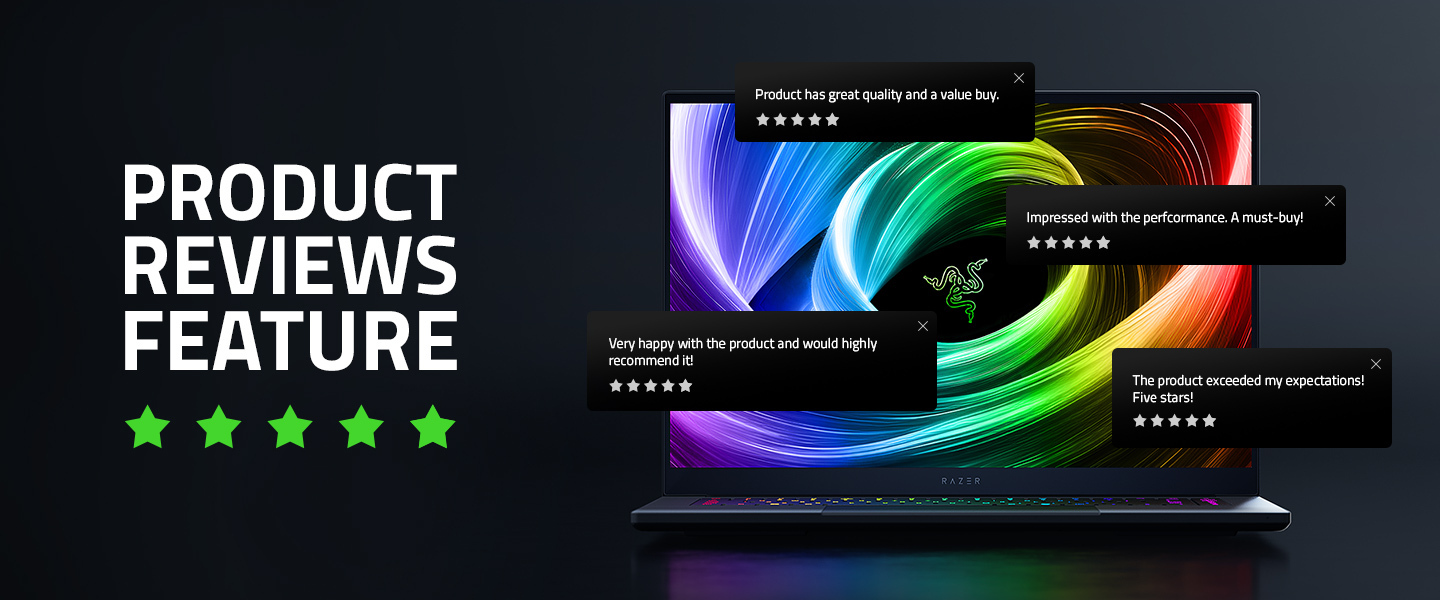
Your voice matters—now more than ever. At Razer, we’re excited to introduce product reviews on our website, a new feature that gives you the power to share your experiences and help others make smarter decisions.Whether you’ve just unboxed your latest Razer gear or have been using it for months, your feedback helps shape the future of our products. Reviews are currently available to customers with a Razer ID and have purchased the product off Razer.com from Jan 2025 onwards, so if you haven’t signed up yet, now’s the perfect time.Why Leave a Review?Leaving a review is about more than just giving a rating—it’s about joining a community. By sharing your insights, you help others find the right gear, highlight what works, and even suggest improvements. Your input brings authenticity, builds trust, and drives innovation.What You’ll GainTransparency – See real opinions from real users. Better Decisions – Use in-depth reviews to find the right product for you. Engagement – Join the Razer com
Get ready to dash through the upcoming Sonic Frontiers with the fastest thing alive. Check out our exclusive Sonic the Hedgehog designs for the Razer Orochi V2 and Gigantus V2, customizable with your gamer tag. Now available on Razer Customs: https://rzr.to/sonic-customs
If you attended Gamescom in Köln and were lucky enough to attend the Xbox Fanfest event, then the XBOX FanFest Team sent you a code and link to use to receive the Razer Hammerhead V3 X HyperSpeed for XBOX.The code and link need to be used between September 23, 2026, at 00:00 UTC and October 16, 2026, at 11:59 PM UTC.But here is the problem. The link takes you to the US site. And if you follow the instructions, you can not input a German address… because it is on the US website.Why offer this promo if you can not even order it for Germany?????But this is not the first problem with Fanfest in Germany. It seems there are other issues as well.Hopefully either someone from the XBOX FanFest team or someone from Razer can sort this out.
Has anyone done the Windows update to 26H2? I’m worried it’s going to tamper with my OEM-tuned Razer Blade, any opinions?
So here's a weird one for y'all. Recently I had a windows update. After my computer restarted my kraken v4 pro doesn't work correctly. The wireless base doesn't want to be recognized by synapse. Even weirder the headset won't work unless it's connected via USB cable. That's not even the weirdest part. The weirdest part is that the headset acts like it's on, but when I hit the power button it doesn't shut off and says "power on" when it registers. It won't change audio modes either. I tried to check firmware and it was up to date, but also wouldn't let me force reinstall the firmware. I'm not sure what to do beside let the headset drain power overnight, and recharge it tosee of that helps. I know that it has to be on hyperspeed wireless to resync to the base, but I'm not sure what else to do. Also the mic wont retract even after trying to spin it around and try to get it to fit back inside the spot for it.
I am so tired of this software. You make a great item and then completely ruin the experience with this garbage software which is constantly crashing and just full of bloat. I think it may be time to stop using you guys altogether.
I’m trying to sort out a Wi-Fi issue at home and could use some advice from people who actually game regularly.My setup is fine when I’m close to the router, but the connection gets less reliable when I’m in another room. I’ve been looking at mesh Wi-Fi, but I’m not sure if that’s the right solution or if I should be looking at something else first.I’ve worked around a few Wi-Fi setups with Borderless Solutions, but I’d still like to hear from gamers who have dealt with this themselves.Would you go with a mesh system, Ethernet, or something else for a gaming setup?
Hi everyone,I’m having a small issue with Synapse where my mouse works normally after Windows starts, but sometimes the correct profile doesn’t load automatically.The device is detected and I can see it in Synapse, but I have to open the software and manually switch profiles before my DPI and button settings are applied.Has anyone else experienced this? Is there a setting that controls whether Synapse loads the active profile automatically when Windows starts?I’ve already tried restarting Synapse, but the issue occasionally comes back.Thanks for any suggestions
Hey Razer community! 💚🐍 I’ve been thinking about a few gaps in the current Razer setup/lifestyle ecosystem and wanted to pitch three concrete product ideas that combine ergonomics, functionality, and the Chroma aesthetic. 1. Standalone Mechanical Numpad The Concept: A 17-key mechanical numpad with hot-swappable switches, dedicated media controls, and Razer Synapse macro support. Why it’s needed: A lot of us prefer TKL or 60% keyboards for extra mouse space while gaming, but still need a numpad for productivity, data entry, or custom macro layouts. Offering both a sleek Razer Pro (clean white/gray) and a Chroma Gaming version would bridge this gap perfectly. 2. Razer Minimalist MagSafe Wallet The Concept: A slim aluminum or carbon-fiber MagSafe cardholder featuring strong magnetic retention, RFID blocking, and subtle Razer branding accents. Why it’s needed: Razer already makes fantastic EDC (everyday carry) gear and bags. A clean, daily MagSafe wallet is a subtle way for fans to carry
So I hadn’t gotten this new headset for my birthday and it was the Bluetooth hello Kitty Kraken headphones and I hook it up to my PC like I get it. Bluetooth connected and it’s crackly like it sounds like there’s a robot a distorted robot talking or any type of noise and to other people, I sound like a distorted robot. I’ve tried fixing this multiple times different ways and nothing’s working. Oh, and every second or minute, it will go disconnected, connected and repeat !
If Razer were to develop a Basilisk V4 Pro, it would likely take major cues from the DeathAdder V4 Pro, fusing high-end esports performance with the Basilisk’s signature ergonomic versatility. The mouse could weigh around 89g, using a restructured internal layout and lighter sustainable materials while keeping its signature shape.Internally, it might feature Gen-4 Optical Switches, the Focus Pro 45K sensor, and Razer’s new optical scroll wheel—offering unmatched durability, tactility, and tracking accuracy. For wireless performance, it would likely adopt HyperSpeed Wireless Gen-2 and 8000 Hz HyperPolling, ensuring ultra-low latency and stability. Paired with a redesigned hemispherical dongle, signal strength and convenience would improve significantly.Battery life could reach up to 150 hours, and a modular charging puck system might return for seamless dock support. RGB would be minimal, focusing only on the scroll wheel and logo, optimizing both aesthetics and power efficiency.On the
The Razer Raiju Mobile app isn't supported anymore and recommended Razer Controller app doesn't seem to support Raiju Mobile either. Tried via cable and Bluetooth with no success. Tried to find any kind of answers online with no success. It's very frustrating that big companies can't even provide proper documentation about the products they are selling. Instead of testing the controller in games, I have spent hours trying to make official apps work so that I can remap buttons. Can it be done with Razor apps or will I have to use a 3rd party software?
As usual Razer's vibe coded untested garbage is at it again.With my laptop if I don't have a connection on boot, no successive restart of Synapse or anything short of a complete windows reboot will make Synapse detect ANY devices.Why is this software such?
Hi there, I have already a bunch of Razer products, but I usually don't go doing macros and stuff.. And an idea came to me, what if I could switch audio peripherals from a single key of my keyboard ?So, I'd like to know, is it possible ? If so, how can I do that, or where can I find how to do it ?I've read a Reddit post about using Sound Switch but I wanna know if there's any way to achieve my goal without another software.Thanks !
Hello Razer Community and Developers,We are currently developing a custom Razer Stream Controller key plugin and Chroma RGB alert system for UK-based automotive streamers and SIM racing enthusiasts.When a streamer presses a designated action key on the Razer Stream Controller, a background script triggers an outbound HTTP GET call to an external UK vehicle verification service (regchecker.co.uk) to fetch vehicle specs, MOT status, and engine details, displaying them as a dynamic HUD overlay on screen while triggering Chroma RGB LED status indicators.System Architecture and Workflow Setup: Data Endpoint: (regchecker.co.uk) Mechanism: Stream Controller Key Press -> Python Webhook Plugin -> HTTP GET (?vrn=...) -> Parse JSON payload -> Update HUD Overlay & Trigger Razer Chroma SDK lighting profile. Software Version: Razer Synapse 3 / Razer Stream Controller Software. Technical Issue and Query: Stream Controller Execution Lag: Intermittently, when firing outgoing HTTP r
I’ve had the Tartarus V2 Pro for a few days now. I bought it thinking it might be the answer to some of the issues I’ve had using a mouse and keyboard for space flight games, and on the whole, it actually is. But there are a couple of issues that kind of ruin what could otherwise be an amazing product.The biggest issue for me is the direction of the thumbstick. It doesn’t seem to be configurable.For me, “up” should be pushing the thumbstick forwards, towards the back of the Tartarus. Instead, you have it set so that “up” is towards the top/keys of the Tartarus. I can see the logic behind that, but it feels completely unnatural to me when using it for flight controls.I’m sure different people will prefer different orientations, so rather than changing the default, please just give us the option to configure the direction ourselves.The second issue is the analogue keys. Using the keys as a mappable joystick is incredible functionality and exactly what I was looking for. Great work here.B
Has anyone successfully rebound these buttons to something else and not had them change back to defaults when changing profiles?Synapse still says that they have been bound to new keyboard inputs but still do the default inputs. Both profiles have been changed and there is no profile that has them set to defaults.If they are set and the profile does not change they work to the new bound key but a profile change removes the new bind, only these two buttons affectedHas anyone else noticed this or found a work around?
Hello!Recently my Naga V2 started having issues with the left click and the side plates, so I was looking to replace it with a Naga V2 Hyperspeed when I saw there’s a Naga V3 Pro, and I wanted to ask any users that have it what is the experience so far with itAlso, can you rebind the AI button to something else? I don’t care for AI so I’d like to know if I can change it to something differentThank you!
so suddenly i left my pc on overnight and my solar power ran out. and when i woke up and switch to the main power pc won’t just recognize or detect the speaker. im not panicking or whatso i know its still working since it worked when i tried bluetooth but yeah i appreciate any kind of workarounds for this or is this a really known issue and i’ll just need to live with it?
I was a day 1 buyer of this product because the other versions were amazing, from the original belkin n52 all the way up to the latest versions. This one should NOT have been called a Tartarus at all… this feels and looks nothing like the beloved line. You guys took away the feel that made the tartarus feel amazing, it is not ergonomic in any way, and some of the buttons are just not accessible. This was a huge let down as is finding where the fingers naturally rest. The base is solid and it does not move which is highly amazing. Solid.. The joystick is everything we have been wanting for this device for years now, props on that….but…. we can’t change the angle of how it operates in the software. ie. a lot of us push the stick forward for lets say the W or Up arrow, you are now locked into just pressing the analog stick up(left) with how your hand sits on it. so now we are stuck with having to use it as a hat? (I read somewhere there it is also the right stick and not the left sti
Thinking about picking up a Razer Blade for our field work and wanted to get some honest opinions from owners about durability in less than ideal conditions.We run a small property services company and our surveyors need a laptop they can take into building sites, basements, and roof spaces. The current setup is a budget Dell that is falling apart after two years of being carried up ladders and used in dusty environments. We need something with a decent screen for reviewing survey photos on site, enough power to run our reporting software smoothly, and a build quality that can handle being moved around constantly.The Razer Blade caught our eye because the aluminium chassis seems like it would hold up better than plastic alternatives, and the screen quality looks ideal for checking detail in photos of things like timber damage and damp staining where colour accuracy actually matters for our reports.The concern is whether the premium finish would survive daily use in working environments
Already have an account? Login
No account yet? Create an account
Enter your E-mail address. We'll send you an e-mail with instructions to reset your password.