Razer Chroma/Studio Issue - Two Keys Won't Light Up Due to Layout (CH/US Problem) | Razer Insider
Skip to main content
Question

Razer Chroma/Studio Issue - Two Keys Won't Light Up Due to Layout (CH/US Problem)

  • December 17, 2024
  • 4 replies
  • 118 views

BreadkilledU

Hey everyone,

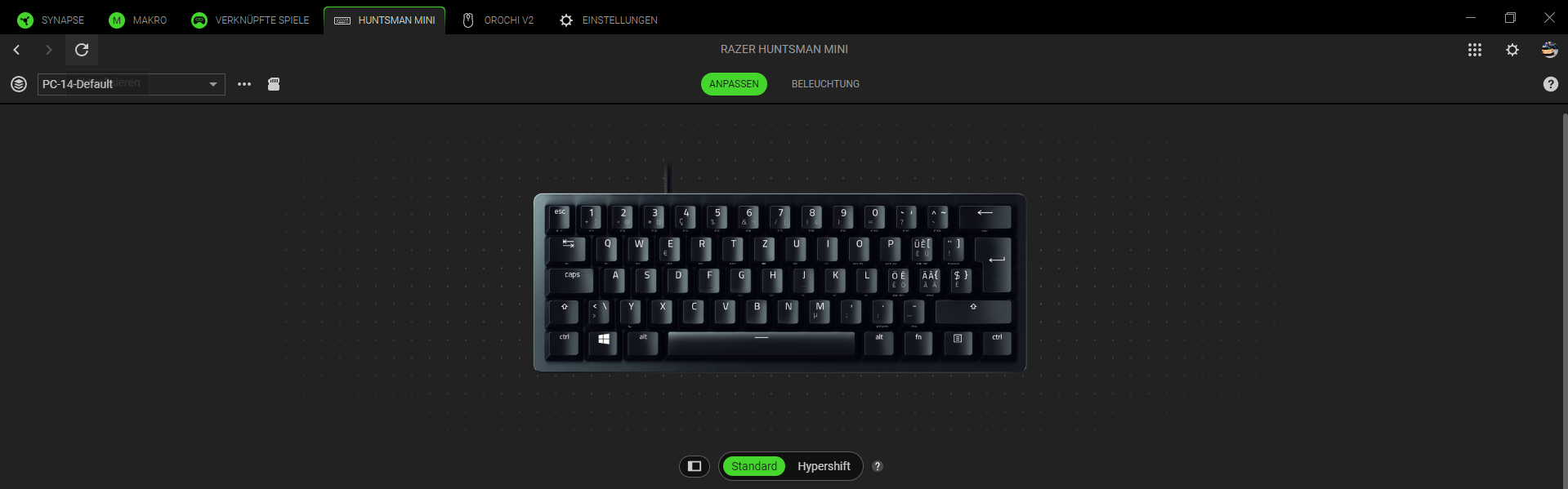
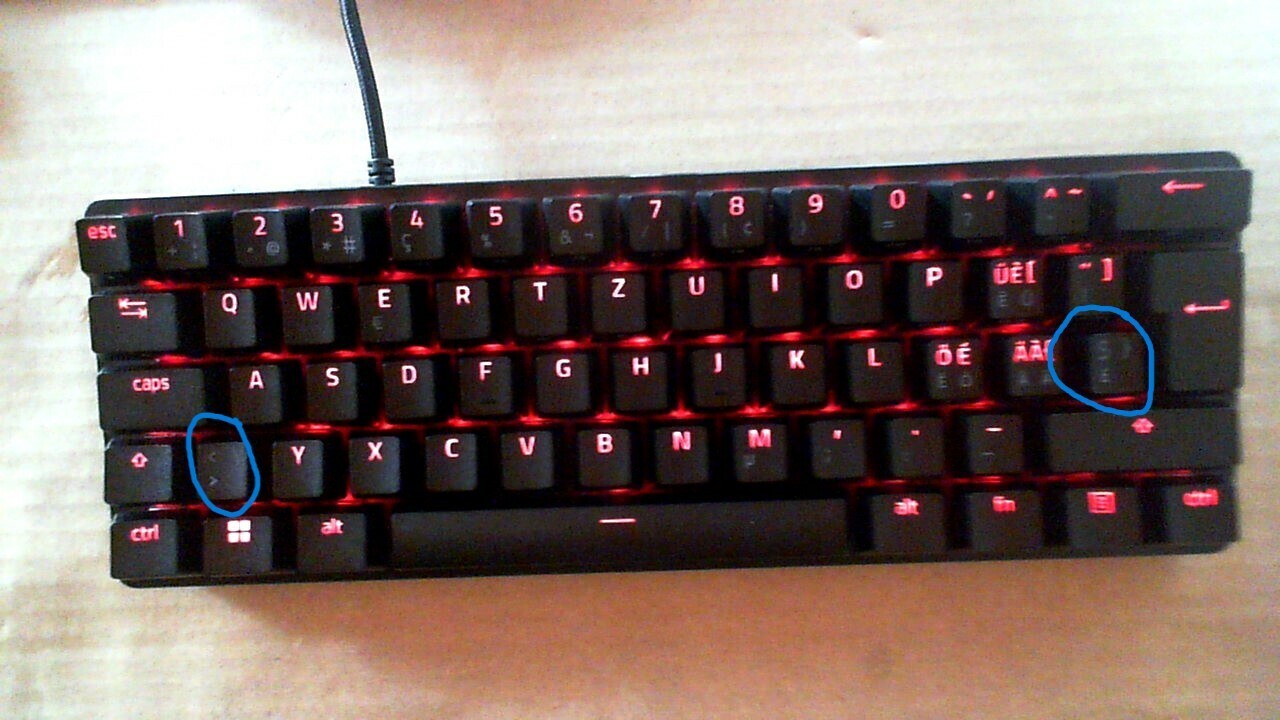
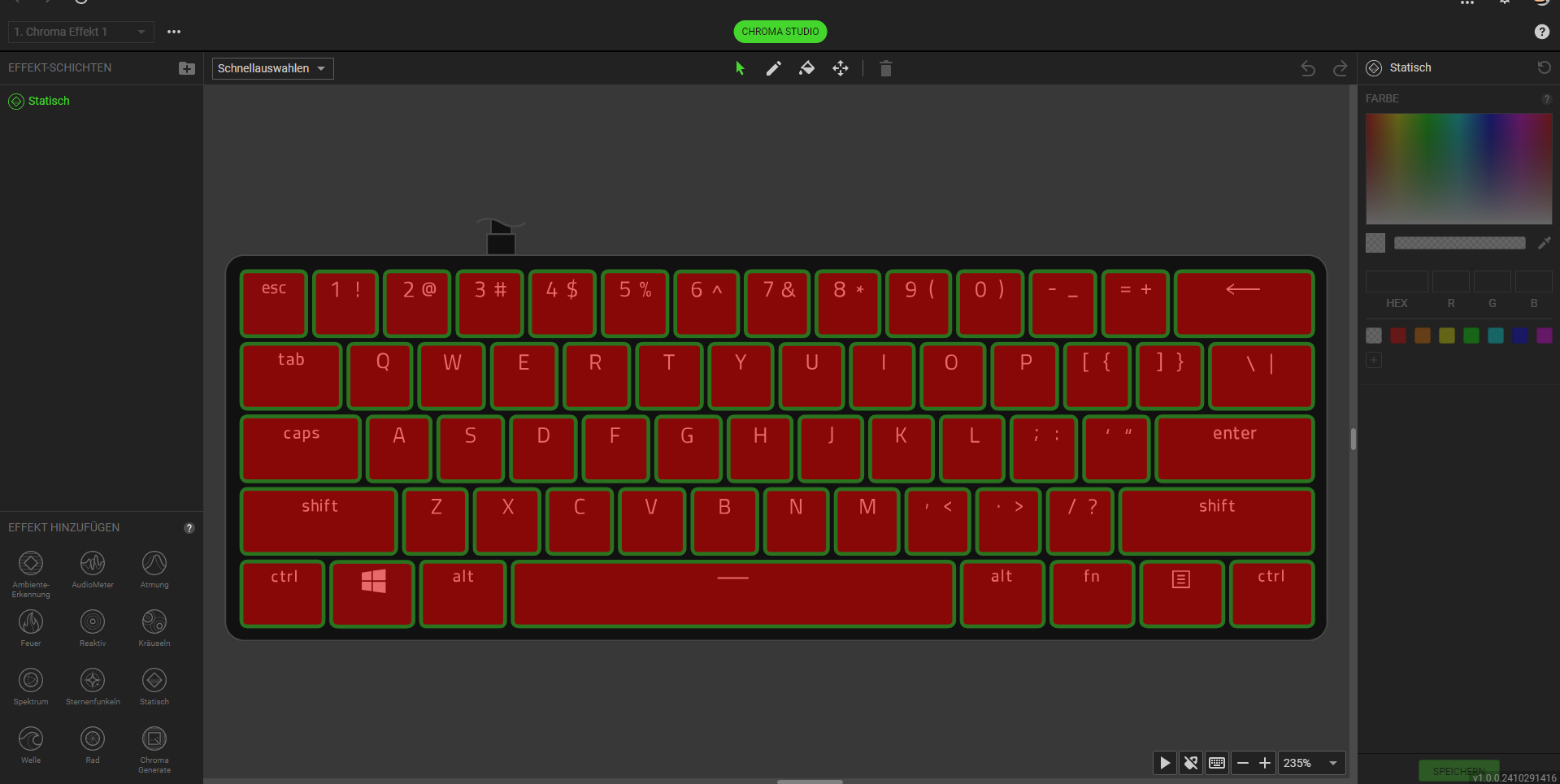
I’m having a problem with my Razer Chroma (Studio). Two keys on my keyboard won’t light up, and I can’t select them separately in the Chroma Studio because the design/layout is based on the US layout, but my physical keyboard uses the CH layout (Swiss).

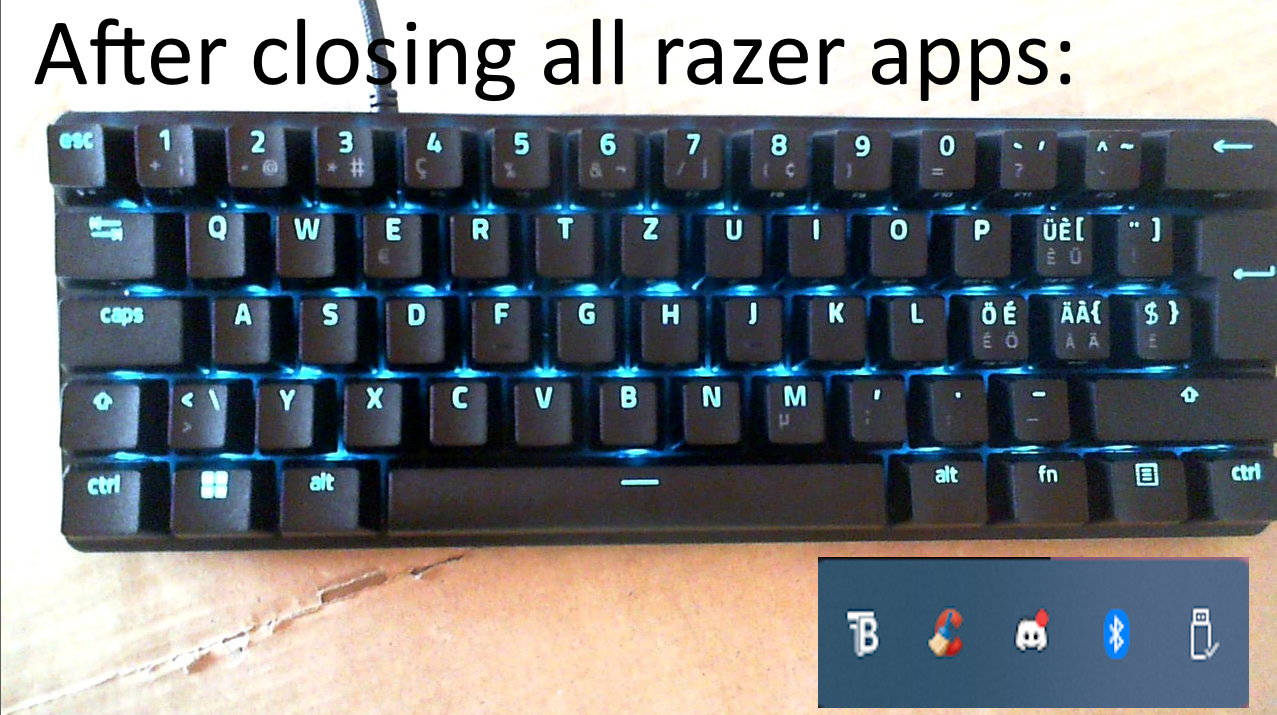
Here’s the interesting part: when I completely close Chroma (including background processes), the keys light up with the default settings. So the keys are not broken—they just don’t respond properly when using Chroma Studio.

I’ve already tried reinstalling Razer Synapse and Chroma Studio, along with other troubleshooting steps, but nothing seems to work.

Has anyone faced this issue before or knows how to fix it? Any help would be greatly appreciated!

Thanks in advance!
 

4 Replies

Isongfr
  • Insider Mini
  • February 9, 2025

bumping this thread as I have the exact same problem after upgrading to synapse 4…. such poor software giving the price range of the HW they sell.


same thing is happening to me idk why they wont light up!!


Timpower8382
  • Insider Mini
  • August 10, 2025

I’m also using a keyboard with a Swiss layout, facing the same problem.


rushanxx
  • Insider Mini
  • October 23, 2025

i have also same problem have any one find a solution?

is funny that i have also some key caps that doesent turn on with the swiss layout