Razer Cobra Pro Bluetooth Connection issue (Windows 11) | Razer Insider
Skip to main content
Question

Razer Cobra Pro Bluetooth Connection issue (Windows 11)

  • December 3, 2024
  • 6 replies
  • 896 views

thefdrv

Razer Cobra Pro cannot be found in the Bluetooth settings.

When I turn on Bluetooth mode on the mouse, Windows prompts me to connect the Razer Cobra Pro.
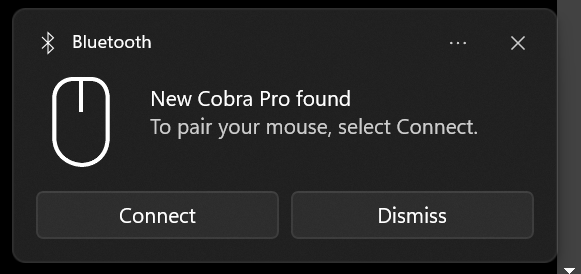
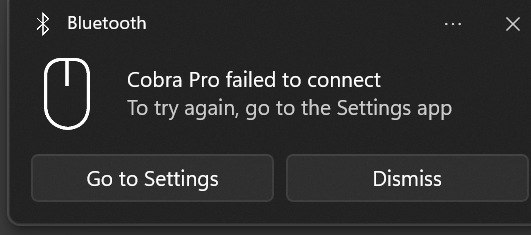
However, it still does not connect to my PC or laptop (both running Windows).

 

6 Replies

  • Insider Mini
  • December 12, 2024

i had the same issue just now, just press scroll button right button and button 5 for 3 seconds, youll force pairing mode and it will eventually pair, i took me 2/3 try


thefdrv
  • Author
  • Insider Mini
  • December 12, 2024

i had the same issue just now, just press scroll button right button and button 5 for 3 seconds, youll force pairing mode and it will eventually pair, i took me 2/3 try

Thank you for the advice!
I tried to do it, but it did not work out for me.
I’ve already returned the mouse because of this issue.


galaxyrain49
  • Insider Mini
  • May 25, 2025

Still having this issue it gives me can’t connect after trying to connect failed. Any other suggestions?


  • Insider Mini
  • July 13, 2025

I have a similar problem.


when I connect the mouse to my Mac via Bluetooth, it will connect. But if I turn off the mouse, or change it to 2.4Ghz, and go back to Bluetooth again, it won’t connect and require re-pairing. I think there is some problem with the firmware. But then, I am also concerned as Razer doesn’t seem to run enough test as well.


galaxyrain49
  • Insider Mini
  • July 13, 2025

I have a similar problem.


when I connect the mouse to my Mac via Bluetooth, it will connect. But if I turn off the mouse, or change it to 2.4Ghz, and go back to Bluetooth again, it won’t connect and require re-pairing. I think there is some problem with the firmware. But then, I am also concerned as Razer doesn’t seem to run enough test as well.

Have you tried to pair it like it is stated?

i had the same issue just now, just press scroll button right button and button 5 for 3 seconds, youll force pairing mode and it will eventually pair, i took me 2/3 try


  • Insider Mini
  • July 15, 2025

No matter how many times you pair it, it doesn’t seem to fix the problem.


However, I managed to resolve it by updating it to the latest firmware 2.x. But this require a windows PC to update as the update file is an exe.