

Razer Viper 8KHz doesn't work after booting up my PC, until i reconnect it? Anyone else?
Hello,
I've used my mouse (Razer Viper 8KHz) on several PC's since i bought it, using different motherboards and chipsets. I also looked into USB root hub power saving states to no avail. So the issue im about to explain has nothing to do with my environment, and is likely a platform/product issue with this model of mice.
But no matter on which PC or configuration i use it, this always happens:
i can't use the mouse until reconnecting it by taking the USB cable in and out. This means that every time i 'cold' startup my computer, i need to re-attach the mouse before i can get going, which is very annoying, let alone impractical or even impossible for others that may face this issue, in case their PC is under a desk or encapsulated in a desk with their wires running out from the top of their desk. So that immediate access to the rear USB ports is blocked.
In my case, the PC is standing on my desk next to monitor, so it's easy to perform the procedure to make the mouse work. But i should say it will be more comfortable if it got fixed.
Anyone else recognizes this problem? I had a previous SteelSeries Rival 3 mouse, and never had it with that one. I really think that it's limited to the Razer Viper 8KHz


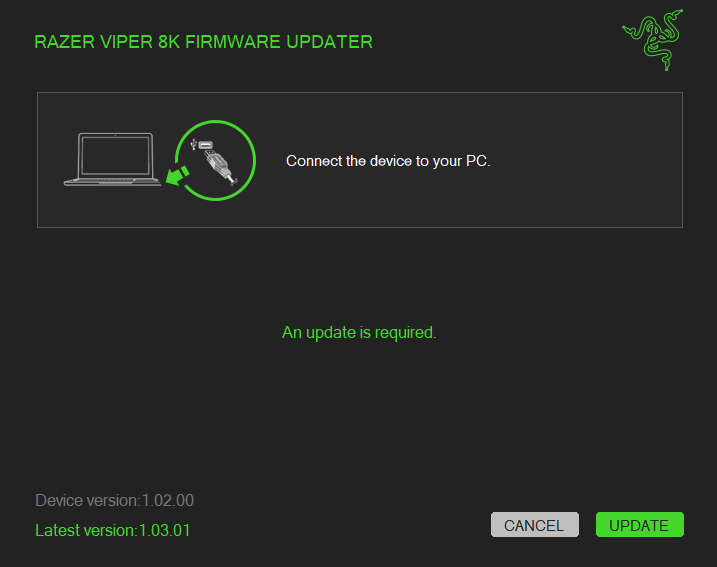 I will still go ahead and test it, when i cold boot my PC tomorrow morning. I will report back if it solves the issue.
However, no matter the outcome, im baffled by that Razer Synapse software doesn't alert the user if a firmware update is available. There have been multiple for this mouse, and i always download all updates that the Razer application shows me. But never does it offer firmware updates, so clearly that's for the user to figure out they exist, or to stumble upon it while experiencing some issue like this one.
Bad design guys, you better take this as a solid suggestion: add an automatic firmware updater/notifier.
I will still go ahead and test it, when i cold boot my PC tomorrow morning. I will report back if it solves the issue.
However, no matter the outcome, im baffled by that Razer Synapse software doesn't alert the user if a firmware update is available. There have been multiple for this mouse, and i always download all updates that the Razer application shows me. But never does it offer firmware updates, so clearly that's for the user to figure out they exist, or to stumble upon it while experiencing some issue like this one.
Bad design guys, you better take this as a solid suggestion: add an automatic firmware updater/notifier.



Sign up
Already have an account? Login
Log in with Razer ID to create new threads and earn badges.
LOG INWelcome to Razer Insider
No account yet? Create an account
Log in with Razer ID to create new threads and earn badges.
LOG INEnter your E-mail address. We'll send you an e-mail with instructions to reset your password.