Alt+Z Combination not working on Razer Huntsman mini | Razer Insider
Skip to main content
Question

Alt+Z Combination not working on Razer Huntsman mini

  • January 16, 2026
  • 2 replies
  • 34 views

I recently figured out that whenever i try to use the key combination ALT+Z it doesn’t work. I even tried reprogramming another key to either ALT or Z and it still doesn’t work.
Does anybody have any idea how I can fix it?

2 Replies

coolCinereouscafe324

I’ve run into similar issues with key combinations on compact keyboards before. Sometimes it’s related to software conflicts, driver updates, or how certain keys are interpreted by Windows. One approach that helps is testing the combination in different apps and making sure Razer Synapse is fully updated. I’ve documented some troubleshooting workflows and keyboard testing setups on my youtube though I'm just a web developer at a restaurant’s site.


buzzSkyBlueAPATITE889

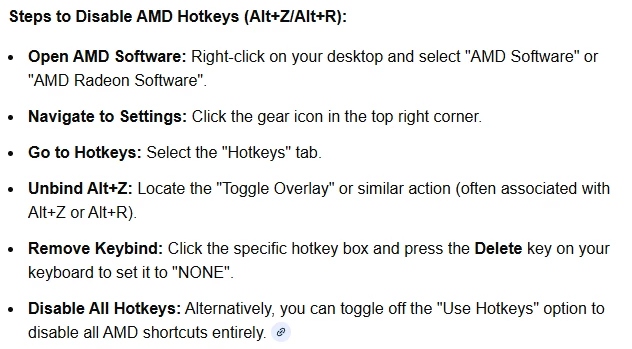
Just so you know, I created an account specifically to help you since I encountered the same issue and managed to fix it yesterday after a week of troubleshooting. In my case, the solution was uninstalling AMD Radeon Software, the red icon app for AMD GPUs or integrated graphics. Since I am using an NVIDIA card, I could safely remove it. If you prefer not to uninstall the software, the conflicting shortcut is likely located within its internal settings.