

Blackshark v2 Pro - Re connecting mic, is powering off headset. | Razer Insider
Skip to main content
Question

Blackshark v2 Pro - Re connecting mic, is powering off headset.

  • July 16, 2025
  • 1 reply
  • 15 views

A couple of days a go, I disconnected my mic and reconnected it. Please note until I disconnected the mic, it had been fine. It was all working.

When I reconnected the mic, the headset went into a power off mode.
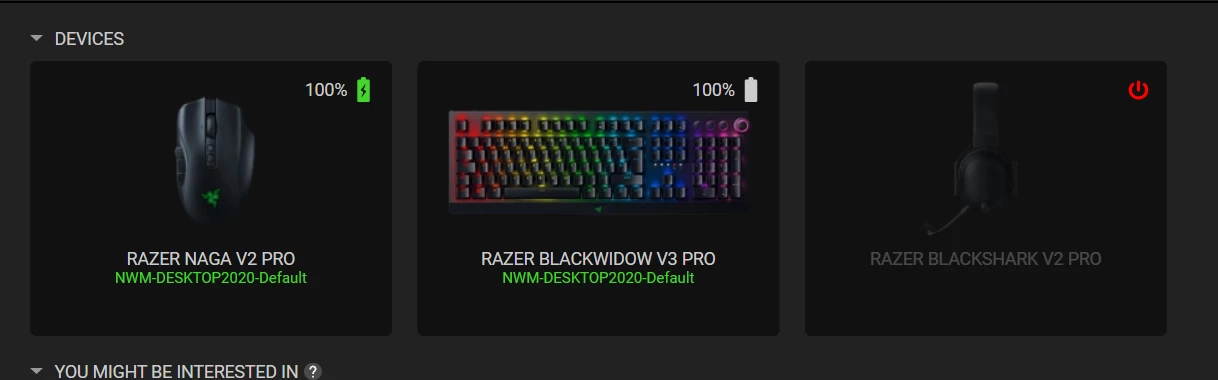


When I disconnected the mic, the headset powered on again.
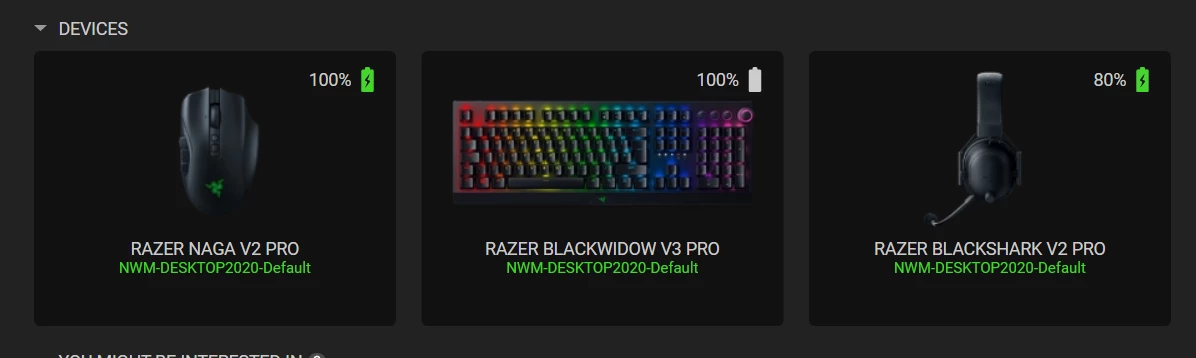


I tried this both with the USB and USB cable disconnected.

Is there a hard reset for the headset?

This topic has been closed for replies.

1 Reply

Razer.Ten
  • Razer Support
  • July 17, 2025

Hey ​@SkarBD,

Can you uninstall your headset drivers by following the steps below and check if the issue continues? Please also send me a PM with the serial number together with your location/country so I can verify it in our system and check our inventory for the mic.

  1. Open the "Device Manager".
  2. Expand "Audio inputs and outputs".
  3. Right-click the headset and select "Uninstall device".
  4. Restart the computer to fully remove the drivers. They will automatically reinstall upon restart.


*Thread locked to curb conversation to PM.
