Hello Razer Support Team,
I am experiencing a critical issue with my BlackShark V3 headset following the latest firmware update. I have been trying to resolve this for hours without success.
The Problem:
-
The headset works perfectly via Bluetooth on my phone, which confirms the hardware is functional.
-
On PC, the dongle is detected by Windows and Razer Synapse.
-
In Windows Sound Settings, I can see the green audio bars moving, but there is absolutely no sound reaching the headset speakers and the microphone is not picking up any voice.
-
I am hearing unusual "beep... beep-beep... beep" sequences when turning on the headset while connected to the dongle.
What I Have Already Tried:
-
Used the Razer Pairing Utility; it says "Pairing Successful," but the issue persists.
-
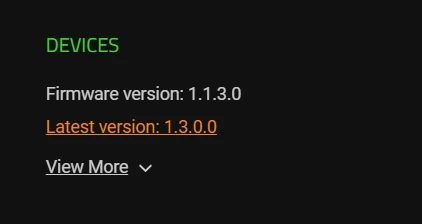
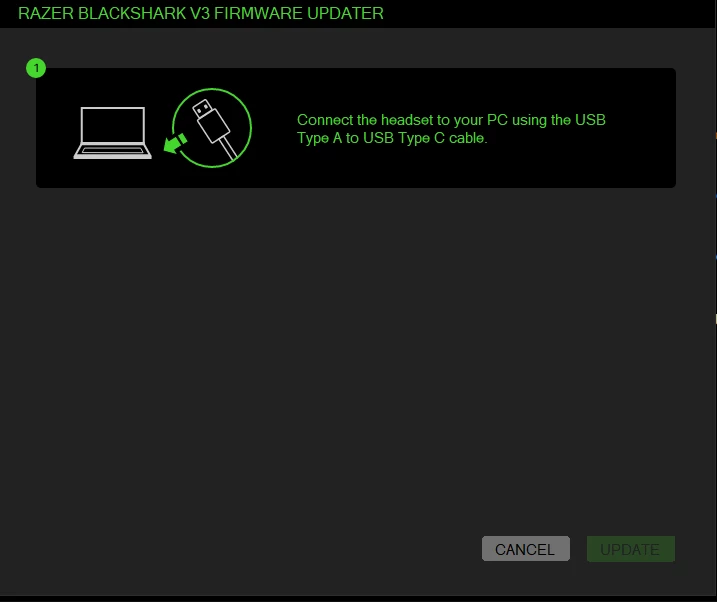
Tried standard Firmware Updater v1.3.0, but it says the device is already up to date and won't allow a re-flash.
-
Completely reinstalled Razer Synapse and performed a clean driver wipe in Device Manager.
-
Tested on different USB ports (2.0 and 3.0) and performed a hard reset on the headset.
It seems the device is in a 'soft-brick' state where the 2.4GHz wireless protocol is corrupted. I am referring to this thread on Razer Insider (https://insider.razer.com/razer-support-45/blackshark-v3-pro-dongle-detected-but-no-audio-after-firmware-update-87506) as others are facing the exact same issue.
My Request: Please provide the direct download link for the BlackShark V3 Dongle Recovery Tool or a way to force-flash the firmware to overwrite the corrupted state.
Thank you for your urgent assistance.