BlackShark V3 Pro dongle detected but no audio and no mic after firmware update | Razer Insider
Skip to main content
Solved

BlackShark V3 Pro dongle detected but no audio and no mic after firmware update

  • May 2, 2026
  • 8 replies
  • 256 views

Hello Razer Support Team,

I am experiencing a critical issue with my BlackShark V3 headset following the latest firmware update. I have been trying to resolve this for hours without success.

The Problem:

  • The headset works perfectly via Bluetooth on my phone, which confirms the hardware is functional.

  • On PC, the dongle is detected by Windows and Razer Synapse.

  • In Windows Sound Settings, I can see the green audio bars moving, but there is absolutely no sound reaching the headset speakers and the microphone is not picking up any voice.

  • I am hearing unusual "beep... beep-beep... beep" sequences when turning on the headset while connected to the dongle.

What I Have Already Tried:

  • Used the Razer Pairing Utility; it says "Pairing Successful," but the issue persists.

  • Tried standard Firmware Updater v1.3.0, but it says the device is already up to date and won't allow a re-flash.

  • Completely reinstalled Razer Synapse and performed a clean driver wipe in Device Manager.

  • Tested on different USB ports (2.0 and 3.0) and performed a hard reset on the headset.

It seems the device is in a 'soft-brick' state where the 2.4GHz wireless protocol is corrupted. I am referring to this thread on Razer Insider (https://insider.razer.com/razer-support-45/blackshark-v3-pro-dongle-detected-but-no-audio-after-firmware-update-87506) as others are facing the exact same issue.

My Request: Please provide the direct download link for the BlackShark V3 Dongle Recovery Tool or a way to force-flash the firmware to overwrite the corrupted state.

Thank you for your urgent assistance.
Best answer by ogisavage

[SOLVED]

I had only updated the dongle firmware initially. I realized that I also needed to update the headset separately by connecting it via the Type-C cable. The issue is now fully resolved and I no longer need assistance. You can close this thread. Thank you.

8 Replies

  • Author
  • Insider Mini
  • Answer
  • May 2, 2026

[SOLVED]

I had only updated the dongle firmware initially. I realized that I also needed to update the headset separately by connecting it via the Type-C cable. The issue is now fully resolved and I no longer need assistance. You can close this thread. Thank you.


moguz
  • Insider Mini
  • May 3, 2026

Hello, 

I'm experiencing the same problem. After updating my Razer Blackshark V3 headset to version 1.3.0, I can't get any sound in 2.4 GHz mode. There's no problem when I connect via Bluetooth or USB cable. I've tried removing the dongle and connecting the headset only via USB cable to re-flash the firmware, but now the "update" button doesn't work. I get a "already updated" warning. What can I do?


Can you tell me step by step how to fix this issue? its been days my 2.4hz not working and using wired since i cant find a solution, i dont know what you mean by ‘’updating the dongle initally’’ thanks :,)


moguz
  • Insider Mini
  • May 6, 2026

I solved the problem;

  1. Download the latest firmware for your  headset from the official razer website.
  2. Disconnect  the dongle from the usb cable.
  3. Double click the downloaded firmware file to start the update. The dongle will not be connected to the usb cable at this stage!
  4. Once the software informs you, connect the dongle to the usb cable and the dongle update will begin.
  5. When the dongle update is complete, the software will tell you to connect your headset with the usb cable. At this stage, disconnect the dongle from the usb cable and connect the headset.
  6. The software will update the headset as well.
  7. Now both the dongle and the headset will be at the same version and your problem will be solved.
  8. IMPORTANT: You should to use original usb cable for this procedure. 

it says no update required when i try to update it again :/


moguz
  • Insider Mini
  • May 7, 2026

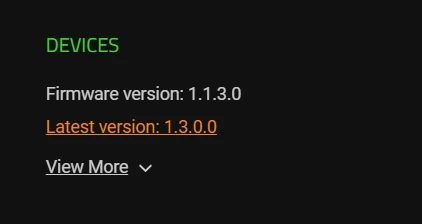
What are the versions of your products? Both the dongle and the headphones should be version 1.3.0. If not, you should update them again by following the steps in my previous message. At this stage, one end of the USB cable will be connected to your computer, and the other end will be connected separately to the dongle and headphones, as instructed by the update wizard.


i have a blackshark v3 white edition, but i literally tried anything and it doesnt let me update again


moguz
  • Insider Mini
  • May 7, 2026

Which device is this for? Both of dongle and headset must same version. Otherwise the 2.4 ghz will not work.Please start the update procedure with the USB cable not connected to the device to be updated. Connect the device when the sofware prompts you to.