Can't Post on Forum, please help? | Razer Insider
Skip to main content

Can't Post on Forum, please help?

  • September 20, 2020
  • 7 replies
  • 19 views

Heli_Guy
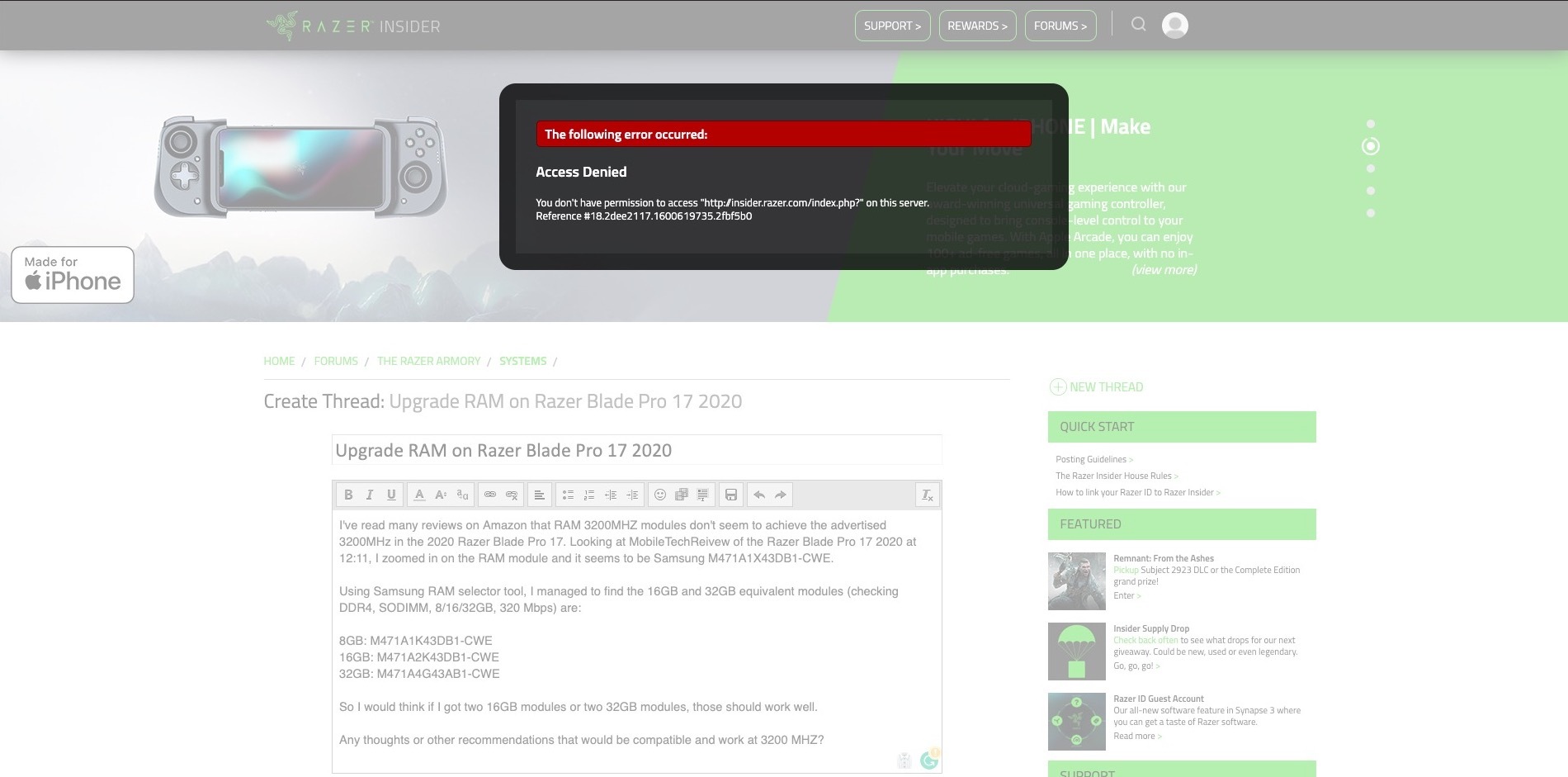
Get "Access Denied" You don't have permission to access "http://insider.razer.com/index.php" on this server
This topic has been closed for replies.

7 Replies

Heli_Guy
  • Author
  • Insider Mini
  • September 20, 2020

Razer.Speedcr0ss
Heli_Guy
https://i.imgur.com/n8XFdSC.jpg
Hi there! Thanks for posting your concern here. Have you tried to sign out from your Razer ID and signing back in? Please clear your browser's history including its cache and cookie. Also, try using a different browser or internet connection and observe.

Heli_Guy
  • Author
  • Insider Mini
  • September 21, 2020
Hello, Yes, I tried Safari and Chrome and also tried in private/incognito tabs, still get the same error when trying to post threads that are longer than one short sentence.

Razer.Speedcr0ss
Heli_Guy
Hello, Yes, I tried Safari and Chrome and also tried in private/incognito tabs, still get the same error when trying to post threads that are longer than one short sentence.
Thanks for letting me know. I'll forward this to the team. I'll get back to you by replying to this thread or by sending a private message once I have an update. Hi @dekades and @ZeroNero, please check this out.

dekades
  • Community Cowboy
  • September 21, 2020
Are you copy/pasting the text into the text box by any chance? That seems to be trigger the error you're getting. It's a common bug. Try typing directly into the text box.

  • Insider Mini
  • November 3, 2020
Dekades
Are you copy/pasting the text into the text box by any chance? That seems to be trigger the error you're getting. It's a common bug. Try typing directly into the text box.
I have this problem too! Typing a long response is really less than satisfactory. I have a long reply 700+ words.

Razer.Speedcr0ss
EyeBalls
I have this problem too! Typing a long response is really less than satisfactory. I have a long reply 700+ words.
Aside from typing your post directly into the text box, have you tried what I suggested above?