

cannot select 95% of macros in macro drop down | Razer Insider
Skip to main content
Question

cannot select 95% of macros in macro drop down

  • June 25, 2026
  • 3 replies
  • 40 views

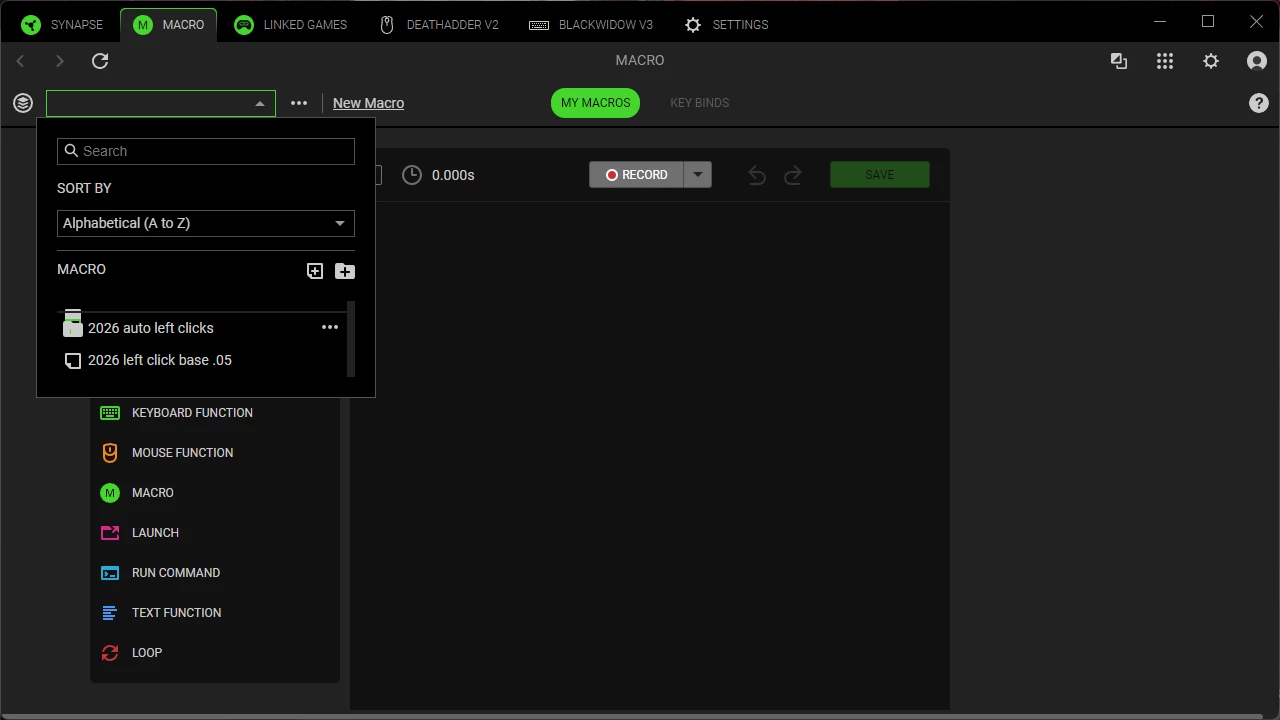
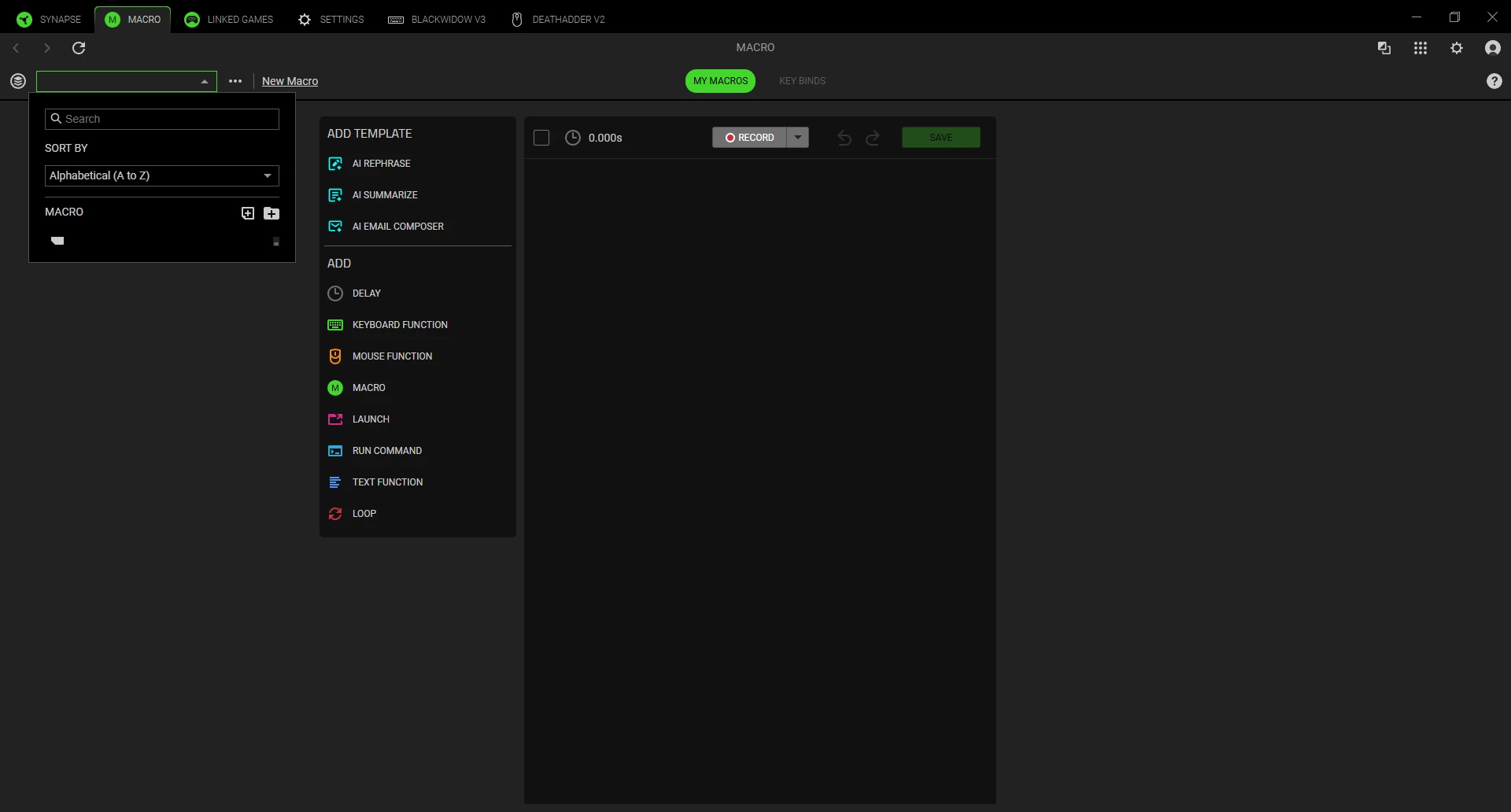
I cannot select any of my macros except the 2026 ones in this picture. The rest seem to be “squashed” above those two, however if I click on that little gap above those 2026 ones it just becomes a blank line, and choosing delete macro gives a yes/no prompt but choosing yes doesnt change anything.


I uninstalled synapse 4, deleted leftover files in programdata, appdata, and program files, reinstalled, re-logged in and its still occuring. Please help I dont know how to fix.


3 Replies

this is still a thing, how on earth do I fix this? Im thinking if I could delete all of my macros it might fix it, but I cant find anyway to delete all of them or any of them, and im worried they are stored cloud side, with no way to delete except through the UI that doesnt work


also, if I click the export macro button, this is the resulting xml, if it helps

<Macro>
   <Name/>
   <MacroEvents>
      <MacroEvent>
         <Type>actionBar</Type>
         <recordProfile/>
         <selected>false</selected>
      </MacroEvent>
   </MacroEvents>
   <DelaySetting>0</DelaySetting>
   <Guid/>
   <Version>4</Version>
   <MouseMoveType>none</MouseMoveType>
</Macro>


i went through and blindly clicked delete on every one of these blank no-name macros(I finally figured out how to do it despite them akwardly stacking on top of each other in the UI)

then I made new macros, and was using them for awhile. Today I went to edit my macros, and they are all gone! and these blank ones are back!

my goodness someone please help