

El micrófono de mis audífonos baja el volumen automáticamente cada que hablo | Razer Insider
Skip to main content
Question

El micrófono de mis audífonos baja el volumen automáticamente cada que hablo

  • November 24, 2025
  • 1 reply
  • 30 views

Buen día.
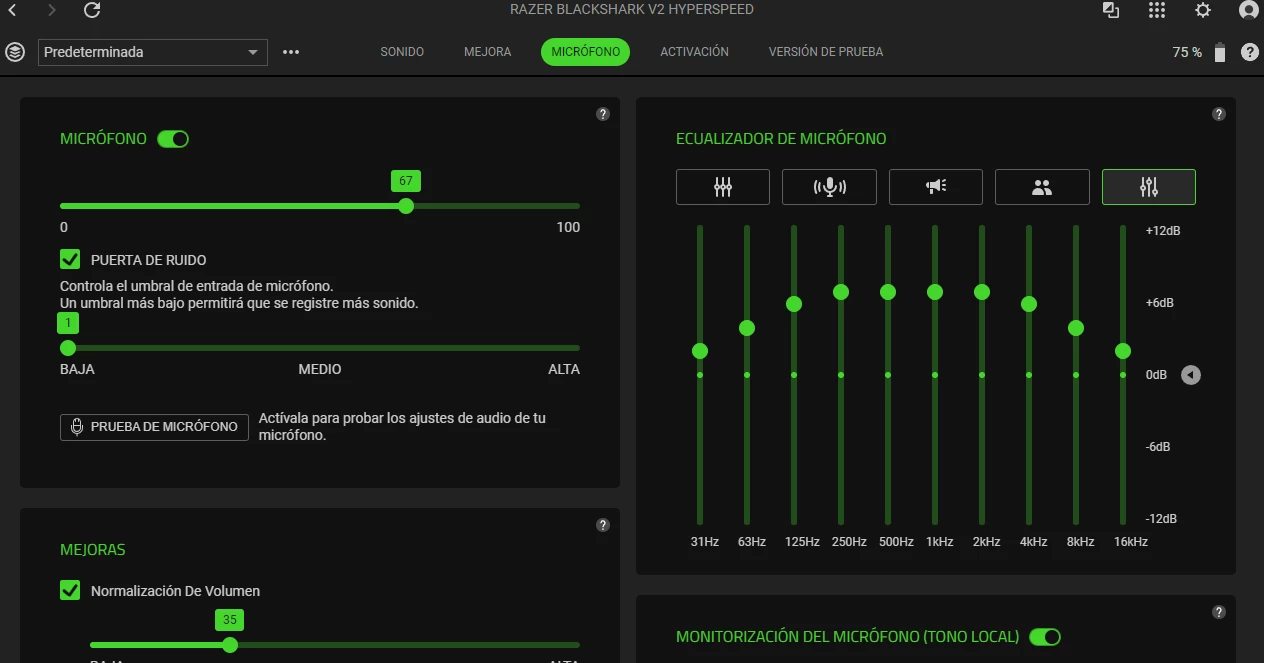
Llevo con mis audífonos Blackshark V2 Hyperspeed desde julio de este año y hasta el momento no tuve ninguna complicación, pero no sé si hubo alguna actualización o algo diferente por lo cual hace dos semanas el micrófono cada que hablo ya sea en algún juego, Discord, Meet o Zoom, se baja el volumen y por ello no se escucha o se coloca la voz robótica. Esto lo puedo revisar en tiempo real por Razer Synapse. He buscado solución, pero hasta el momento no lo he encontrado.





This topic has been closed for replies.

1 Reply

Razer.Aero
Forum|alt.badge.img
  • Razer Support
  • November 24, 2025

Buen día.
Llevo con mis audífonos Blackshark V2 Hyperspeed desde julio de este año y hasta el momento no tuve ninguna complicación, pero no sé si hubo alguna actualización o algo diferente por lo cual hace dos semanas el micrófono cada que hablo ya sea en algún juego, Discord, Meet o Zoom, se baja el volumen y por ello no se escucha o se coloca la voz robótica. Esto lo puedo revisar en tiempo real por Razer Synapse. He buscado solución, pero hasta el momento no lo he encontrado.

 

This translates as:
Good day. I've been using my Blackshark V2 Hyperspeed headphones since July of this year and haven't had any problems until now. However, I'm not sure if there was an update or something different, but for the past two weeks, the microphone volume drops whenever I speak, whether in a game, on Discord, Meet, or Zoom. As a result, I can't hear myself or my voice sounds robotic. I can monitor this in real time through Razer Synapse. I've been looking for a solution, but haven't found one yet.

Hi ElMayer,

I'm sorry to hear about the microphone issues you're experiencing with your Razer BlackShark V2 HyperSpeed. Does the issue occur when using the headphones on 2.4 GHz wireless, Bluetooth, or USB connection? Have you noticed any other changes in your setup or environment that might coincide with the start of this issue? To resolve this, please try the troubleshooting steps below:
1. Clean dirt or debris that may obstruct the vents or diaphragm of your mic.
2. Ensure the audio ports and jacks are clean and the headset mic is properly attached.
3. Update the firmware of the Razer BlackShark V2 HyperSpeed.
4.Test if the issue occur when using the device on 2.4 GHz wireless, Bluetooth, or USB connection.
5. Rule out software issues. Close all audio enhancing software including Razer Synapse and check if the issue persists.
6. If closing Razer Synapse fixed the issue, reinstall your headset drivers and Razer Synapse. Restart your PC then test your headset.
7. If the issue only happens while Razer Synapse is running, logout from Razer Synapse and test with another Razer account.
8. Check if the issue persists with a different PC.

If you need further assistance, please feel free to send me a PM with your device’s serial number. This will allow me to check for other possible workarounds.

Please note that Razer Insider doesn't support languages other than English. Kindly post your inquiry or concern in English across all boards. All the best!


*Thread locked to curb conversation to PM.