GameManagerService3.exe Still Crashing | Razer Insider
Skip to main content
Question

GameManagerService3.exe Still Crashing

  • September 16, 2025
  • 3 replies
  • 274 views

@Razer.Speedcr0ss not very handy to close a Topic which is still an issue.

I uninstalled Razer/Synapse and run the DriverCleanup tool as suggested in the other thread.

After a fresh install the issue is repeatable every time after reboot/restart!

PLEASE fix this issue!
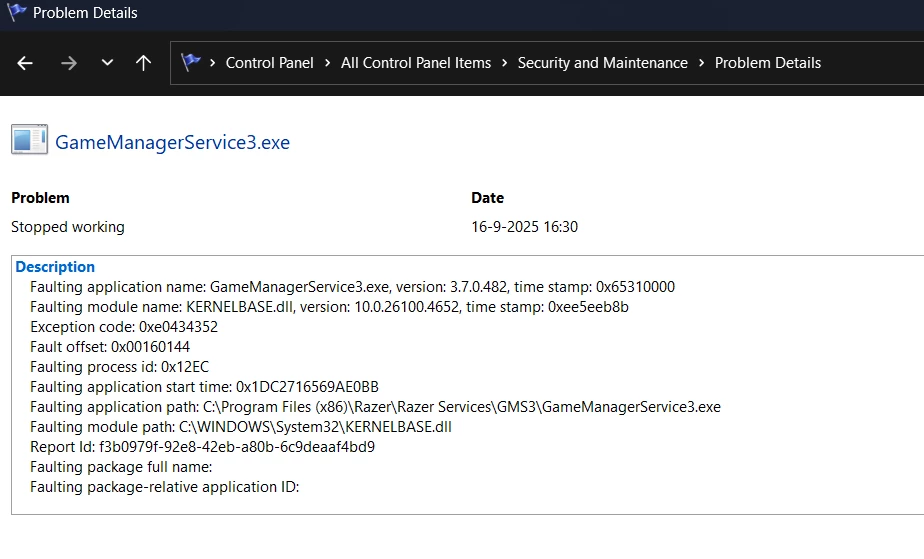
 

Synapse version: 4.0.86.2509080713

Edition: Windows 11

Version: 24H2

OS Build: 26100.4652

Device connected: Razer Tartarus V2 

3 Replies

intelligo
  • Insider Mini
  • October 30, 2025

October 2025 -- Over one month later and I too can report that GamerManagerService3.exe repeatedly crashes Windows 11 Pro 25H2 (OS Build 26200.7019). 

Before my problems with GamerManagerService3.exe, there were repeated crashes immediately preceded by failures of Razer Chroma SDK Service Host. At the time, I had both Chroma and Synapse installed, so I uninstalled Chroma and repaired Synapse just in case. This avoided failures of Razer Chroma SDK Service Host, but now crashes are immediately preceded by failures of GamerManagerService3.exe. I ran DDU to uninstall my Nvidia GPU drivers then cleanly reinstall the same drivers, but with no effect on failures of GamerManagerService3.exe.

I will uninstall Synapse until Razer resolves this problem. This will sacrifice functionality for my three Razer products: BlackWidow V4 keyboard; Tarturus V2 keypad; and Basilisk 35K mouse. Very disappointed.


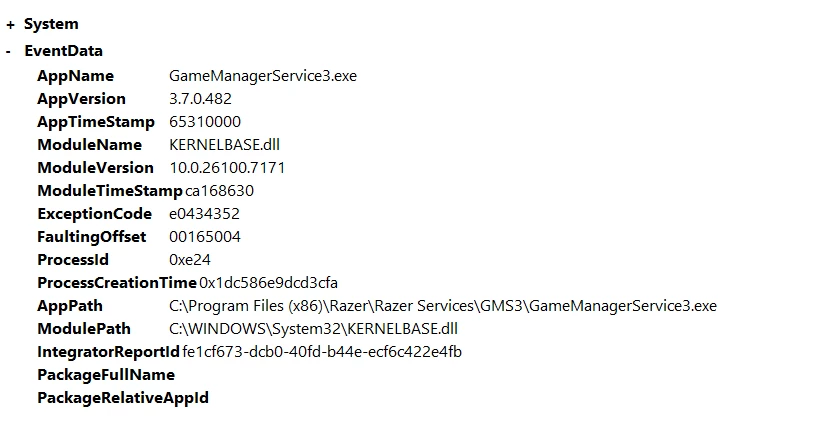
The log from System Reliability Report will be familiar to the numerous others who have had the same problems with GamerService3.exe:

  • Faulting application name: GameManagerService3.exe, version: 3.7.0.482, time stamp: 0x65310000
  • Faulting module name: KERNELBASE.dll, version: 10.0.26100.7019, time stamp: 0xb9f6d75e
  • Exception code: 0xe0434352
  • Fault offset: 0x00165004
  • Faulting process id: 0x145C
  • Faulting application start time: 0x1DC49DA0FF1E1D5
  • Faulting application path: C:\Program Files (x86)\Razer\Razer Services\GMS3\GameManagerService3.exe
  • Faulting module path: C:\WINDOWS\System32\KERNELBASE.dll
  • Report Id: aa524c83-7330-4853-b8c7-2def742c1cfc
  • Faulting package full name: 
  • Faulting package-relative application ID: 
     

MAX_PC
  • Insider Mini
  • November 20, 2025

I have the same problem. I bought a Razer DeathAdder V3 a few days ago and this problem occurs every time I turn off my PC.


same issue here. never happened before, but now its getting to the point that i cant do anything without it happening.