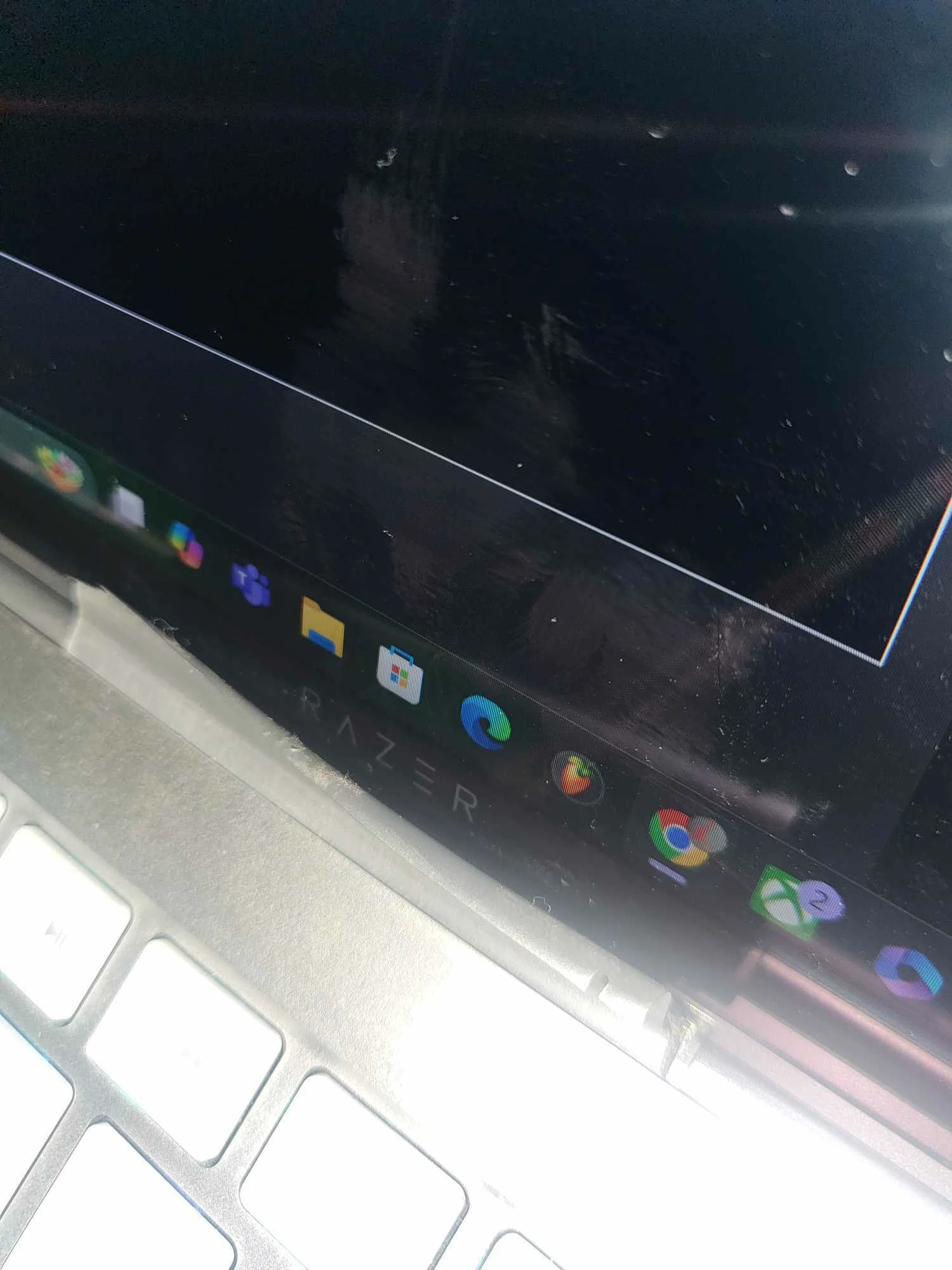
Hinge/ Dust cover peeling? any way on how to fix? | Razer Insider
Skip to main content
Question

Hinge/ Dust cover peeling? any way on how to fix?

  • September 20, 2024
  • 3 replies
  • 134 views

 Hi,

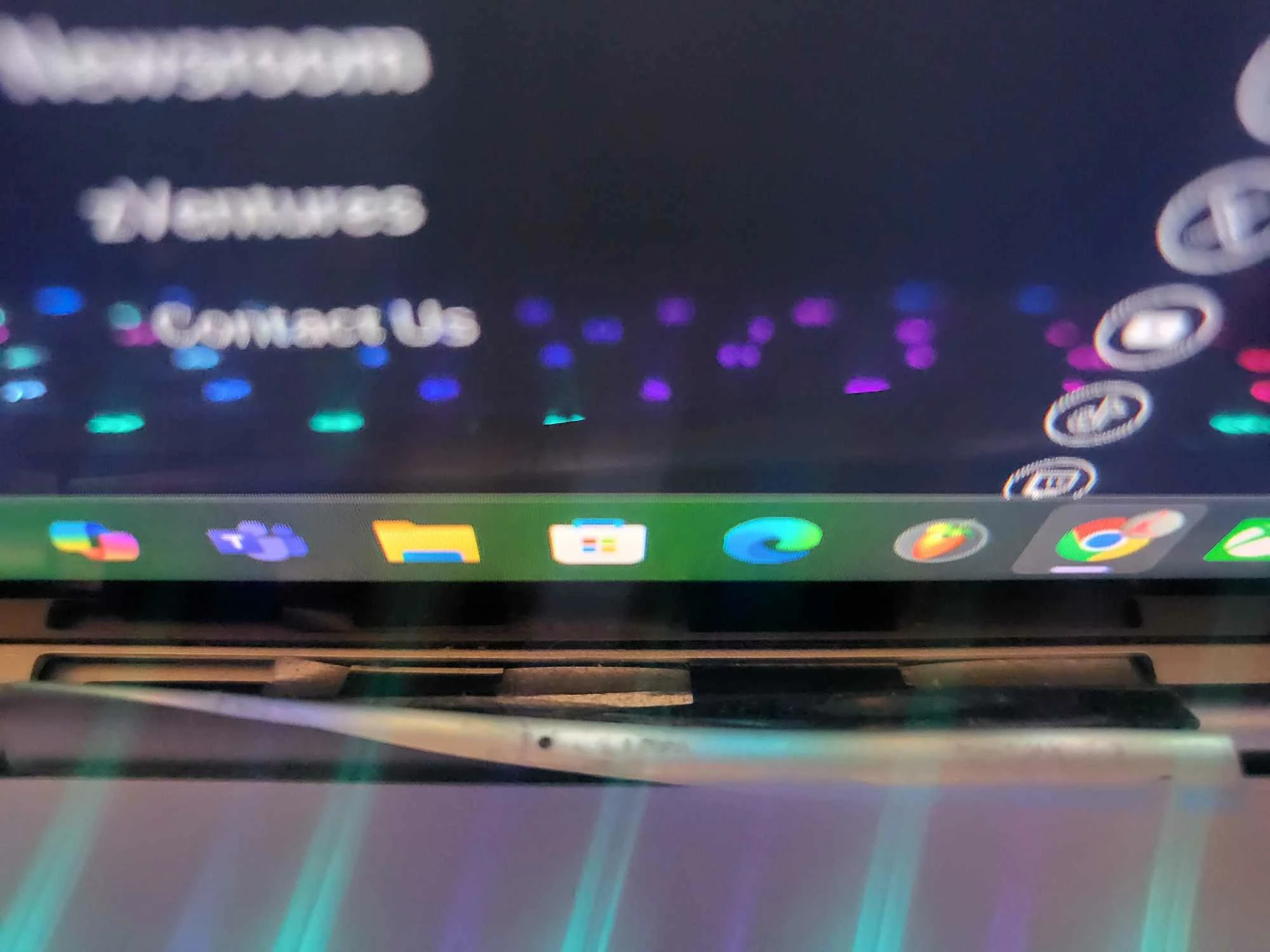
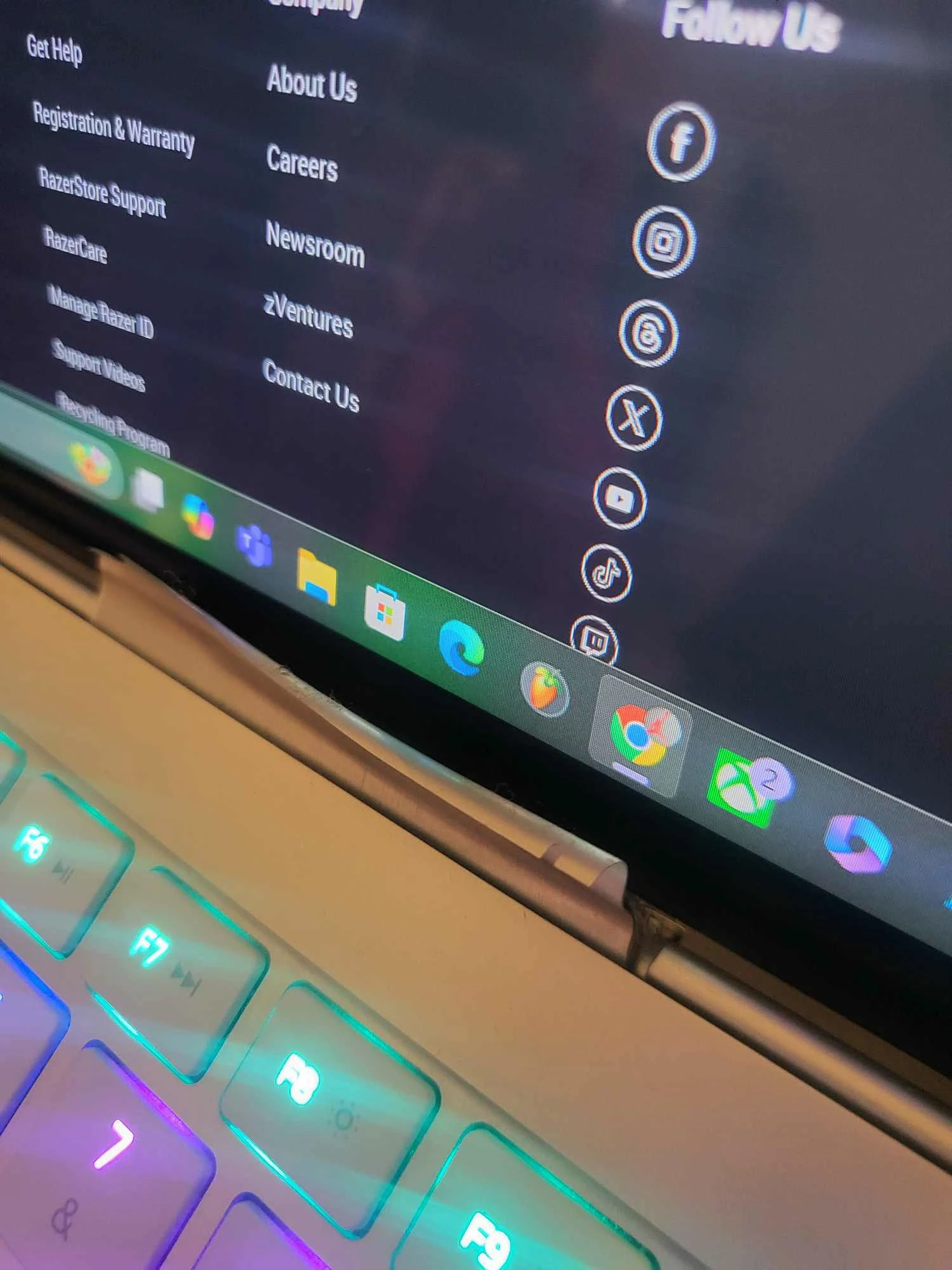
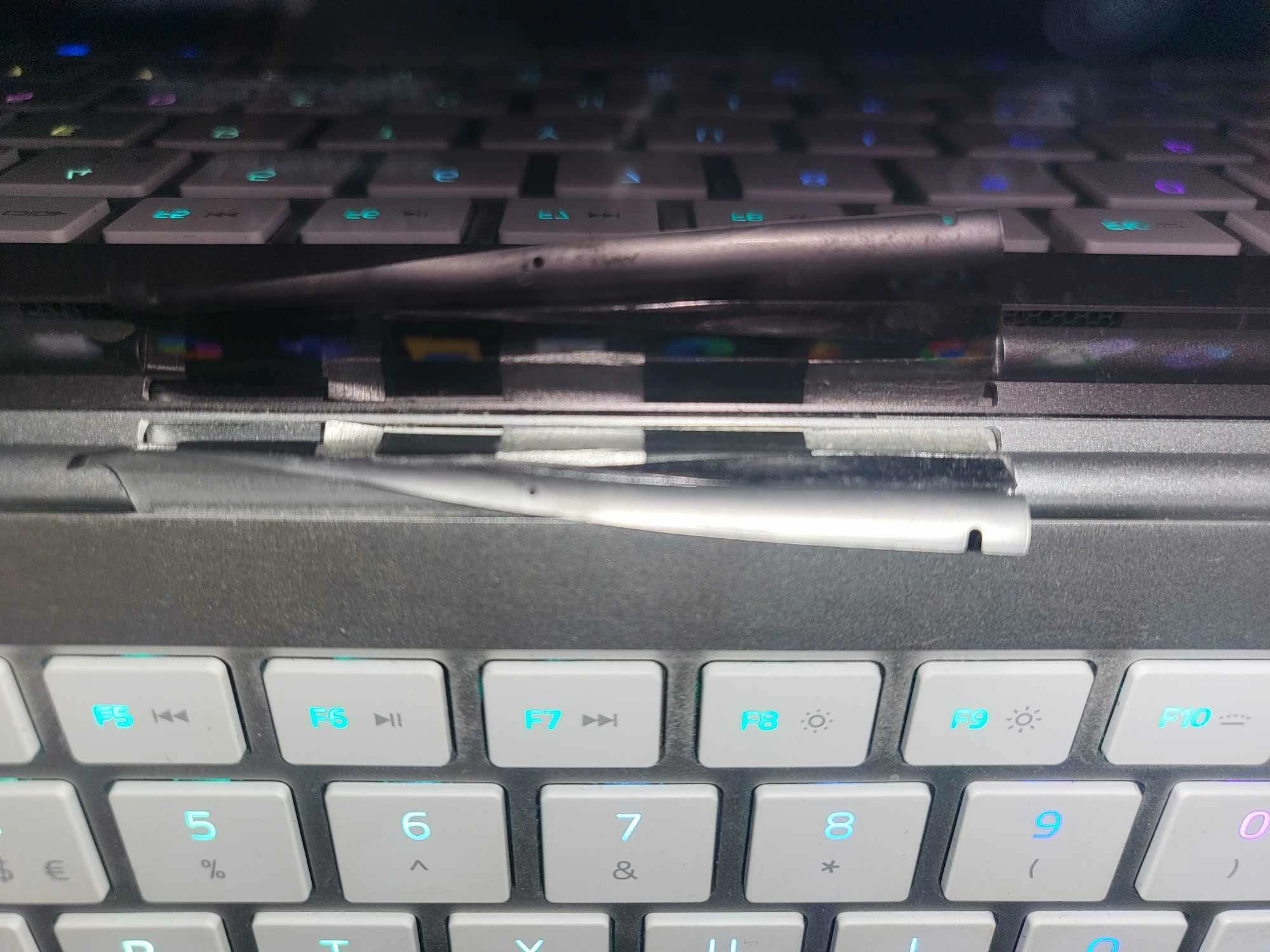
First time posting on here but  I am literally getting no help looking online. I purchased myself a Razer Book back in 2021. When I had first got it, it would overheat due to being laid flat on my desk. to prevent this I had bought a laptop stand to allow my laptop to breathe better. Everything seemed find until I saw the hinge cover flex. throughout time I would see the hinge cover peel off more and more until it had gotten to this state. 2 years back I had contacted Simple Insurance regarding this issue (I am from the UK and I remember Razer had offered insurance for my laptop). When I submitted the ticket they were of no use and would not even take a look at my laptop to see what my issue was. I have been trying to see if Razer had a support line to  contact them directly but I couldn’t see any way for me to contact their  support team. My question is, is there any way for me to get this little plastic piece repaired? My laptop screen works and functions with no issue but my main fear is the dust ruining my laptop down the line as well as the piece sticking out ruining the aesthetic of the whole laptop. Have any of you managed to find a fix for this issue? If so I would greatly appreciate any feedback/tips on how to repair this issue, thanks. (I have sent some images of my issue to help with any confusion). 



3 Replies

magis123
  • Insider Mini
  • March 23, 2026

Just an FYI, my Razer Book became that way about 6 months after buying it and I took it to Razer to get it repaired and they told me it was ‘not covered under warranty’ because ‘the laptop is fully functional’.

It’s been that way for like several years now and I just occasionally push it back into place but I haven’t cut it off because I know it’s a dust cover.  It just irritates me that this was such poor QC.


  • Author
  • Insider Mini
  • March 23, 2026

Honestly, this laptop in my opinion is a pretty decent laptop but the plastic cover issue is my only gripe. I had the same issue with it only being 6 months before it turned to this state. How is your laptop doing by the way? My laptop is running just fine surprisigly but yeah, honestly the QC on this laptop regarding the dust cover could have been so much better. Also did Razer give you a quote? And how did you manage to find them? I was struggling for a while trying to find anything regarding a location and just gave up lmao.


magis123
  • Insider Mini
  • March 23, 2026

So as far as give me a quote, no they flat out refused to repair it and said that the part is not something that can be ordered or replaced and this came directly from the Razer Store talking to their version of Tech Support.  So yeah frustrating.  What I did try with mine was putting just a very fine amount of adhesive on the very top of the dust cover before pushing it back down into where it should be seated.  This actually lasted for nearly 4 months before one day, opened it up and there it was again.  Now I just deal with it.

Overall the laptop chugs along and works just fine.  I did a replacement of the thermal paste with phase change material about 9 months ago and that dropped temps pretty significantly and I think will extend the life a bit more.  Also the laptop just recently (as of like 3 months ago) has developed hinge wobble on the screen and I’ve done everything I can to repair it but I know since I’ve had like 5 Razer’s that this means eventually the hinge will implode on itself.

The only other frustrating thing I have with it is that it likes to always default to the 2.4ghz channel on the WiFi instead of using the faster 5ghz channel.  I know this because sometimes downloads are just ridiculously slow so I have to cycle the WiFi off and on again and boom, no problem.  I also have the same problem with a Razer Blade 2021 Advanced so it is something with the WiFi chip itself or the drivers.