Huntsman v3 Pro mini not working in chroma studio | Razer Insider
Skip to main content
Question

Huntsman v3 Pro mini not working in chroma studio

  • May 29, 2026
  • 9 replies
  • 188 views

GvngLvnd

I'm posting this to see if anyone else with a Huntsman V3 Pro Mini is experiencing the same issue.


My Huntsman V3 Pro Mini is detected correctly by Synapse and Chroma Studio. The keyboard functions normally, and Quick Effects work without any issues.

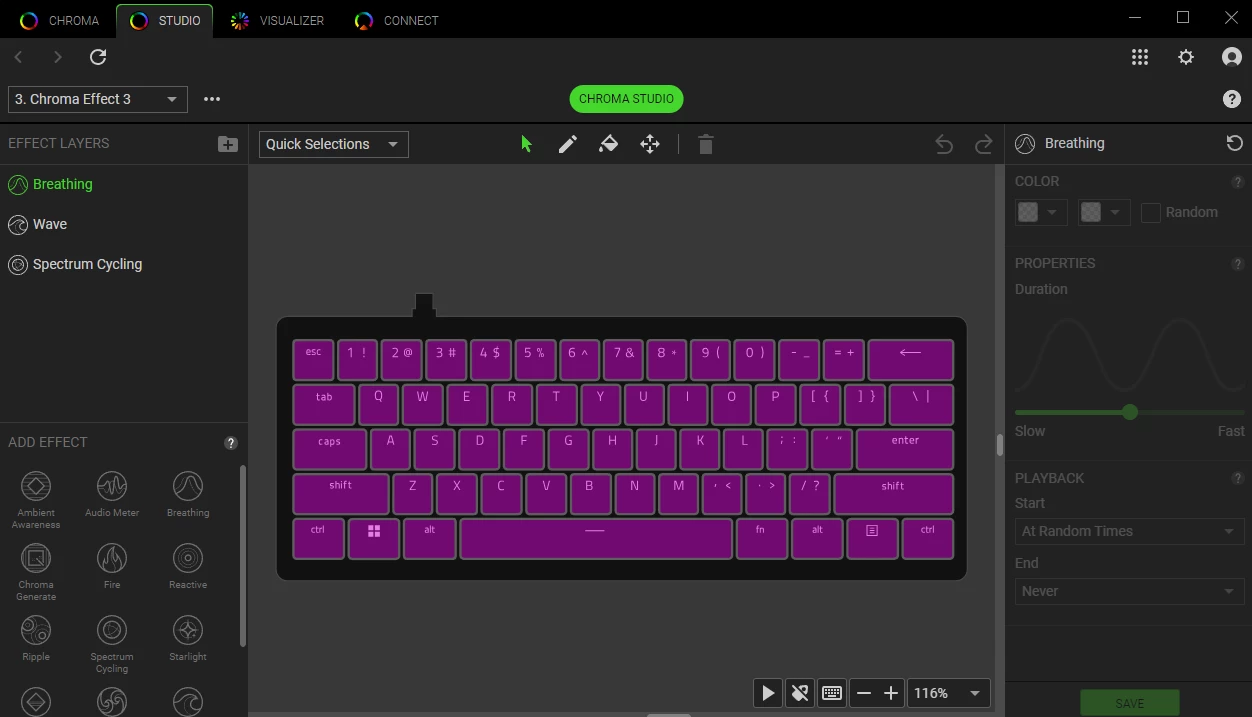
However, when I switch to Advanced Effects / Chroma Studio, I am unable to edit per-key RGB lighting. The color selection controls are greyed out and display the prohibited symbol (circle with a slash). As a result, I cannot assign custom colors to individual keys.

9 Replies

I have same problem


Cyruz0562
  • Insider Mini
  • May 31, 2026

exact same issue here, just received my v3 pro mini from Amazon


Cyruz0562
  • Insider Mini
  • June 5, 2026

still not working after the latest update on both Synapse and Chroma.

Synapse: Version 4.0. [removed by moderator]
Chroma: Version 4.0. [removed by moderator]
V3 Pro Mini: Version 2.1.0.0


freshMalachiteportal887

pls fix this im kinda unsatisfied that i paid 150+ for a keyboard with many bugs.


Cyruz0562
  • Insider Mini
  • June 9, 2026

Update!! I found a way to make the works to adjust the RGB!!
I switched on the Windows Dynamic Light mode on Synapse,
Then I went to Chroma Studio, found that I can customise the RGBs!

Seemingly it is a bug on toggling the status of the attributes. But…. it worked!


  • Insider Mini
  • June 11, 2026

Update!! I found a way to make the works to adjust the RGB!!
I switched on the Windows Dynamic Light mode on Synapse,
Then I went to Chroma Studio, found that I can customise the RGBs!

Seemingly it is a bug on toggling the status of the attributes. But…. it worked!

Tried this, though this time, it only changed the preview and when I try editing it and saving it,  it still doesn't work.


  • Insider Mini
  • June 13, 2026

Update!! I found a way to make the works to adjust the RGB!!
I switched on the Windows Dynamic Light mode on Synapse,
Then I went to Chroma Studio, found that I can customise the RGBs!

Seemingly it is a bug on toggling the status of the attributes. But…. it worked!

Tried this, though this time, it only changed the preview and when I try editing it and saving it,  it still doesn't work.

Yeah in the same boat here… im considering just ignoring and using only quick effects... but yeah the keyboard just doesnt wanna light up in chroma studio …  


  • Insider Mini
  • June 14, 2026

I posted a similar thread a few days ago and Razer responded directly saying they’re aware of the problem. Specifically with the huntsman model and are looking into it. Will be fixed in an update but guess we’ll see how long that actually takes.


  • Insider Mini
  • June 15, 2026

I

have the same problem. When i try change my advanced light settings in chroma studios it shows my keyboard as fully purple and i can’t edit or change it in any way.