
I cannot login my razerid via facebook account | Razer Insider
Skip to main content
Question

I cannot login my razerid via facebook account

  • January 22, 2026
  • 2 replies
  • 12 views

FuchsiaFIRE OPALurban881

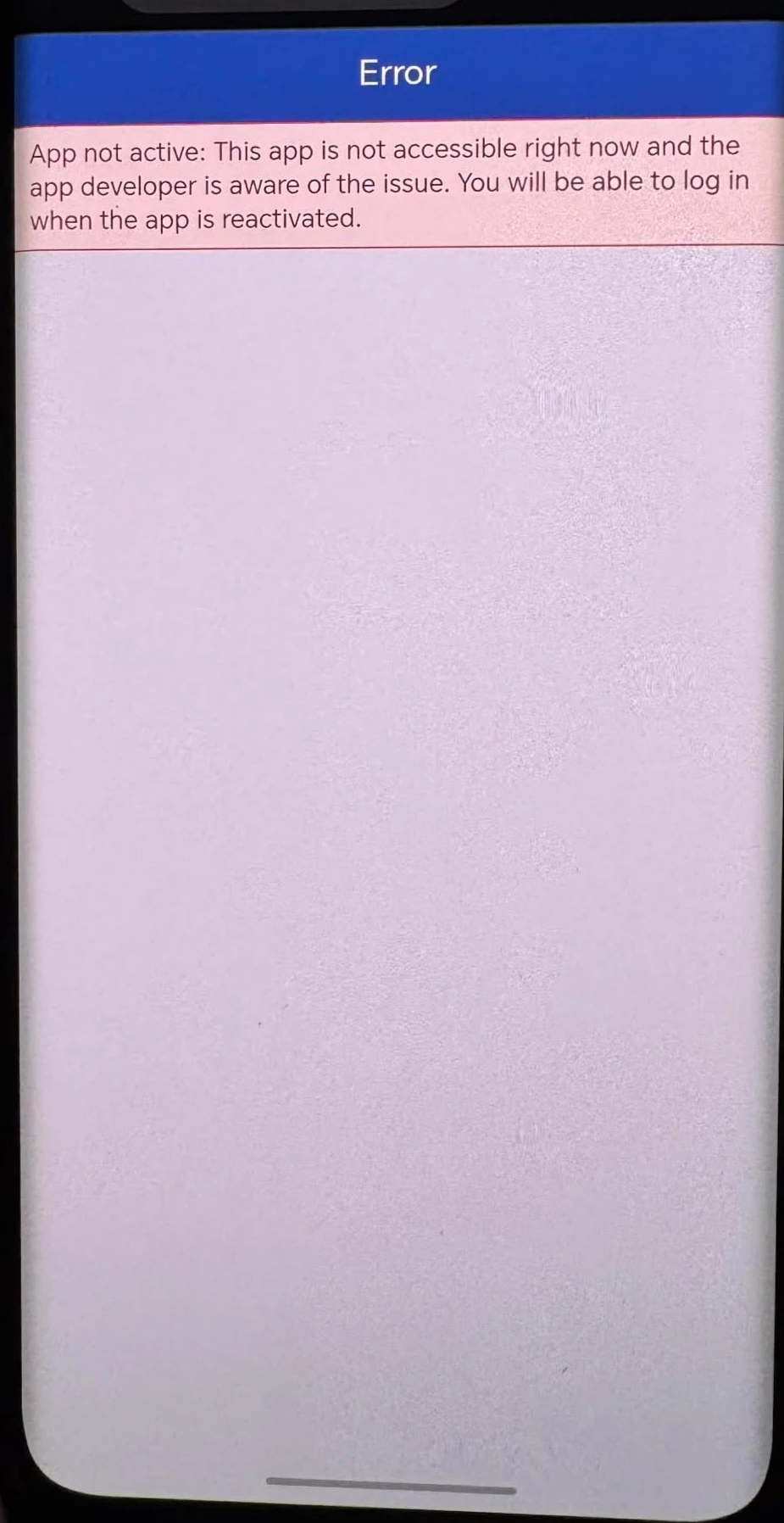
I am trying to login with my facebook which includes all my registered prosucts. I also use that account for razer synapse. Everytime I try to login the facebook website always prompting the following. Are there any issues with account servers? 
 

2 Replies

Razer.Zionzedd

Hi FuchsiaFIRE OPALurban881, 


If you are unable to log in to your Razer ID using your Facebook account, it is likely due to a browser caching issue, a disruption in the third-party linking service, or a need to re-authenticate with Facebook. Try the steps below:


  1. Log out of your Facebook account completely in your browser (Safari/Chrome) and within the Facebook app. Then, try to log in to the Razer ID again. This often refreshes the token and fixes the issue.
  2. If using a browser, clear the cache and cookies for both Facebook and Razer sites, then try again.
  3. If you are using an in-app browser (like the one that pops up inside the Facebook app), try switching to a dedicated browser like Chrome or Safari, or vice versa.
  4. On the Razer ID login page, enter the email address associated with your Facebook account and select "Forgot Password" to create a dedicated password. This allows you to log in directly via email/password instead of relying on the Facebook link. 


If none of the above steps resolve the issue, please PM me the below details for me to create a case:


Complete Name:

Email Address (Associated with your Razer ID Account):

Phone/Mobile Number:


  • Insider Mini
  • January 23, 2026

Hi FuchsiaFIRE OPALurban881, 


If you are unable to log in to your Razer ID using your Facebook account, it is likely due to a browser caching issue, a disruption in the third-party linking service, or a need to re-authenticate with Facebook. Try the steps below:


  1. Log out of your Facebook account completely in your browser (Safari/Chrome) and within the Facebook app. Then, try to log in to the Razer ID again. This often refreshes the token and fixes the issue.
  2. If using a browser, clear the cache and cookies for both Facebook and Razer sites, then try again.
  3. If you are using an in-app browser (like the one that pops up inside the Facebook app), try switching to a dedicated browser like Chrome or Safari, or vice versa.
  4. On the Razer ID login page, enter the email address associated with your Facebook account and select "Forgot Password" to create a dedicated password. This allows you to log in directly via email/password instead of relying on the Facebook link. 


If none of the above steps resolve the issue, please PM me the below details for me to create a case:


Complete Name:

Email Address (Associated with your Razer ID Account):

Phone/Mobile Number:


"Forgot Password" works thank you!!


