


As title, the prompt blocks all the settings behind it which have also some how disabled the mic randomly (an issue i always had on and off but could fix in this menu)
I have also tried reinstalling synapse and running as admin, nothing.
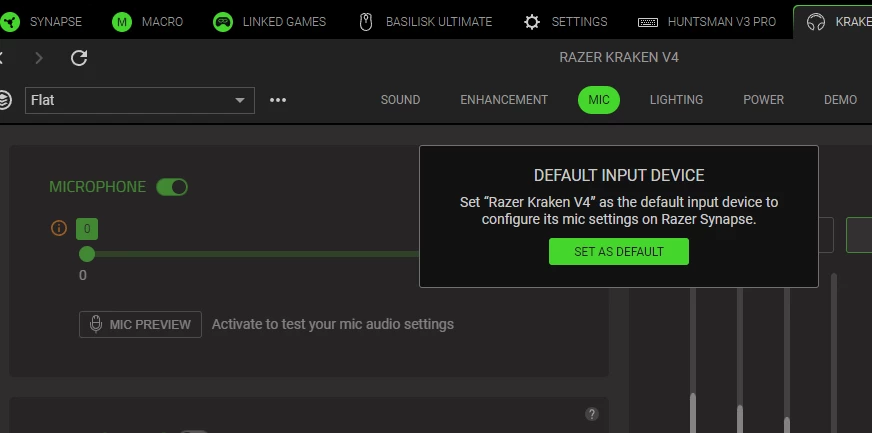
The button used to be clickable and would get rid of the prompt. No idea why it stopped working as intended. I even upgraded firmware and no biscuit.
Pluging in to USB bypasses the problem by loading a seperate set of settings, but I dont bloody want to use USB all the time…that also comes with it’s own annoying issues due to detecting it as a seperate input device with unique settings.
Finaly I can use the usb wireless dongle on my laptop with seemingly no issues, though i did have the “set to default” problem some times, it just doesnt happen ALL the time
OH ALSO…
I seem to be unable to right click windows volume on taskbar, which seems related (but i cant varify right away) . I did manage to get in after a fresh reboot but after tinkering with synapse a little it just seems to do nothing again. I have to go the long way around to get to windows sound settings.
