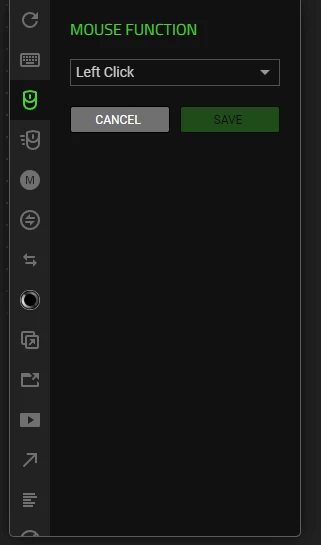
Im trying to make my extra button on my Cobra mouse an auto clicker with 20 cps when held down, i used to have it but changed it to a macro and now i want it back to the auto clicker, but cant find the button to enable turbo mode, ive looked at tutorials and my box to check for turbo mode just wont show up, what do i do?
To assign an auto-clicker with 20 CPS (Clicks Per Second) to your Cobra mouse, you need to use the software associated with your specific model (E-Blue Cobra or Razer Cobra). Because the "Turbo" setting doesn't always show for the main click button in all software versions, setting up a continuous-repeat Macro is the most reliable method. If you need further assistance, PM me your Razer Cobra’s SN: (Follow steps here: https://mysupport.razer.com/app/answers/detail/a_id/548/~/how-to-find-the-serial%2C-product%2C-or-part-number-on-a-razer-device) and link of your receipt in a PDF format: (Save the shareable files via any online drive account listed here: https://mysupport.razer.com/app/answers/detail/a_id/4011?_ga=2.197232171.544708261.1744067200-1885068520.1744067200&_gl=1*vo487o*_ga_3TRK53PM75*MTc0NDA2NzE5OS4xLjEuMTc0NDA2NzM0My4yNC4wLjA). Kindly change the privacy settings to "anyone has link", so I can view the file/s without asking for permission.