Razer Basilisk ultimate scroll wheel issues | Razer Insider
Skip to main content
Question

Razer Basilisk ultimate scroll wheel issues

  • March 27, 2023
  • 30 replies
  • 7125 views

Show first post

30 Replies

ceaima
  • Insider Mini
  • October 3, 2025

i had the same issue, none of the above helped. eventually i just tried a little IPA (99% pure alcohol) on it and it seems to have solved the issue,

did not soak it in, i used a brush to drip it in and had the mouse hanging front down, jest let it drip around. i’ll open it up seeing that the battery ain’t what it used to be anyway (needs replacing) and will do a proper clean of the wheel and sensors

Mine started doing this after ~2 years years of use.

for those ppl having trouble with them after only a little while, maybe some dirt got into it during packaging? it s worth trying to clean it. the way i did it you don t have to open it up 

the battery is to the rear, not sure what effect ipa has on  it so best keep the mouse hanging front down while dripping some ipa in there

do this at your own risk though 

hope it helps


geoRomanSilvertalk533

So I found the issue with my mouse and hopefully this works for most of you.

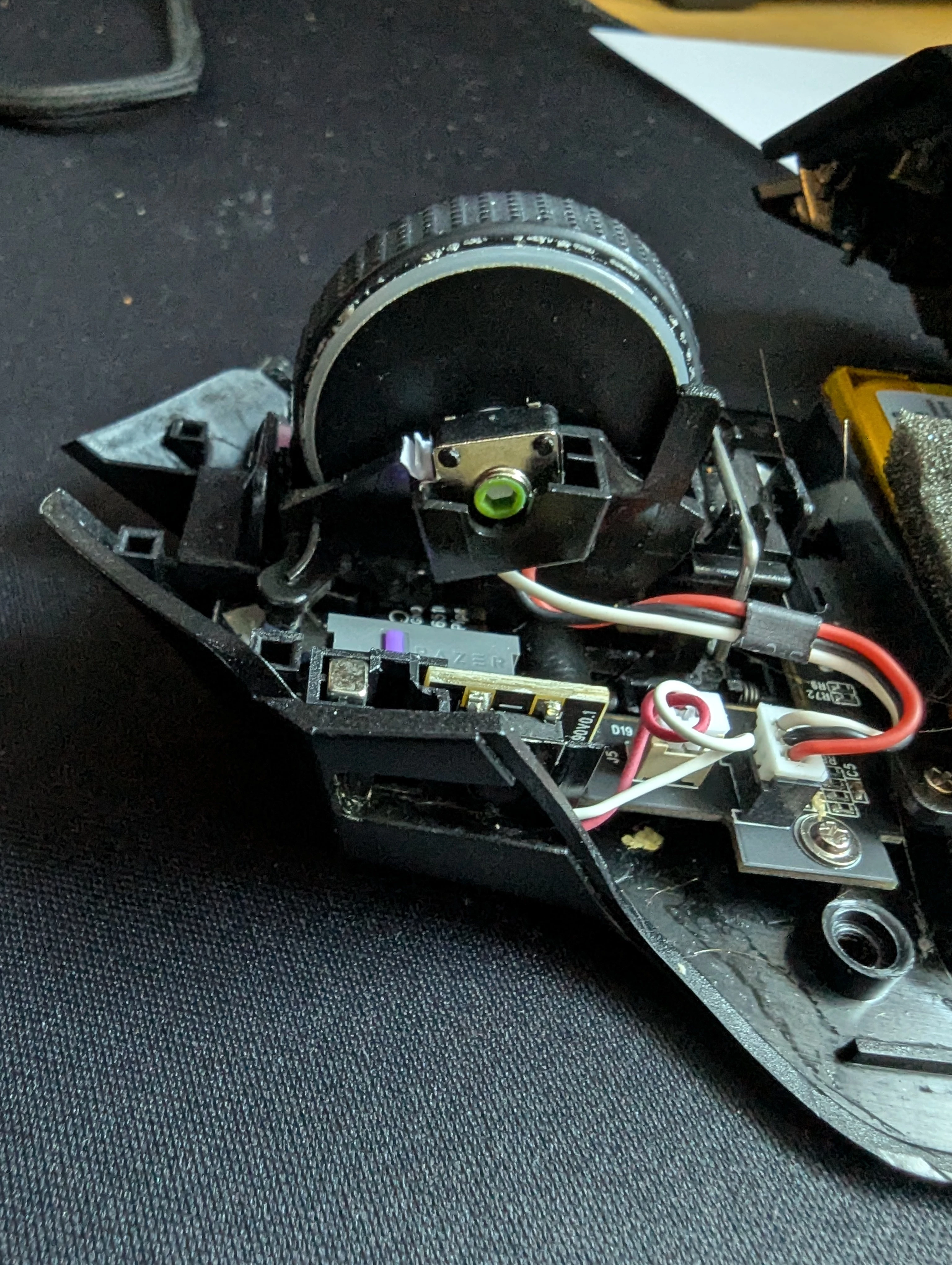
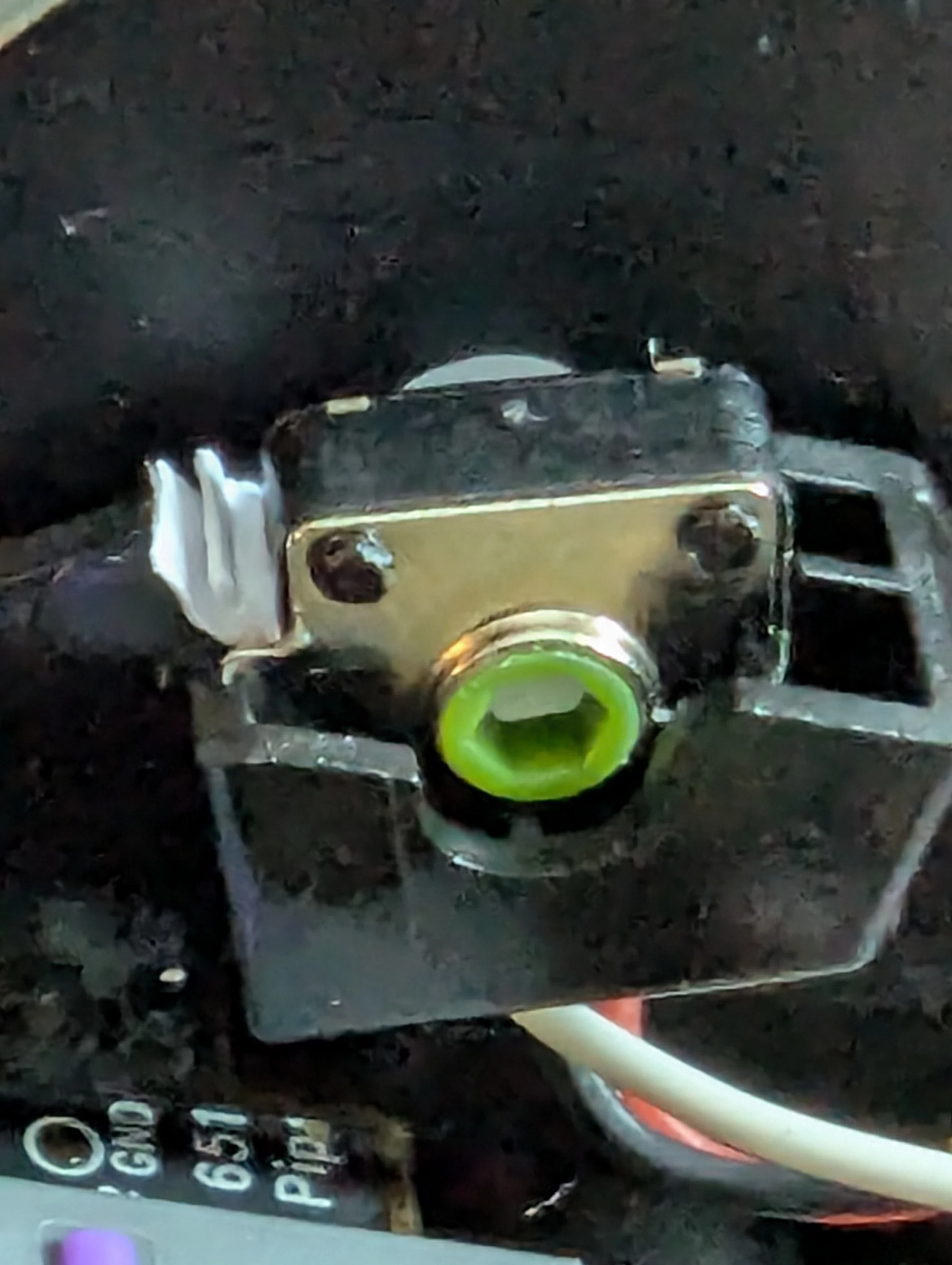
I opened up my mouse to clean it and noticed the mechanism for the scroll wheel was actually somewhat loose inside the plastic housing. when I scrolled a tiny bit, the actual mechanism would rotate. I fixed it by jamming a small piece of paper between it and the housing. I apologize for the crustiness of my photos. I’ve had this mouse for a while now


  • Insider Mini
  • February 26, 2026

Basilisk v3 Pro Wireless scroll wheel jumping fix - Adjusting the resistance of the scroll wheel sensor(little dial on the bottom of the mouse says Resistance next to it) fixed it for me. I think the scroll wheel uses a digital sensor to determine scroll movement and if the resistance is too high it probably has trouble seeing which direction you are trying to go. I lowered my resistance quite a bit and it 100% fixed it for me. Found the dial when I was about to take it apart. Hopefully this helps. 


Junsky84
  • Insider Mini
  • May 7, 2026

Got the same issue since a while now… I regret I didnt contact Razer / the vendor when it first started to happen - as mentioned above it started subtle - and partially wasnt an issue on different PCs at the time… by now its gotten really extreme - like scrolling once in one direction and it jumps, partially doesnt even stop over the whole page. when pressing middle button to toggel scrolling its doing whatever random scrolling in any direction. it also sometimes toggles or stays toggled without pressing the button - or doesnt switch of when it was toggled and clicked again. as well after normal scrolling it stays regularly in scroll mode without touching the button - and even there - when only moving the mouse it starts getting unpredictable… which at times is a bad bad thing regarding misclicking as well… maybe im a lucky guy - since with two Logitech Mice I had the “unintentional double clicking” issue which is even worse than the scrolling one… luckily I was on time with warranty with those… its sucks when you pay over 100 bucks for stuff and its doing this… the basilisk was supposed to be my main mouse… now its a g502 and two other razers that dont have the issue so far… still love it. perfectly ergonomic for my hands. design, weight all top.. if it wasnt for that… the resistance tweak works for me partially but only when I go zero resistance… as soon as I put some back it starts gradually with increasing resistance to show these signs again… my canned air just got empty with the last bits trying on the mouse… ill try the side button fix - and if none of it works will open it as well… ill be back ;)


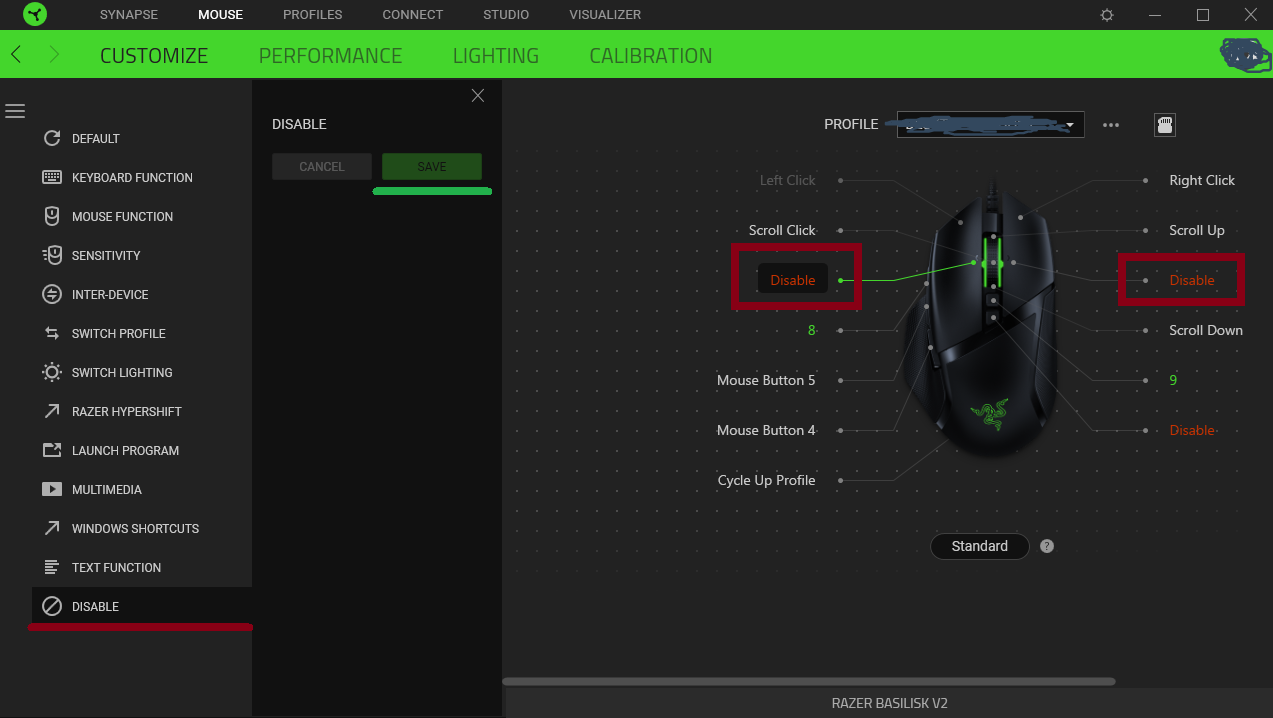
EDIT: After switching off the side wheel buttons it seems to work. Thanks for that recommendation!


Junsky84
  • Insider Mini
  • May 7, 2026

Got this nasty problem with my Razer Basilisk Ultimate and the latest firmware update 1.08 did not help.

The reason of this endless scrolling problem are low quality side buttons of the scrolling wheel. Just disable them and you will never have this problem again.


worked for me! thanks alot.