


I own a Razer Blade 14 (2022), model RZ09-0427.
Current BIOS version: 2.02 (2022-04-02).
After installing the latest Windows 11 24H2 cumulative update (KB5065426), my laptop started experiencing serious stability issues:
-
Random reboots, especially when exiting games.
-
BSOD with
CRITICAL_PROCESS_DIED. -
CPU running extremely hot (often ~100 °C).
From community feedback, it looks like updating the BIOS improves stability and cooling behavior on this model. Unfortunately, the official BIOS updater refuses to run on my system.
The problem
When I try to launch the BIOS updater (from https://mysupport.razer.com/app/answers/detail/a_id/5915), it closes with:
“This firmware tool is for use only with Razer Blade 14 and compatible system. The application will now close.”
I confirmed this is the correct updater for RZ09-0427 (2022).
I tried: disabling Hyper-V and Core Isolation, clean boot, closing Synapse, running as administrator, with charger + battery >50%. The result is always the same.
My investigation
-
msinfo32shows BIOS 2.02, but System SKU is empty. -
PowerShell confirms this (SystemSKUNumber is blank).
-
It seems the updater checks this DMI/SMBIOS field and blocks installation if SKU is missing, even though my laptop is clearly Blade 14 (2022).
Evidence
-
Screenshot of BIOS updater error.
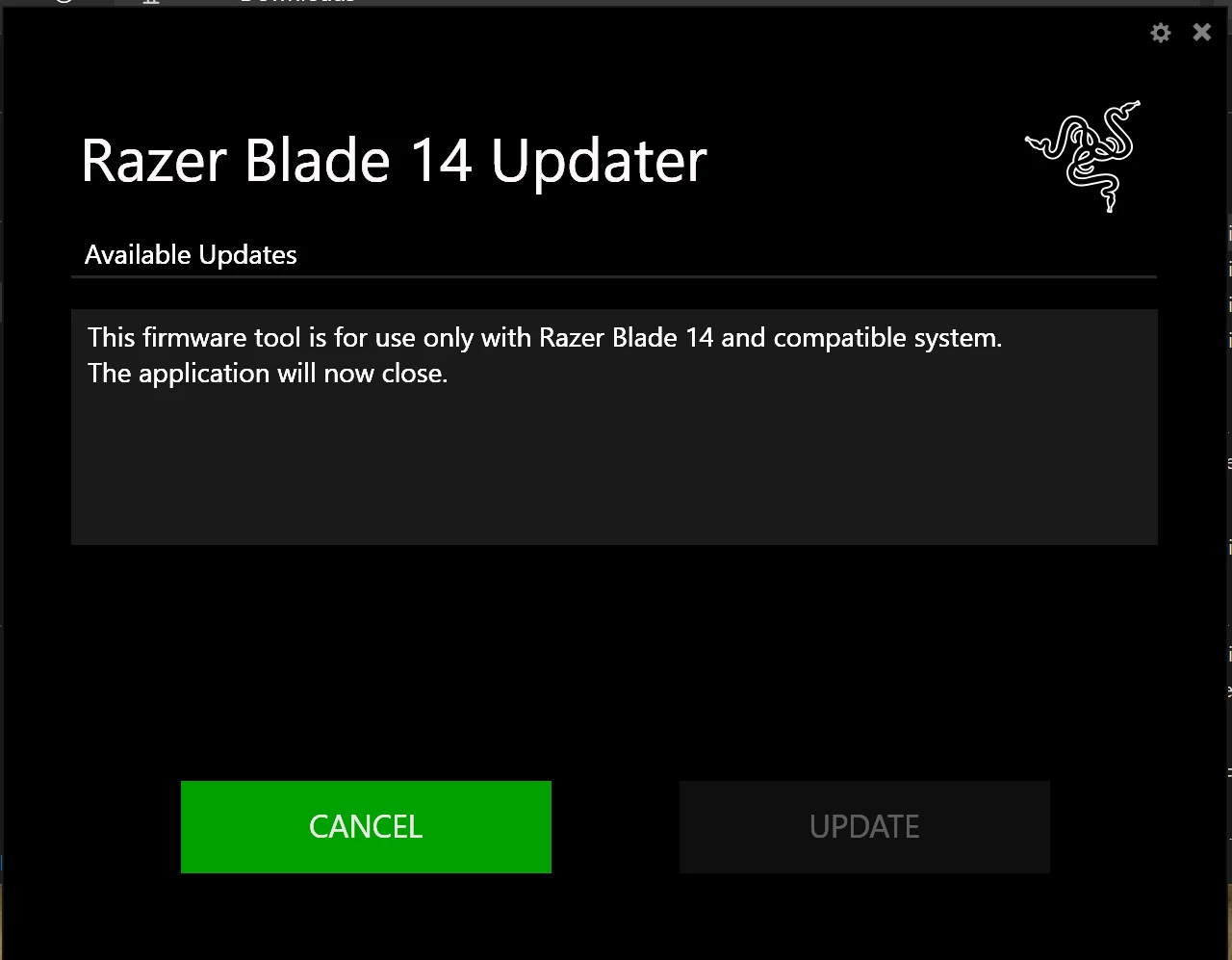
-
Screenshot of
msinfo32(empty SKU).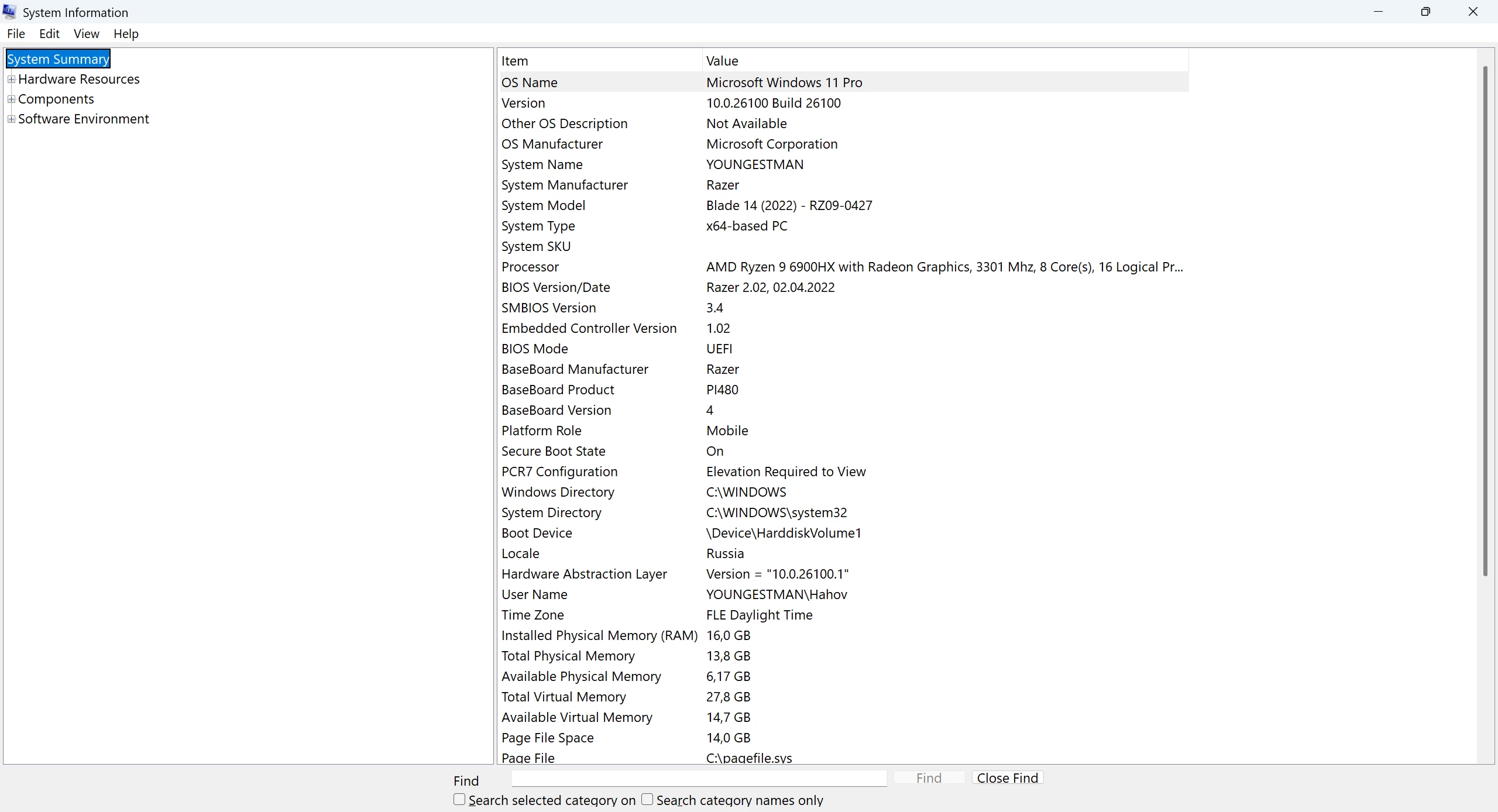
-
PowerShell output confirming the issue.
Get-CimInstance Win32_ComputerSystem | fl Model,SystemSKUNumber


Model           : Blade 14 (2022) - RZ09-0427
SystemSKUNumber : -
Collected diagnostics: DxDiag, msinfo, event logs, BSOD dumps (available if needed).
Request
Could Razer please:
-
Provide a BIOS updater that bypasses the SKU check, or
-
Give instructions/tool to restore the missing DMI SKU field.
This is a genuine Razer Blade 14 (2022) – RZ09-0427, but due to the missing SKU I cannot update the BIOS. Maybe there is a problem beacause I’ve updated the SSD, or just that laptop is too old for Razer and lost any kind of support (its out of warranty already and I cant submit support ticket). Since stability problems began right after the latest Windows update, and since updated BIOS is known to fix related issues, I urgently need a solution.
Thank you in advance for your help!