


Razer Blade 16 (2023) EC Updater not working | Razer Insider
Skip to main content
Question

Razer Blade 16 (2023) EC Updater not working

  • Jun 26, 2025 6:37 PM UTC
  • 1 reply
  • 55 views

I just installed Synapse 4 over Synapse 3 and upon doing so I was met with this message in the new synapse (the link takes me to here)

When I try running this file (as administrator) it shows this :
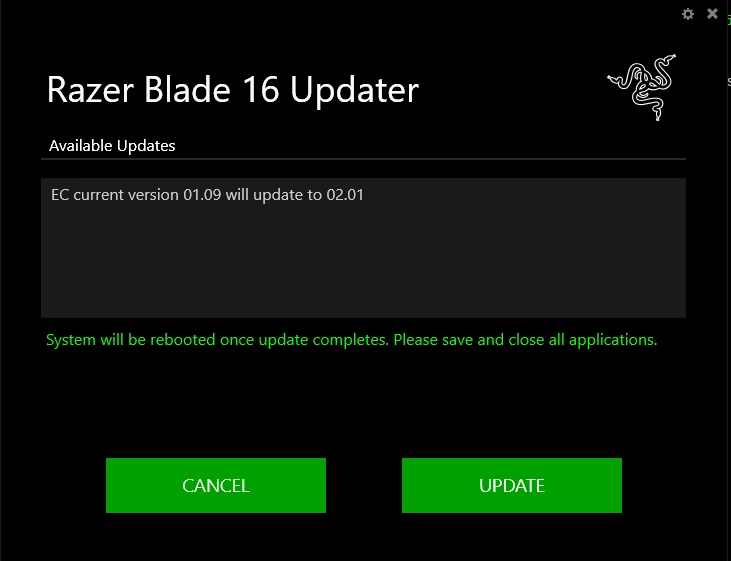

However, clicking update does not help as it simple starts for a second, and then immediately reboots my PC without the progress bar completing, and obviously when my PC reboots, the version has not changed and it still says it needs an update. I have tried booting in safe mode, booting with driver signing, switching off memory integrity and vulnerable driver blocklist; none of these things have worked.

1 Reply

SSC-R
  • Insider Mini
  • Nov 12, 2026 9:44 AM UTC

Hey, I ran into almost the exact same issue on my 2025 Blade 16 (EC 1.06 → 1.09) and eventually managed to get it updated.

The updater would reach around 40–100%, automatically restart Windows, and then show the old EC version again. Running as administrator, using a fresh Windows account, and disabling Memory Integrity and the vulnerable driver blocklist didn't fix it.

After quite a bit of troubleshooting, here's what we found:

  1. The Razer updater relies on an older inpoutx64 driver for low-level hardware access. Windows Event Viewer showed repeated errors indicating that this driver was failing to start.

  2. I discovered that FACEIT Anti-Cheat had kernel drivers running, which may have been interfering with InpOut. I uninstalled FACEIT.

  3. We also found that the InpOut DLL could report a failed connection even when its driver had successfully started. Eventually, Windows confirmed that inpoutx64 was running.

  4. After another attempt with the official updater, it finally reported "Up to date." I independently verified that EC 1.09 was installed using PowerShell.

I can't say with certainty whether removing FACEIT or getting the InpOut driver initialized was the decisive fix, but I strongly suspect a driver conflict or initialization problem.

If you're still experiencing this, I'd recommend checking Event Viewer for inpoutx64 errors and looking for anti-cheat software or other kernel drivers that might interfere with it.

All my Windows security protections are back on, and the firmware update is confirmed successful.

Hope this helps! I know how frustrating this particular updater can be.