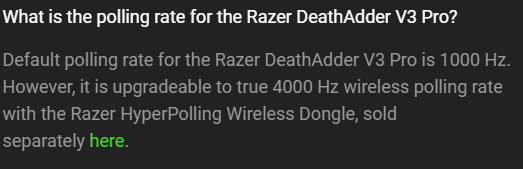
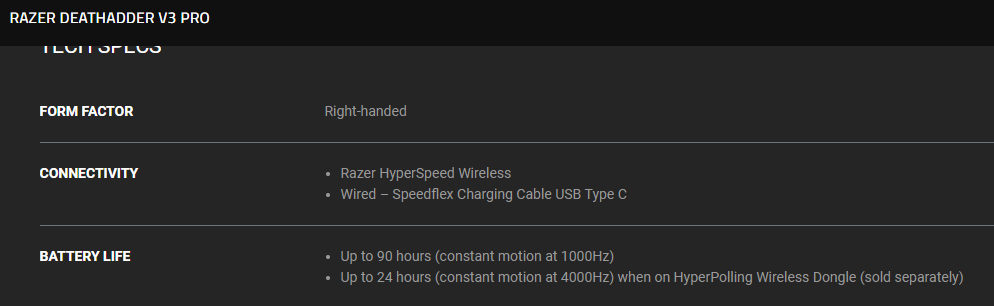
I just bought my razer deathadder V3 pro, I connect mouse with dongle or cable but still max Hz which I can use is 1000Hz. There is no option for pick the 4000 in synapse.
I am using win 11 x64, Usb 3.1 for dongle
I have updated firmware, latest synapse and all updates for windows 11.
Best answer by Anonymous
Hi,
I just bought my razer deathadder V3 pro, I connect mouse with dongle or cable but still max Hz which I can use is 1000Hz. There is no option for pick the 4000 in synapse.
I am using win 11 x64, Usb 3.1 for dongle
I have updated firmware, latest synapse and all updates for windows 11.
There is an additional dongle purchased separately.
I just bought my razer deathadder V3 pro, I connect mouse with dongle or cable but still max Hz which I can use is 1000Hz. There is no option for pick the 4000 in synapse.
I am using win 11 x64, Usb 3.1 for dongle
I have updated firmware, latest synapse and all updates for windows 11.
There is an additional dongle purchased separately.
Thats why the g pro x 2 is better I paid nearly the same amount for the deathadder v3 pro and when I saw that u have to buy a hyperpolling dongle for the 4k hertz I returned it and bought a g pro superlight 2. If the hyperpolling dongle came with the deathadder v3 pro I wouldve been really happy.
Thats why the g pro x 2 is better I paid nearly the same amount for the deathadder v3 pro and when I saw that u have to buy a hyperpolling dongle for the 4k hertz I returned it and bought a g pro superlight 2. If the hyperpolling dongle came with the deathadder v3 pro I wouldve been really happy.
There are also bundles with the Hyperpolling dongle.