Hello everyone,
I’m having some trouble with my Razer setup and could really use some help or advice.
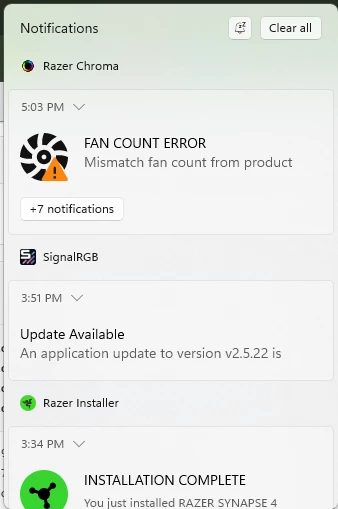
I’ve built a full Razer desktop, but I’m confused about the fan lighting and sync. Not all of my fans are lighting up properly — some are dim, flickering, or not lighting at all. I currently have a total of 6 fans: 4 Kunai fans and 2 from the Hanbo AIO (240mm). However, only 2–3 fans light up correctly, while the others seem to get power but show corrupted or incomplete lighting.
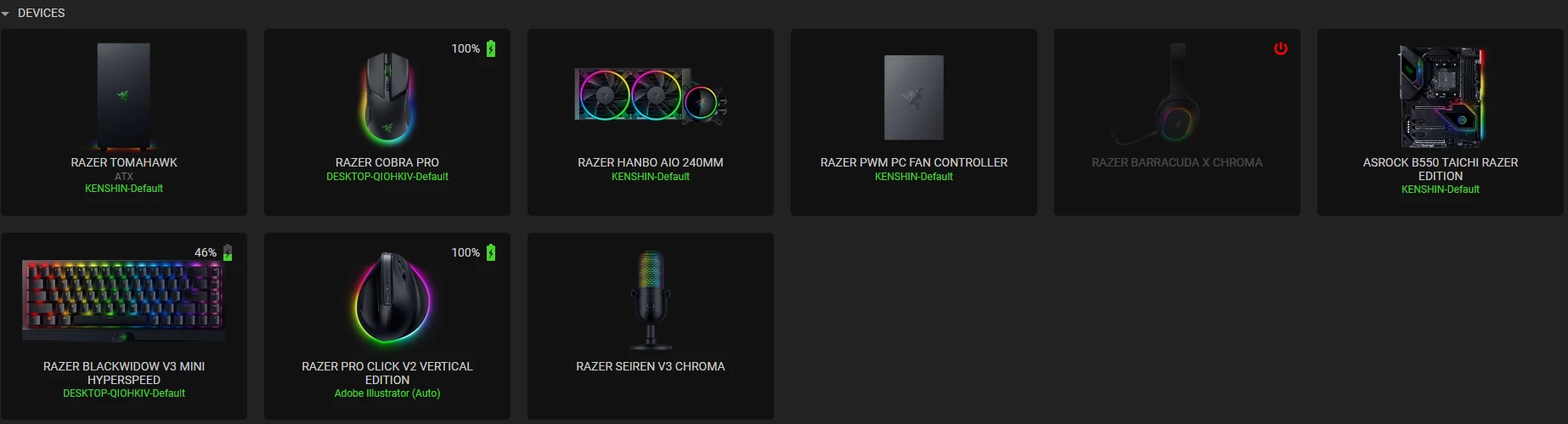
Here’s my current setup:
-
Case: Razer Tomahawk ATX
-
Motherboard: ASRock B550 Taichi Razer Edition
-
AIO: Razer Hanbo 240mm
-
Fan Controller: Razer PWM PC Fan Controller (connected to 6 Kunai fans including the 2 from the AIO)
I’ve also tried connecting the fans directly to the motherboard’s 3-pin ARGB header, but they still don’t light up at all.
Does anyone know what could be causing this or how to fix it? Any help would be greatly appreciated!
Thanks in advance.