Razer Freyja haptics only work with audio | Razer Insider
Skip to main content
Question

Razer Freyja haptics only work with audio

  • December 26, 2025
  • 58 replies
  • 828 views

Show first post

58 Replies

  • Author
  • Insider Mini
  • February 3, 2026

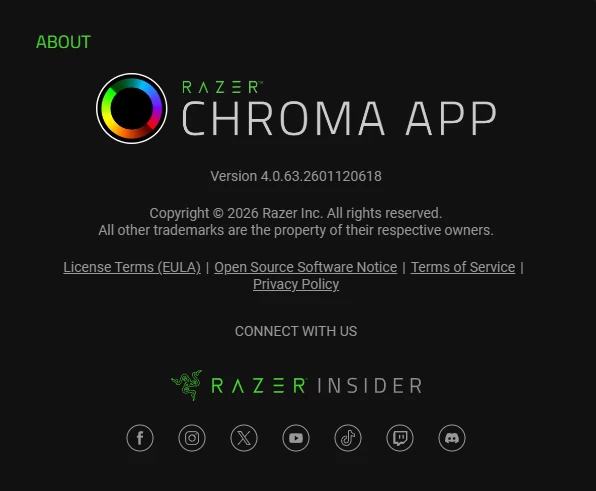
Hey guys I am the original creator of this post. Today I got an support email claiming fix has been uploaded to newest Synapse and Chroma app. I have installed new versions but unfortunately it is still the same issue. 

Can you all try the new version and tell if it is fixed for you or not? I am glad they are working on it but for now it is not fixed.


directPowderBlueammo608

I’m running the Razer Beta software Chroma & Synapse (Heard you need both) also the latest Simhub software IIRC 91.1.1. Took some doing, but I have it working on X-Plane 12 and MSFS 2024. It seems buggy or hit or miss, but I have to make sure Simhub launches my title and then I launch the Razer Software. I can see the haptic events in the SImhub program, but the reponse curves were soo off the seat did not register anything so I had to raise all the curves. 


  • Author
  • Insider Mini
  • February 3, 2026

Tried beta as well, won’t work with simhub nor other games that have native support like snowrunner. Also tried launching game first then razer apps


directPowderBlueammo608

Tried beta as well, won’t work with simhub nor other games that have native support like snowrunner. Also tried launching game first then razer apps


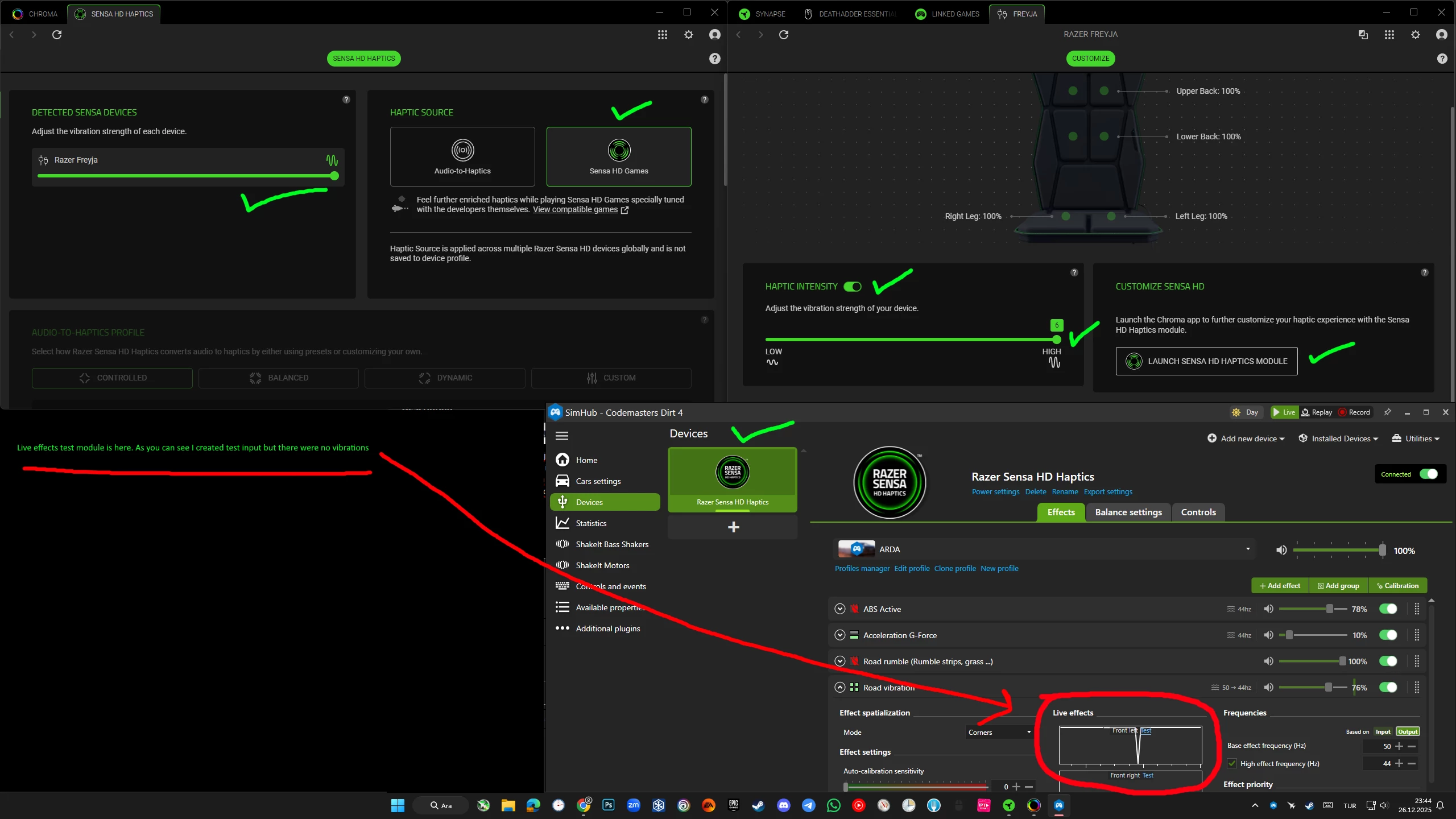
Are your indications all green?  If you choose a event in your Simhub profile and click test do you feel anything? Edit a response curve and drag the line all the way and click test to see if it sends to chair.


  • Author
  • Insider Mini
  • February 3, 2026

Yeah all green no vibrations. By response curve do you mean that graph I circled with red? If so I increased gama to max and nothing happens again. (also increased threshold to 100 and still nothing)

https://ibb.co/GQ0qRd7Q
https://ibb.co/C33dTdxg


directPowderBlueammo608

Yeah all green no vibrations. By response curve do you mean that graph I circled with red? If so I increased gama to max and nothing happens again. (also increased threshold to 100 and still nothing)

https://ibb.co/GQ0qRd7Q
https://ibb.co/C33dTdxg

Yeah...Do you see any live events in the graph from the game? Try moving something up in the list change priority, engine RPM is what I used to find out my curves were off. Try a different game maybe...X-plane has a demo and its what I used on mine. 


Lrbrownii
  • February 3, 2026

Cool, we are all on the same version.  I hope we get this fixed soon. Still waiting for an update on Wolverine v3 pro so I can test this along with freyja. Simhub seems to be sending the commands but freyja does not respond. I am using Asseto Corsa Evo. I probably have a few more to test with. 


  • Author
  • Insider Mini
  • February 3, 2026

Yeah I see it in graph, tried couple of games. I believe it is not related to simhub since it also doesn’t work on natively supported games like snowrunner and screwdriver. I have seen it work for some you are one of those lucky ones :D


directPowderBlueammo608

Yeah I see it in graph, tried couple of games. I believe it is not related to simhub since it also doesn’t work on natively supported games like snowrunner and screwdriver. I have seen it work for some you are one of those lucky ones :D

Do you have any background apps that might be causing issues? Anti-Virus? Maybe run SImhub in Administrator mode? Uninstall Razer Software and try installing in a different location.


  • Author
  • Insider Mini
  • February 3, 2026

Only thing I could think of was windows defender, tried installing and using with it off fully. Not working. Also tried on my laptop doesn’t work there too.


directPowderBlueammo608

Only thing I could think of was windows defender, tried installing and using with it off fully. Not working. Also tried on my laptop doesn’t work there too.

I had to push the button I think its “+” on the seat under the power button a few times also.


Lrbrownii
  • February 9, 2026

Hi all! I am now back on full release and everything is working that I can find. It appears we got some Chroma updates and I can now use Freyja with simhub and the games I have.


From my experience this can finally be marked as solved by updates to chroma as shown above.


Lrbrownii
  • February 9, 2026

Hi all! I am now back on full release and everything is working that I can find. It appears we got some Chroma updates and I can now use Freyja with simhub and the games I have.


From my experience this can finally be marked as solved by updates to chroma as shown above.

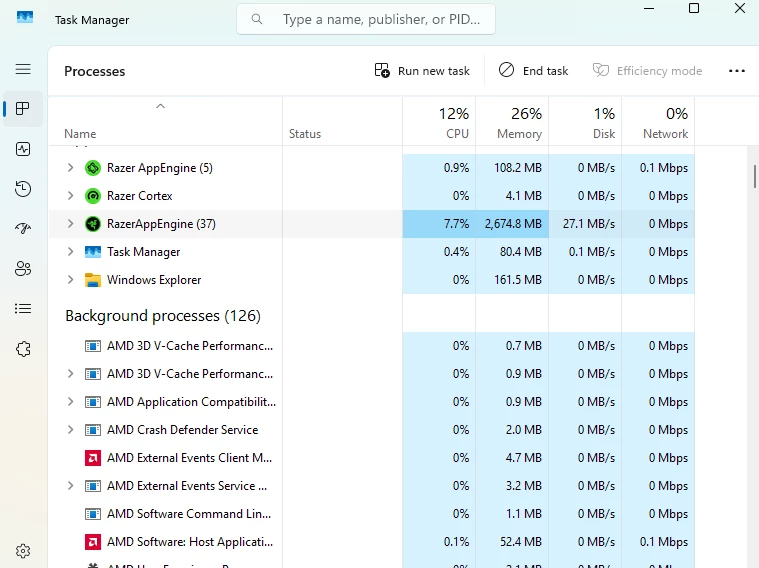
RAM usage and performance are much more acceptable too. Not bad for a 25 piece fully kitted Razer setup.

Max was slightly over 3GB. Even better than both the installs shown before.


  • Insider Mini
  • February 10, 2026

anyone with freyja using haptic-to-audio having weird issue where the haptic becomes out of sync no bass randomly? it could work fine for a day or hours but suddenly won’t


the only way to fix this is doing one of those

using the windows speaker test

disconnect power/ replug freyja

exiting the game

changing between dynamic lightning/chroma setting


It’s been like this since forever. I am using the chroma beta and I use official since the beginning.


Lrbrownii
  • February 10, 2026

I'll try again but the lighting was crazy in beta and I couldn't hang. It is possible this does not work in beta as I found Battlefield 6 lighting to not work in beta. Looking for answers I switched to full release and found it to work there. Also note the font from beta will flash in full release if a clean install is not performed 😀


Lrbrownii
  • February 10, 2026

I'll try again but the lighting was crazy in beta and I couldn't hang. It is possible this does not work in beta as I found Battlefield 6 lighting to not work in beta. Looking for answers I switched to full release and found it to work there. Also note the font from beta will flash in full release if a clean install is not performed 😀

Basically I think you are better on full release as a few issues seem resolve. For me it was Chroma using a lot of resources and failing to keep audio to haptics stable along with other issues. It seems in a better place right now.


Lrbrownii
  • February 10, 2026

Sorry to go off topic but what are those custom audio to haptics settings you use. Juat curious what you all have come up with.


Lrbrownii
  • February 10, 2026

Actually I do have an interesting one I need to look into. Just started too I think. I have a volume controller. If I change the volume for my music app it effects the haptics differently from changing the volume from main. This device controls volumes like you are in Windows volume mixer. Idk so confusing.


Lrbrownii
  • February 10, 2026

anyone with freyja using haptic-to-audio having weird issue where the haptic becomes out of sync no bass randomly? it could work fine for a day or hours but suddenly won’t


the only way to fix this is doing one of those

using the windows speaker test

disconnect power/ replug freyja

exiting the game

changing between dynamic lightning/chroma setting


It’s been like this since forever. I am using the chroma beta and I use official since the beginning.

Do you use Windows volume mixer or any similar audio tools?


Lrbrownii
  • February 10, 2026

Yeah, if you turn down the volume of an app from volume mixer this adjusts the audio to haptics intensity. I do not like this behavior. These two should be totally seperate.


  • Author
  • Insider Mini
  • February 10, 2026

Mine still not fixed. Are you on beta version or stable?  ​@Lrbrownii 


Lrbrownii
  • February 10, 2026

Mine still not fixed. Are you on beta version or stable?  ​@Lrbrownii 

I am stable. It's been a few days. I've done some simhub with Asseto Corsa Evo and competizone. Battlefield 6.  Something with the volume mixer I can't place my finger on it.

I am watching for the hiccups and they seem to happen the same time my lighting exhibits odd behavior too.  Idk yet.


  • Insider Mini
  • February 10, 2026

anyone with freyja using haptic-to-audio having weird issue where the haptic becomes out of sync no bass randomly? it could work fine for a day or hours but suddenly won’t


the only way to fix this is doing one of those

using the windows speaker test

disconnect power/ replug freyja

exiting the game

changing between dynamic lightning/chroma setting


It’s been like this since forever. I am using the chroma beta and I use official since the beginning.

Do you use Windows volume mixer or any similar audio tools?

no, just normal windows everything.


Actually I do have an interesting one I need to look into. Just started too I think. I have a volume controller. If I change the volume for my music app it effects the haptics differently from changing the volume from main. This device controls volumes like you are in Windows volume mixer. Idk so confusing.

it's better this way because sometimes the volume 100% on apps peak too much on the Frejya and it's clipping , meaning it won't register the haptic. so it's better to put 90% volume on the Frejya. it's pretty much the best thing. the problem it reset with every windows restart or chroma app restart.  any program that remember volume?


Lrbrownii
  • February 10, 2026

anyone with freyja using haptic-to-audio having weird issue where the haptic becomes out of sync no bass randomly? it could work fine for a day or hours but suddenly won’t


the only way to fix this is doing one of those

using the windows speaker test

disconnect power/ replug freyja

exiting the game

changing between dynamic lightning/chroma setting


It’s been like this since forever. I am using the chroma beta and I use official since the beginning.

Do you use Windows volume mixer or any similar audio tools?

no, just normal windows everything.


Actually I do have an interesting one I need to look into. Just started too I think. I have a volume controller. If I change the volume for my music app it effects the haptics differently from changing the volume from main. This device controls volumes like you are in Windows volume mixer. Idk so confusing.

it's better this way because sometimes the volume 100% on apps peak too much on the Frejya and it's clipping , meaning it won't register the haptic. so it's better to put 90% volume on the Frejya. it's pretty much the best thing. the problem it reset with every windows restart or chroma app restart.  any program that remember volume?

So our haptics homie on reddit says this is not expected behavior. I will add your note about 90% to avoid distortion.


Lrbrownii
  • February 10, 2026

I do have a volume controller that acts on volume mixer that keeps my settings after start. They were impacted by the tariffs and not making the product anymore.