Razer Freyja haptics only work with audio | Razer Insider
Skip to main content
Question

Razer Freyja haptics only work with audio

  • December 26, 2025
  • 74 replies
  • 1196 views

Show first post

74 Replies

Lrbrownii
  • February 11, 2026

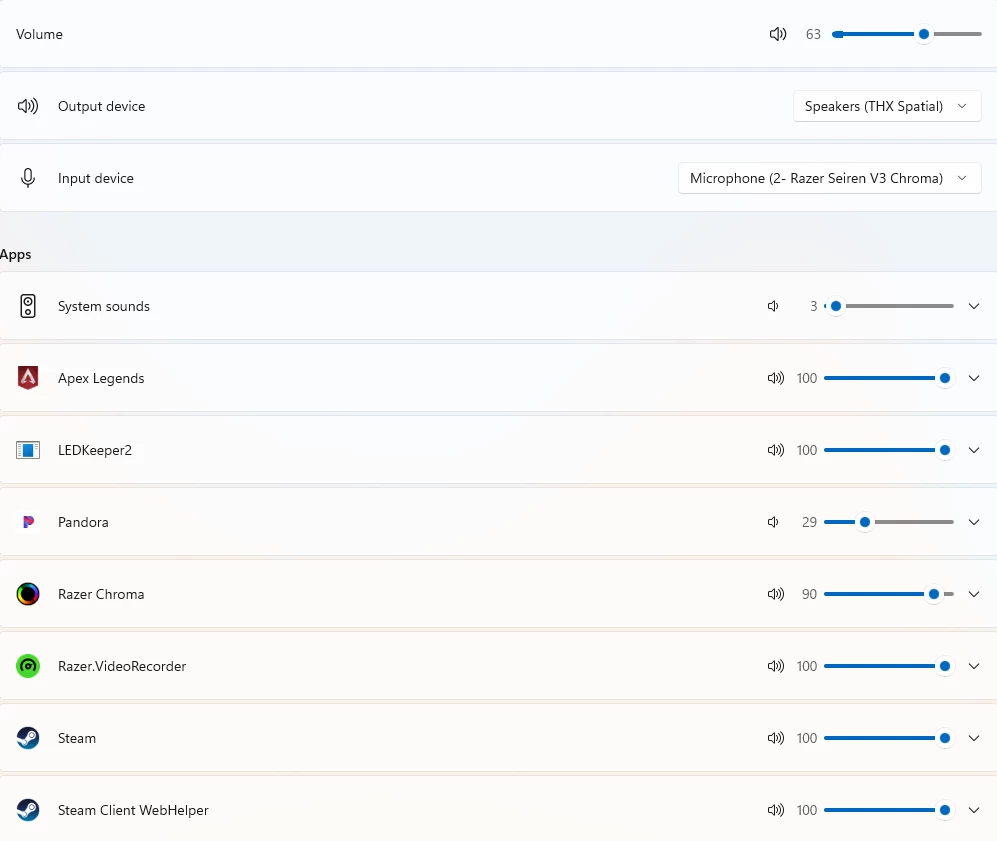
I was able to turn down my music before without affecting the haptics. My main volume is around 60% with games at 100% then I adjust my music or video to match. This now affects haptics really bad as my music volume is around 15%


Lrbrownii
  • February 11, 2026

I get it now.

When I adjust any app it affects the Razer Chroma haptics. This is an undesirable effect and needs addressed.


Lrbrownii
  • February 11, 2026

I get it now.

When I adjust any app it affects the Razer Chroma haptics. This is an undesirable effect and needs addressed.

Tthanks for the tip though! Check this out.


meyukselen
  • Insider Mini
  • February 12, 2026

i have a same problem still not yet and i use w10, everyone use w10 or w11?


Lrbrownii
  • February 12, 2026

Windows 11. The currently supported OS with full release Synaspe 4 and nobody will fix anything in this stupid system and I'm getting really upset. 


  • Insider Mini
  • February 12, 2026

I get it now.

When I adjust any app it affects the Razer Chroma haptics. This is an undesirable effect and needs addressed.

Tthanks for the tip though! Check this out.


what did you find out?


Lrbrownii
  • February 12, 2026

Still waiting. Beta seems the safest place right now. I will come back to beta and check it out again. Simhub works on full release but the audio to haptics is in a bad place.


  • Insider Mini
  • February 12, 2026

Still waiting. Beta seems the safest place right now. I will come back to beta and check it out again. Simhub works on full release but the audio to haptics is in a bad place.

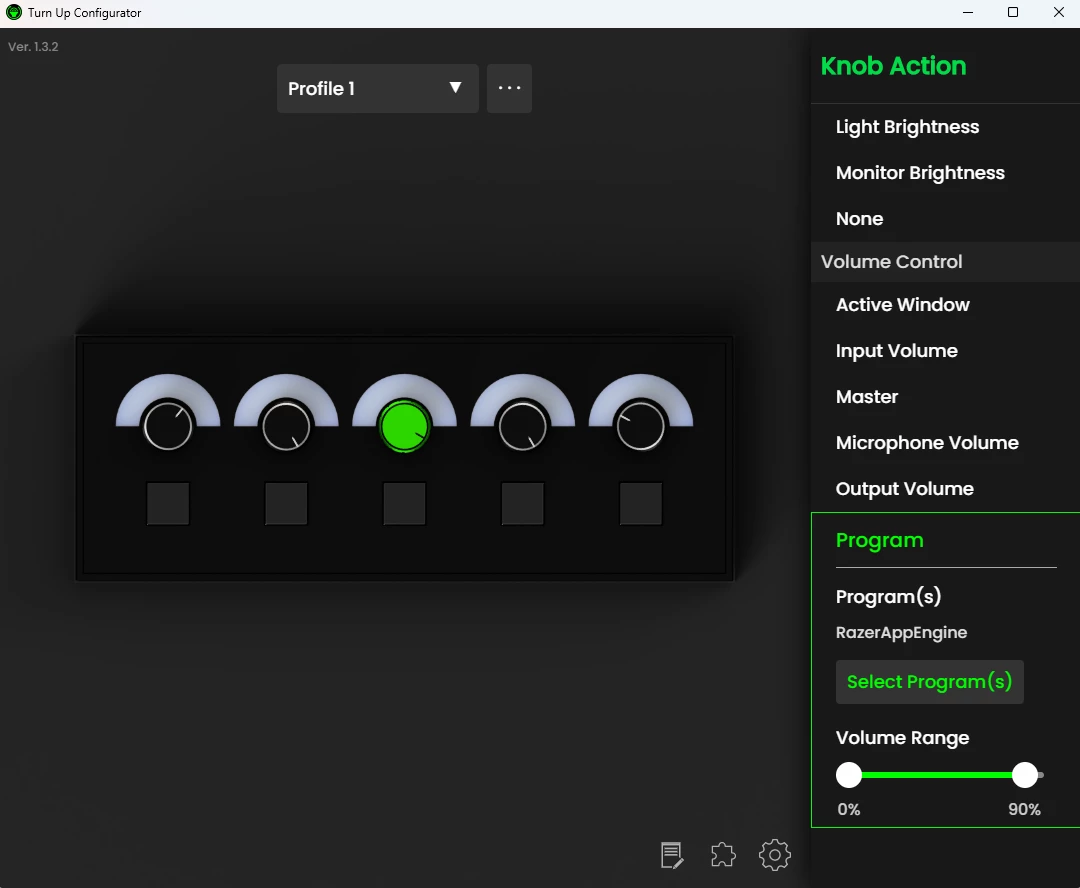
you use the program to Lowe the volume to 90% , so how does it work ?


Lrbrownii
  • February 12, 2026

Still waiting. Beta seems the safest place right now. I will come back to beta and check it out again. Simhub works on full release but the audio to haptics is in a bad place.

you use the program to Lowe the volume to 90% , so how does it work ?

It's a device. It interacts with volumes at the Windows volume mixer level. The problem right now is if I turn down an app volume it affects the Chroma input. This is not expected behavior. The Chroma app should and did receive full volume from all apps. At this point you could adjust the haptics from volume mixer through chroma apps. I want my haptics loud not my volumes. This is an issue that needs resolved.


Lrbrownii
  • February 13, 2026

Still waiting. Beta seems the safest place right now. I will come back to beta and check it out again. Simhub works on full release but the audio to haptics is in a bad place.

you use the program to Lowe the volume to 90% , so how does it work ?

I am thinking the audio issue came from a Windows update! Going to beta did not fix this. I will now try going back on Windows.


  • Insider Mini
  • February 13, 2026

Still waiting. Beta seems the safest place right now. I will come back to beta and check it out again. Simhub works on full release but the audio to haptics is in a bad place.

you use the program to Lowe the volume to 90% , so how does it work ?

I am thinking the audio issue came from a Windows update! Going to beta did not fix this. I will now try going back on Windows.

you mean the new update 81?


Lrbrownii
  • February 14, 2026

Still waiting. Beta seems the safest place right now. I will come back to beta and check it out again. Simhub works on full release but the audio to haptics is in a bad place.

you use the program to Lowe the volume to 90% , so how does it work ?

I am thinking the audio issue came from a Windows update! Going to beta did not fix this. I will now try going back on Windows.

you mean the new update 81?

Idk still looking. It was confirmed and should be fixed soon. I see a couple Windows recently my first attempts didn't work...


Lrbrownii
  • February 14, 2026

I see one after 81. If it works rn don't update anything.


  • Insider Mini
  • February 14, 2026

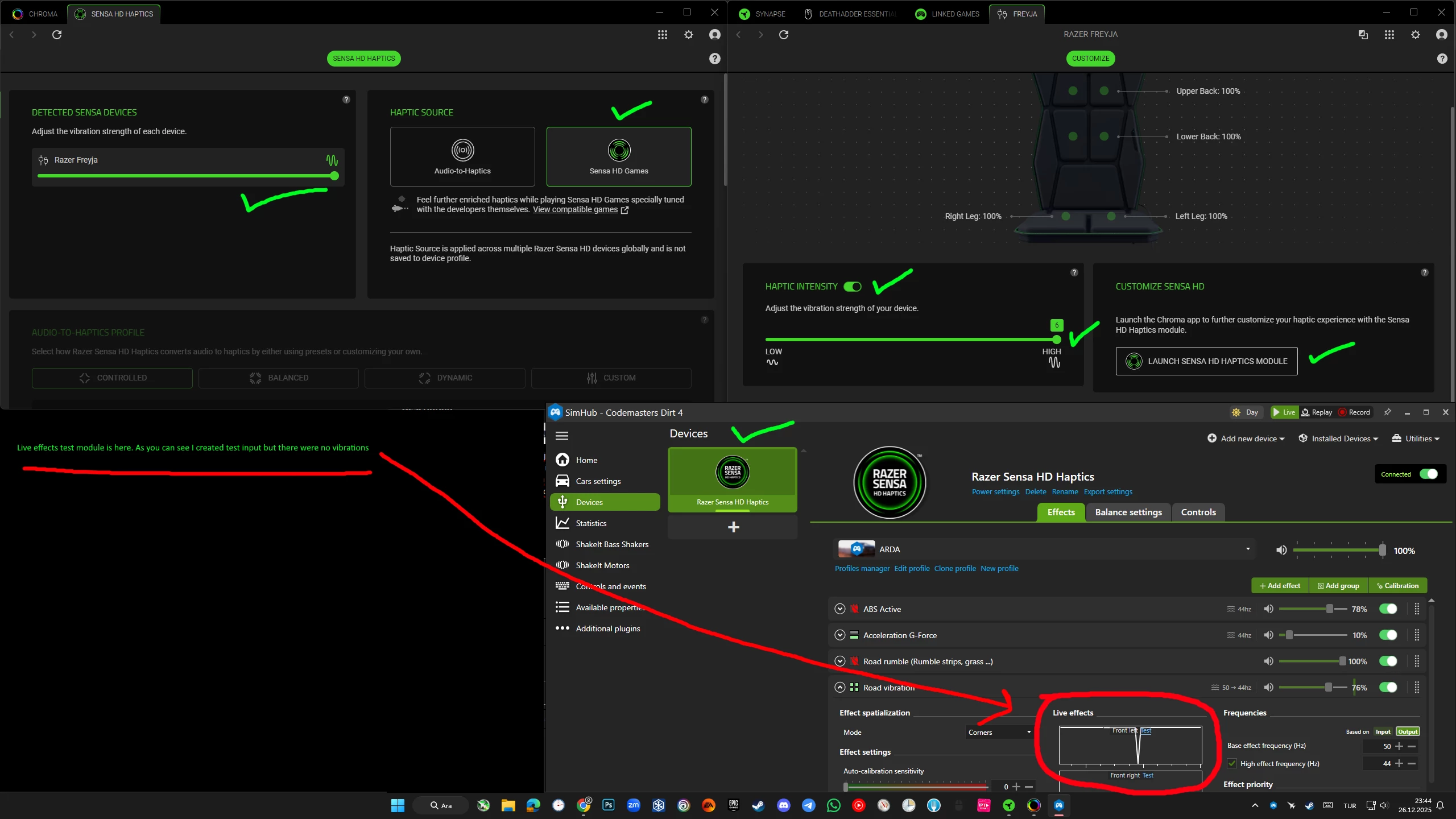
I also had this problem, when Freyja only provided haptics through sound but not through Simhub telemetry. I installed Razer Chroma recently (v4.0.63) and after that  haptics started working through Simhub, but only until I restarted Windows. Now when I turn on the PC - it doesn’t work neither through SImhub nor through sound. When I press + and - buttons on the device - it rumbles. It also rumbles when I test a particular zone in the Synapse app. But when I test a particular setting in Simhub - there is no haptics, and it also doesn’t work in a game or if I switch to sound in the Chroma. So, it basically only worked that one time after I installed Chroma.


Lrbrownii
  • February 15, 2026

I also had this problem, when Freyja only provided haptics through sound but not through Simhub telemetry. I installed Razer Chroma recently (v4.0.63) and after that  haptics started working through Simhub, but only until I restarted Windows. Now when I turn on the PC - it doesn’t work neither through SImhub nor through sound. When I press + and - buttons on the device - it rumbles. It also rumbles when I test a particular zone in the Synapse app. But when I test a particular setting in Simhub - there is no haptics, and it also doesn’t work in a game or if I switch to sound in the Chroma. So, it basically only worked that one time after I installed Chroma.

Try disconnect device remove from Chroma/Synapse. Go to installed apps in Windows settings, chroma/razer. Go like you uninstalling when the loader comes up chose repair. Restart. Open chroma/synapse connect device. It should now reinstall.

Next you would consider the clean install process.


Lrbrownii
  • February 15, 2026

I chased down the audio error a bit. I quit. Seems like my report went through so we shall see.


  • Insider Mini
  • February 28, 2026

I also had this problem, when Freyja only provided haptics through sound but not through Simhub telemetry. I installed Razer Chroma recently (v4.0.63) and after that  haptics started working through Simhub, but only until I restarted Windows. Now when I turn on the PC - it doesn’t work neither through SImhub nor through sound. When I press + and - buttons on the device - it rumbles. It also rumbles when I test a particular zone in the Synapse app. But when I test a particular setting in Simhub - there is no haptics, and it also doesn’t work in a game or if I switch to sound in the Chroma. So, it basically only worked that one time after I installed Chroma.

Ok, I partially solved it. I disabled autostart both for Synapse and Chroma. I turn on Frejya first, then I turn on the PC and then I start Synapse and Chroma manually. Only this way sound to haptics work. As for telemetry haptics - they sometimes also work this way, but it’s 50/50, sometimes they do, sometimes don’t. And sometimes it can event start working but then stop while I’m playing a game. I don’t know what it depends on, but this software is terrible. If I knew it’s so bad - I wouldn’t purchase frejya. It only works stable with sound to haptics. Simhub integration is terrible and unstable.


  • Insider Mini
  • March 3, 2026

Still no fix? Freyja worked fine when I got it last year. now it doesnt work at all. This was a $300 product wtf???


Since the latest update, the situation seems to have gotten worse for me. Previously, at least Audio-to-Haptics was working, but now Freyja is not producing any haptic feedback at all.

Is anyone else experiencing the same problem after the latest Synapse / Chroma update?

The device is detected normally in Synapse and SimHub, but no vibration is produced anymore. This definitely looks like another software-side issue, not a hardware problem.

Would be helpful to know if others are seeing the same behavior after the update.


  • Insider Mini
  • March 4, 2026

Since the latest update, the situation seems to have gotten worse for me. Previously, at least Audio-to-Haptics was working, but now Freyja is not producing any haptic feedback at all.

Is anyone else experiencing the same problem after the latest Synapse / Chroma update?

The device is detected normally in Synapse and SimHub, but no vibration is produced anymore. This definitely looks like another software-side issue, not a hardware problem.

Would be helpful to know if others are seeing the same behavior after the update.

I had some issues yesterday but after updating synapse and chroma, shutting down everything razer in my task manager, power cycling the chair, updating my windows, and power cycling my PC everything works again. Audio and sensa even through simhub.


Lrbrownii
  • March 5, 2026

Since the latest update, the situation seems to have gotten worse for me. Previously, at least Audio-to-Haptics was working, but now Freyja is not producing any haptic feedback at all.

Is anyone else experiencing the same problem after the latest Synapse / Chroma update?

The device is detected normally in Synapse and SimHub, but no vibration is produced anymore. This definitely looks like another software-side issue, not a hardware problem.

Would be helpful to know if others are seeing the same behavior after the update.

I had some issues yesterday but after updating synapse and chroma, shutting down everything razer in my task manager, power cycling the chair, updating my windows, and power cycling my PC everything works again. Audio and sensa even through simhub.

Hmm, I just tried Simhub and freyja works in the test screen but not the game.  Wolverine v3 pro works in all conditions. I was playing Asseto Corsa Evo. Cool update! I sure don't have this on my other PC and Beta.


  • Insider Mini
  • March 5, 2026

Since the latest update, the situation seems to have gotten worse for me. Previously, at least Audio-to-Haptics was working, but now Freyja is not producing any haptic feedback at all.

Is anyone else experiencing the same problem after the latest Synapse / Chroma update?

The device is detected normally in Synapse and SimHub, but no vibration is produced anymore. This definitely looks like another software-side issue, not a hardware problem.

Would be helpful to know if others are seeing the same behavior after the update.

I had some issues yesterday but after updating synapse and chroma, shutting down everything razer in my task manager, power cycling the chair, updating my windows, and power cycling my PC everything works again. Audio and sensa even through simhub.

Hmm, I just tried Simhub and freyja works in the test screen but not the game.  Wolverine v3 pro works in all conditions. I was playing Asseto Corsa Evo. Cool update! I sure don't have this on my other PC and Beta.

Working fine for me in AC and FH5


Lrbrownii
  • March 5, 2026

Since the latest update, the situation seems to have gotten worse for me. Previously, at least Audio-to-Haptics was working, but now Freyja is not producing any haptic feedback at all.

Is anyone else experiencing the same problem after the latest Synapse / Chroma update?

The device is detected normally in Synapse and SimHub, but no vibration is produced anymore. This definitely looks like another software-side issue, not a hardware problem.

Would be helpful to know if others are seeing the same behavior after the update.

I had some issues yesterday but after updating synapse and chroma, shutting down everything razer in my task manager, power cycling the chair, updating my windows, and power cycling my PC everything works again. Audio and sensa even through simhub.

Hmm, I just tried Simhub and freyja works in the test screen but not the game.  Wolverine v3 pro works in all conditions. I was playing Asseto Corsa Evo. Cool update! I sure don't have this on my other PC and Beta.

Working fine for me in AC and FH5

Cool, I've got both Freyja and Wolverine going in AC competizone and EVO now. Thanks!


meyukselen
  • Insider Mini
  • March 5, 2026

Since the latest update, the situation seems to have gotten worse for me. Previously, at least Audio-to-Haptics was working, but now Freyja is not producing any haptic feedback at all.

Is anyone else experiencing the same problem after the latest Synapse / Chroma update?

The device is detected normally in Synapse and SimHub, but no vibration is produced anymore. This definitely looks like another software-side issue, not a hardware problem.

Would be helpful to know if others are seeing the same behavior after the update.

i have same issue, still continue doesnt working.