


Razer Goliathus Extended Chroma detection by Synapse problem | Razer Insider
Skip to main content
Question

Razer Goliathus Extended Chroma detection by Synapse problem

  • December 20, 2025
  • 7 replies
  • 74 views

fotti

Hi,

I got my new pad yesterday. I connected it to a USB 3 port on the motherboard and it lit up on the edges, but the plastic nub on the top left with the Razer logo did not. 

I got notification from windows for a successful device install and prompted me to restart my PC, so I did. After that I opened Synapse and the pad was there along with my KB and mouse, bit it just had a tiny green circle rotating and when I clicked it, Synapse just showed “Detecting Device...”. I waited for a while, but nothing changed.
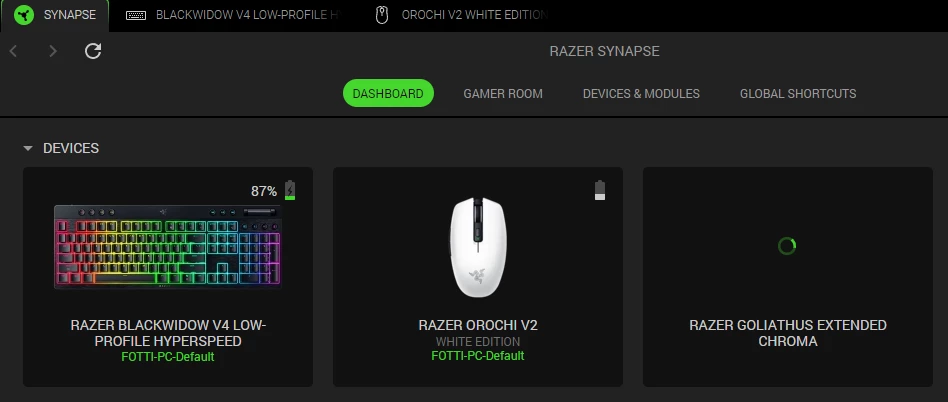
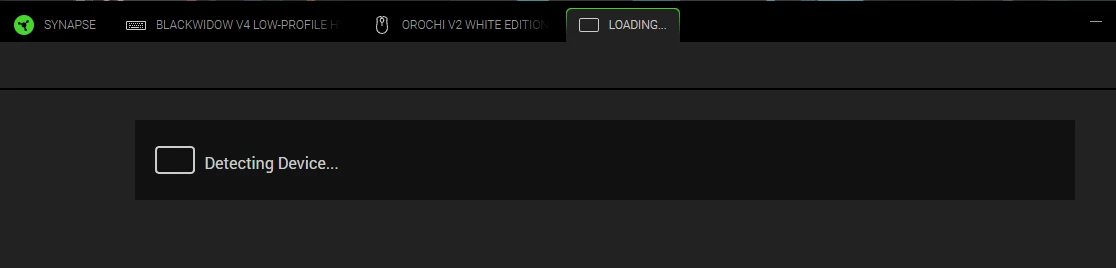
I tried different USB ports. Uninstalling it from Device Manager, reinstalling Synapse and even the Device Detection Troubleshoot Tool, but it’s still the same.

I’m using Windows 11 with the latest updates.

Is there anything else that I can do, or should I return it?

7 Replies

I’m experiencing the same problem as well.


fotti
  • Author
  • Insider Mini
  • December 21, 2025

I got contacted by Razer Support. We’re working on possible solutions.

I’ll post again here with the outcome.


I got contacted by Razer Support. We’re working on possible solutions.

I’ll post again here with the outcome.

Thank you so much!


I posted the same thing too—only the attached image is a bit different.


fotti
  • Author
  • Insider Mini
  • December 29, 2025

Hello,

My problem was fixed by installing a driver I was sent by Razer Support.

I couldn’t find the driver on their page, but I might have missed it.

Here is the link I was provided:

Goliathus Chroma Extended Driver


fotti
  • Author
  • Insider Mini
  • December 29, 2025

Problem got solved by:

  • quitting Synapse
  • installing the v0.1.2 driver
  • starting synapse
  • connecting the Goliathus and waited for 1 min

you are my magician… its working like charm, following your steps fixed my issue with the detection, even i have Vanguard software installed, have to be latest version. 

thanks a lot man