

Hi, I’m having an issue with my headphones. They’re brand new. They connect to my PC or Android phone via Bluetooth without any problems—the sound works, settings are fine, etc. When I connect dongle to my PC using the original cable, Synapse indicates that the device is either turned off or should be connected in 2.4 GHz mode.
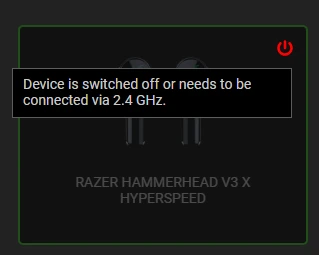
I’ve tried tapping the earbud three times (countless times, honestly)—that’s supposed to activate the 2.4 GHz wireless mode—but it just doesn’t work. I also tried connecting them to my phone, selecting "2.4 GHz" as the connection mode; the Bluetooth disconnected, and the headphones supposedly switched to wireless mode, but my PC still doesn’t detect them. I’ve tried reinstalling Synapse, using the Razer Connection Utility, and attempting a firmware update to version 1.5.0, but nothing works—I just can’t get them to connect. The dongle is detected, and "Razer Hammerhead V3 X Hyperspeed" shows up in Windows under both audio output and input (microphone) devices, but the microphone itself doesn’t work either.
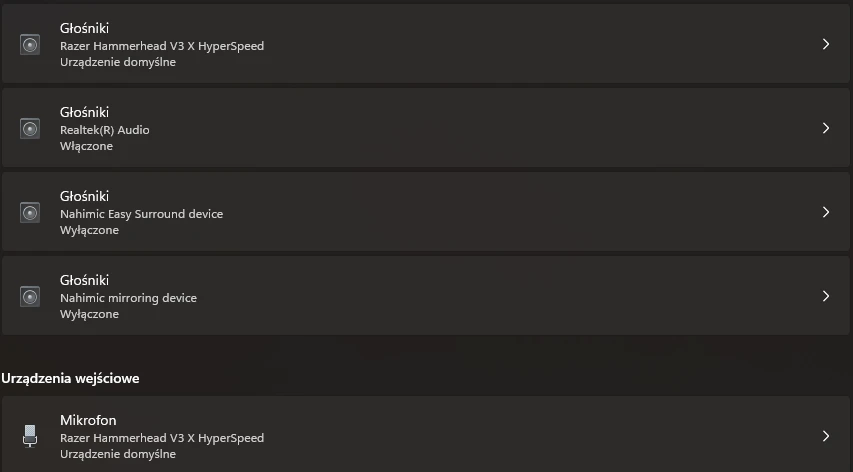
Any other ideas? I’ve been struggling with this for hours.