


I just got myself the Pro Click V2 Vertical Edition, Leviathan V2 X, and Huntsman Elite to go with my Tartarus V2. All have been working on my Windows 11 setup, except the Huntsman Elite, as when I try to change the Chroma settings, they don’t get applied. The mouse, soundbar, and Tartarus all have been working without issue, and apply Chroma effects properly.
What I’ve Tried
- Verified I’m using the latest drivers via https://mysupport.razer.com/app/answers/detail/a_id/1546/~/how-to-get-the-latest-software-and-driver-updates-from-windows)
- Updated the Huntsman Elite’s firmware to the latest version https://mysupport.razer.com/app/answers/detail/a_id/1736
- Turned off Windows Dynamic Lighting
- Tried every combination of USB ports my Computer has
- Disconnecting all other USB devices
- Profile Reset
- Factory Reset
- Uninstalling and reinstalling Synapse and Chroma apps (several times now)
- Verified the latest Synapse and Chroma apps were installed
- Asked for a replacement keyboard… just to find the replacement suffers from the same problem
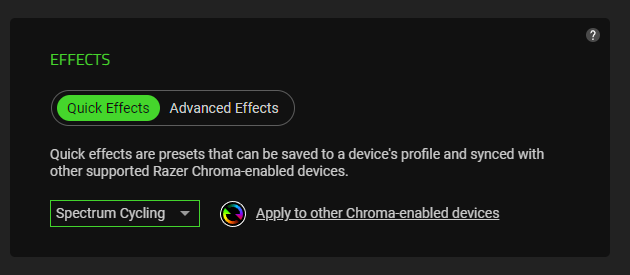
No matter what effect I apply, the Elites stay on Spectrum Cycling:
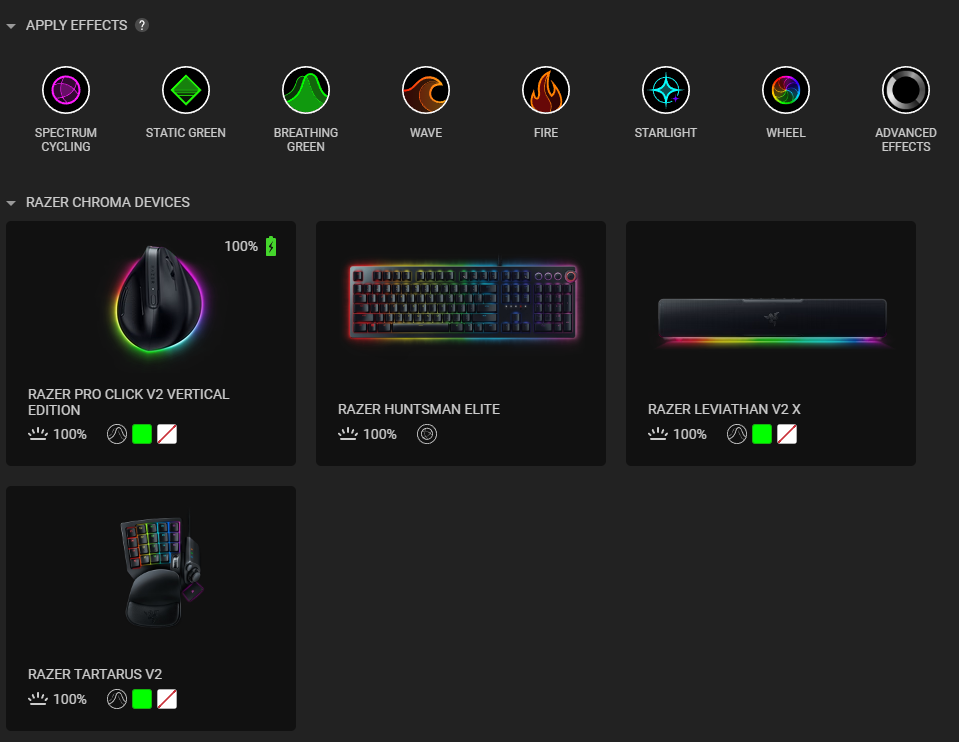
Through the main Chroma apply effects (above), or trying to apply an effect directly to keyboard itself (below)
I’ve spent way too much time on this now, so hopefully somebody has some insights on additional things I should try? My machine is newly built using an Asus motherboard, and all other USB devices work without issues, so ruling out my machine, and I can’t image that I received two defective keyboards, so it must be software/firmware related?