

Hey folks!
TLDR:
When Synapse is not (yet) running while autostart after login has not yet kicked in, the keyboard seems to act weird. Some keys like A and M (and more) react on bottom end, some trigger twice despite pressing them once, especially the space bar does not react at all. The moment Synapse kicks in, all buttons react exactly as actuation points were set, perfectly calibratet. What may ne the Solution here?
Short story long:
These Symptoms appeared long ago, but I did not investigate them until recently a month ago while trying out linux on my machine. I tried Fedora and EndeavourOS and both ran into same problem with the keyboard, first I thouhgt it is linux related and also tried different flavours like debian and some very small footprint ones like those to boot into shell only for recovery (os rescue isos e.g.). All of them suffered by same experience. When the space bar is not working, have fun entering commands (ui luckily copy pasting by mouse is a horrible workaround)…
Then I tried it with Windows and deactivated all autostart apps, turns out Windows just had the same problems as the Linux distros. The moment Synapse turns on, problems gone.
An example on how the typing looks like when I try to type this sentence with Synapse turned off:
aexmpleonhowthetypinglookslinkewheItrytotypethissentencewithSynpseturnedoff.
After starting Synapse again, the Keyboard did not recover so I am finishing this text off by OSK… Switching profiles works for 3 seconds until the space bar stops responding again despite Synapse is Running…
Only a full os reboot will solve the Problem. This issue is repeatable as described and van ne reproduced on another computer, top (Laptop), where os (win11pro) and Keyboard are the only commons.
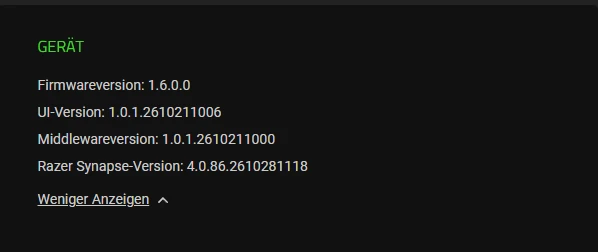
Firmware is: 1.6.0.0
Now let me post this and reboot to enjoy my keyboard… Kind regards, GK