Razer Laptop Cooling Pad's Hyperboost not showing in Synapse 4's "Laptop Cooling Pad" tab | Razer Insider
Skip to main content
Question

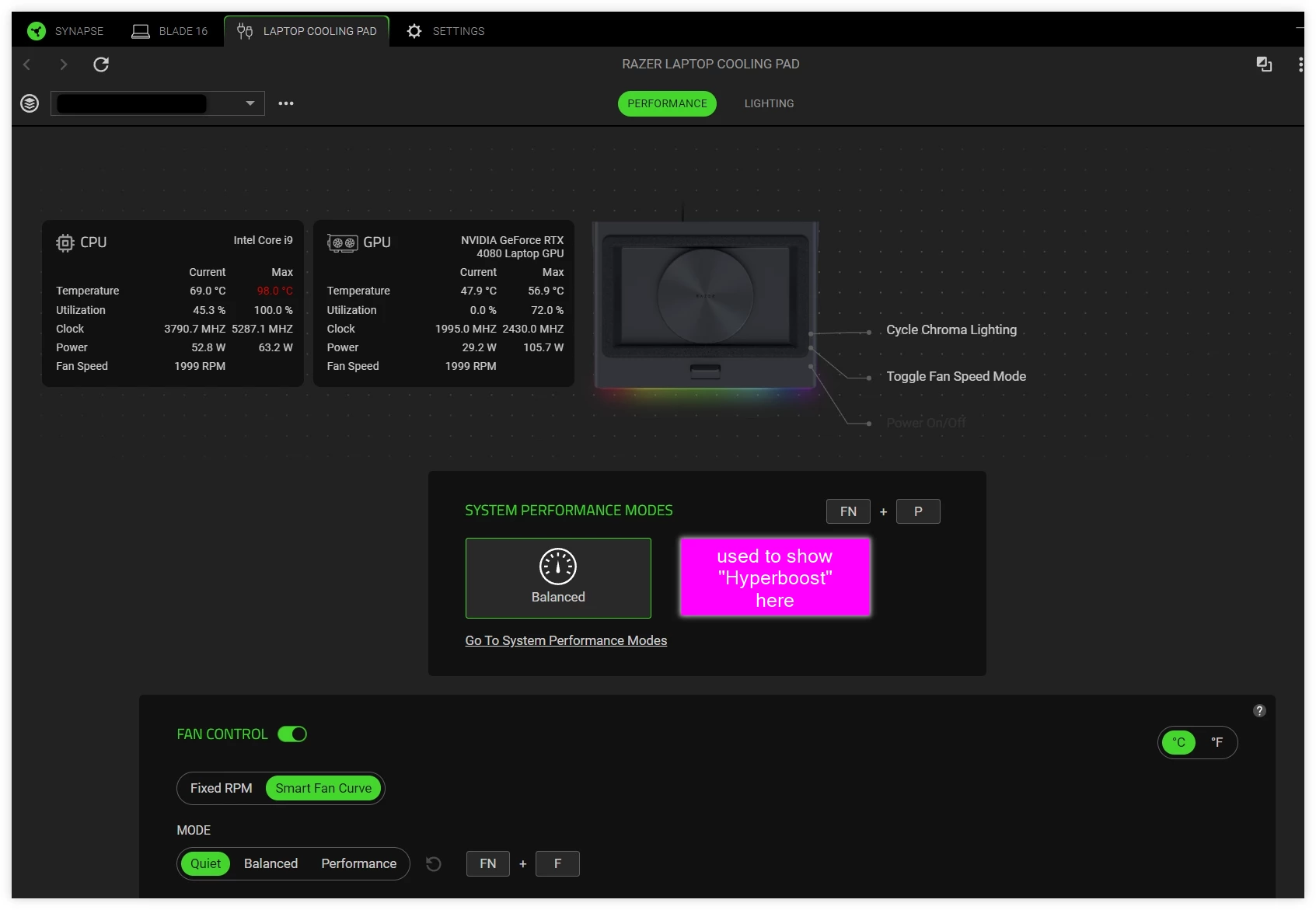
Razer Laptop Cooling Pad's Hyperboost not showing in Synapse 4's "Laptop Cooling Pad" tab

  • May 25, 2026 2:40 PM UTC
  • 2 replies
  • 135 views

squareSALT

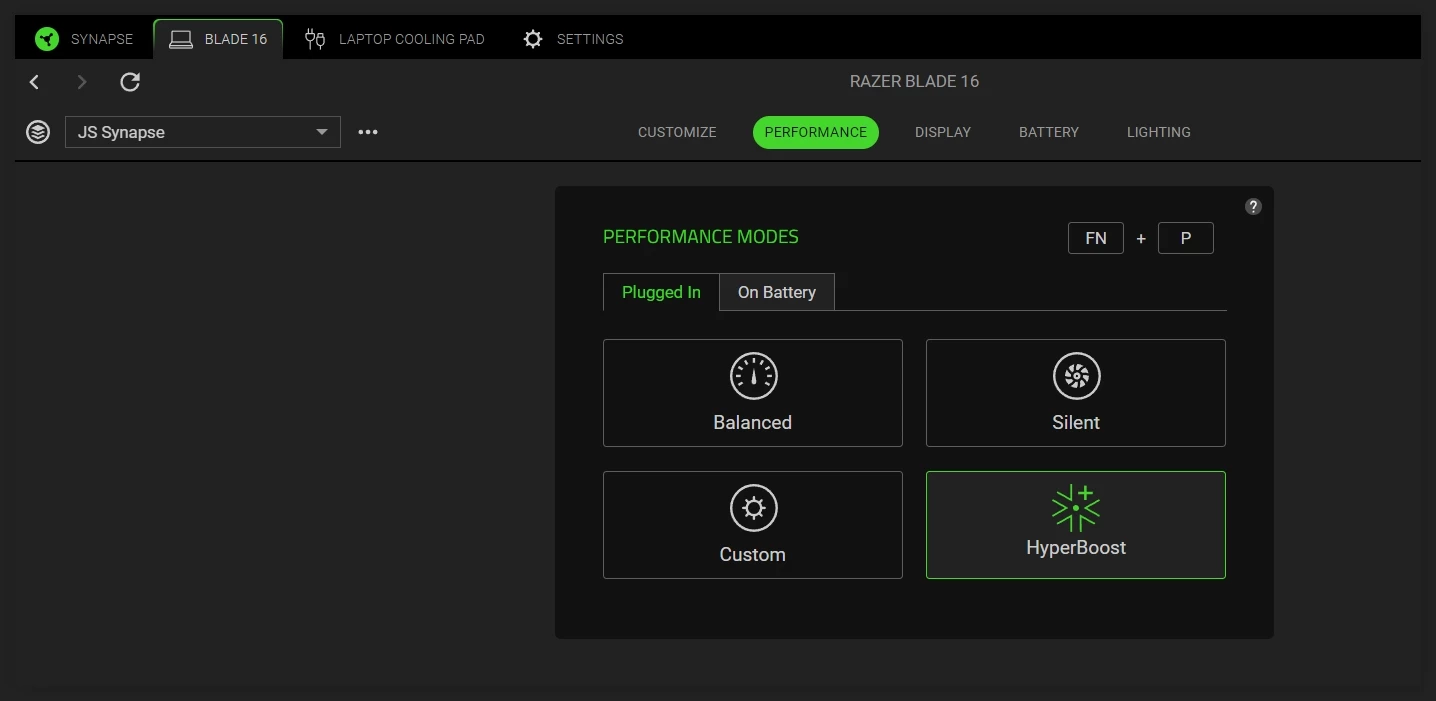
There used to be a Hyperboost feature in the [Laptop Cooling Pad] tab in Synapse 4 yesterday before the system automatically installed version 4.0.86.2605190956 today.  Synapse is still showing Hyperboost under Performance Mode in the [Blade 16] tab, but when Hyperboost is selected the “Laptop Cooling Pad” tab only shows Balanced.  It’s a Razer Blade 16 2023 4080.  Is there anything I can do to fix it? the fan noise is now too loud for the 70deg CPU temp, and the previous version of Synapse was keeping to 70deg without making the fan sounding like plane taking off.


The Hyperboost feature is showing in my other laptop Razer Blade 16 2025 5080 though… in both [Blade 16] and [Laptop Cooling Pad] tabs.


2 Replies

Nukeclears
  • Insider Mini
  • Jun 19, 2026 8:25 PM UTC

I’m having the same issue, hyperboost appears to just use the balanced profile with a severe performance degradation compared to setting it to “custom” with maxed sliders.

Blade 16 4090 2023


GrandDiaos_598

Synapse for Windows - V4.0. [removed by moderator] / Chroma for Windows - V4.0. [removed by moderator]
I have still this issue with razer blade 16 2023 4070, no hyperboost mode shown in either blade 16 page or cooling pad page.