

If your Wolverine V3 Pro profiles keep getting renamed to "Profile 1…4" or lose their M1–M6 mappings / lighting after opening Razer Controller Setup for Xbox, this is why, with proof.
Background
I bought the controller in May 2025. Since then I opened 19 support cases about it (May 2025 – Feb 2026, Controller Setup for Xbox and Synapse) with logs, videos and screenshots. All were closed without a fix, 7 of them automatically ("System Close"). The answer was always "a new version is out, try it". Support even had the controller replaced at the official service center, and the brand-new unit has exactly the same problem, so it is not hardware. In Nov 2025 Razer Customer Advocacy told me my case was with the Software Specialist Team and that they had "not received any similar issue on this device". It was never fixed. I just started using the controller less (partly because of these bugs), so I hit it less often. The app's own log shows it overwriting my profiles again in Oct–Nov 2026. This time I dug into it myself.
What actually happens (app 1.7.162.0, firmware 2.4.0.0 / RF 2.0.2.0 / dongle 2.0.3.0, all latest)
1. The app's native library (ControllerAPIs.dll) only reads real data from the controller while the app window is in the foreground. If the window loses focus while it connects or loads profiles (Alt-Tab, a notification, another app stealing focus), every read silently returns empty values: firmware 0.0.0.0, empty names, brightness -1, empty M1–M6. There is no error, just garbage. I reproduced this deterministically with the same Razer DLLs.
2. The app trusts that garbage. When a profile name reads empty, it writes "Profile N" into the controller (devices/2623/profile.js:828-841, devices/2623/profile/MenuState.js:278-300). The code comment literally says: "Repair both firmware and cloud so the invalid value cannot return next launch".
3. The same broken profile is then uploaded to the cloud (profile.js:817-823), so the cloud backup is destroyed at the same moment.
4. The firmware updater reads 0.0.0.0 in such sessions too.
Evidence from the app's own log (uilog.txt)
- "getProfileDataFromFirmware empty name repaired" → setOBMProfileName(slot, "Profile N"), 13 times
- "Profile updated in cloud" with "brightness":-1, empty name and empty M1–M6
- "[SAGET1X_UPDATER] currentFWVersion … 0.0.0.0"
Report and logs
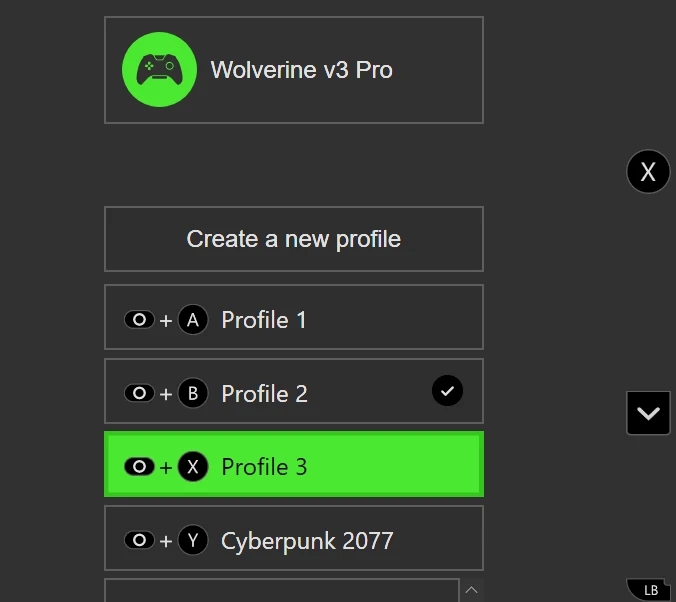
Full report (timestamped log lines, reproduction, suggested fixes), redacted logs and a screenshot:
https://drive.google.com/drive/folders/1a3R5QFWS1LXTCkFyB6pcI8hx31AZdFdx?usp=sharing
Support case: 261126-001423 (escalated to support specialists on 26 Nov 2026).
Suggested fixes (they are small)
- Never write to the controller while reading profiles.
- Validate reads: 0.0.0.0 / -1 / empty means retry, and block writes and cloud uploads until a read is valid.
- Verify every write by reading it back.
- Pause controller I/O while the window is not in focus.
Workaround until it's fixed
Keep the app window in front the whole time it connects and loads profiles. Don't Alt-Tab away and don't start it in the background. Keep your own notes/backup of every profile.
Could someone from the Controller Setup for Xbox team look at this? Other owners: if this matches what you see, please add your case number below.