

RZTHXhelper.exe application error | Razer Insider
Skip to main content
Question

RZTHXhelper.exe application error

  • August 19, 2025
  • 2 replies
  • 142 views

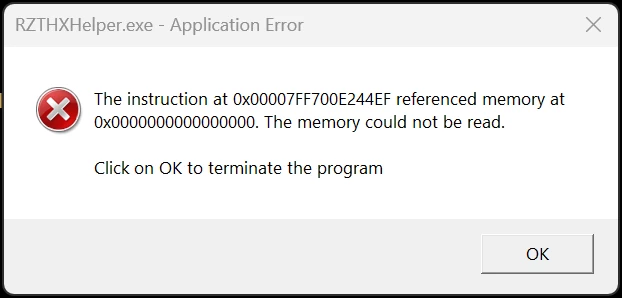
I had bought a Razor Kraken V3 Hypersense and THX spatial audio key recently and installed the THX software. After installing the THX Spatial Audio software, i tried setting it as default output on windows and on the software i selected my SoundBlaster Katana V2X speaker and tried using it, there were no audio output. It worked completely fine for my Razer Kraken V3 Hypersense. Also everytime i boot my PC, i receive an error message as such attached below. Is there a way to use the Software for my speakers or it only support the headset and how to rectify the error message. Thanks.



2 Replies

  • Insider Mini
  • November 7, 2025

Hello,

Exact same error here, did you find a solution ?


  • Insider Mini
  • November 13, 2025

It seems this issue has been reported many times, Razer does need to fix their drivers its not a user error unless Razer rather admits that asking for the device unique ID's means they messed up their devices themselves.

Sorry to be this straightforward, but a simple google search reveals Razer should objectively speaking know this error exists for a long time. Its been reported countless times on this forum, all people got was generic responses which by simple logic means the response like Disable AV, Reinstall, Etc Is not a fix!

Bottomline Sorry Razer Employees if you read this, its not personal but please for the love of God search your forums before replying this time. No reply back on generic answers means its not fixed and the user got frustrated by the lack of feeling heard.

A real solution would take a indepth research to the issue, and if Razer is open to it i'll gladly mess around with my setup if its not a generic reply. Lets be reasonable to each other as User and Company and get this shit working.