Screean cable rz09-0421 | Razer Insider
Skip to main content
Question

Screean cable rz09-0421

  • January 25, 2025
  • 8 replies
  • 219 views

pulseroadArsenic697

Dear Razer Support Team,


I am reaching out to seek your assistance with an issue I am experiencing with my Razer Blade 15 (2022), model number RZ09-0421.


Recently, the display on my laptop started showing significant issues. The image on the built-in screen is distorted (I provide you with photo), while an external monitor connected via HDMI works perfectly fine. After some troubleshooting and consulting with technicians, I was informed that the issue is most likely related to a faulty display cable (ribbon cable) inside the laptop.


Unfortunately, I am unable to find a replacement display cable for this specific model (RZ09-0421) online or in local stores. Therefore, I would like to ask for your help with the following questions:

1. Could you please confirm the part number (or compatible part) for the internal display cable for this model?

2. Is it possible to purchase this replacement cable directly from Razer or an authorized reseller?

3. If the cable is not available, could you provide guidance on compatible alternatives or any next steps to resolve this issue?


I would greatly appreciate your assistance in resolving this matter, as it is critical for me to restore the functionality of my laptop.


Thank you in advance for your support, and please let me know if you need any additional details about my device or the issue.


Best regards,

Volodymyr Hladkov

8 Replies

PacoCro
  • Insider Mini
  • July 8, 2025

I have the same model. I think I have the same problem.

Suddenly while laptop was on, my laptop display just stopped working. Looks like it is faulty display ribbon cable.

Luckily I have 2 external displays.

Did you manage to get and replace it? 


PlumWebbyteguide948

@PacoCro I am dealing with the same issue as well. 

Did you find any luck fixing yours’s? Please let me know.


My laptop is turning ON and the display is visible on the external monitor. I have updated the graphic drivers, windows update. Disconnected the internal battery and tried turning it ON but no use. Have updated 3 out of 4 firmware updates available on the razer's site for my model but the "OLED PANEL" one among them isn't getting installed. I have nothing else to do other than factory reset.


PacoCro
  • Insider Mini
  • August 19, 2025

@PlumWebbyteguide948 Since I found out what is the issue and warranty expired, I had and idea to order that single piece (ribbon cable) from Razer to change it myself. 

According to Razer support, this is not possible. They want me to send them my whole PC for them to replace the cable.

It is not an option for me because I can not afford to be few weeks without the laptop. I can use it with external monitors.

And it is probably much more expensive since I need to pay for shipping and ribbon cable replacement.

I need to find a way to somehow get this single piece so that I can replace it without sending my laptop over to Razer.


PlumWebbyteguide948

@PacoCro Thank you for replying!

Where can I find that ribbon cable, or could you tell me the model number of it?

I have not figured out my exact issue yet. Currently, I'm using it with an external display as well. Will do a factory reset and check if it’s any software issue.


PacoCro
  • Insider Mini
  • August 20, 2025

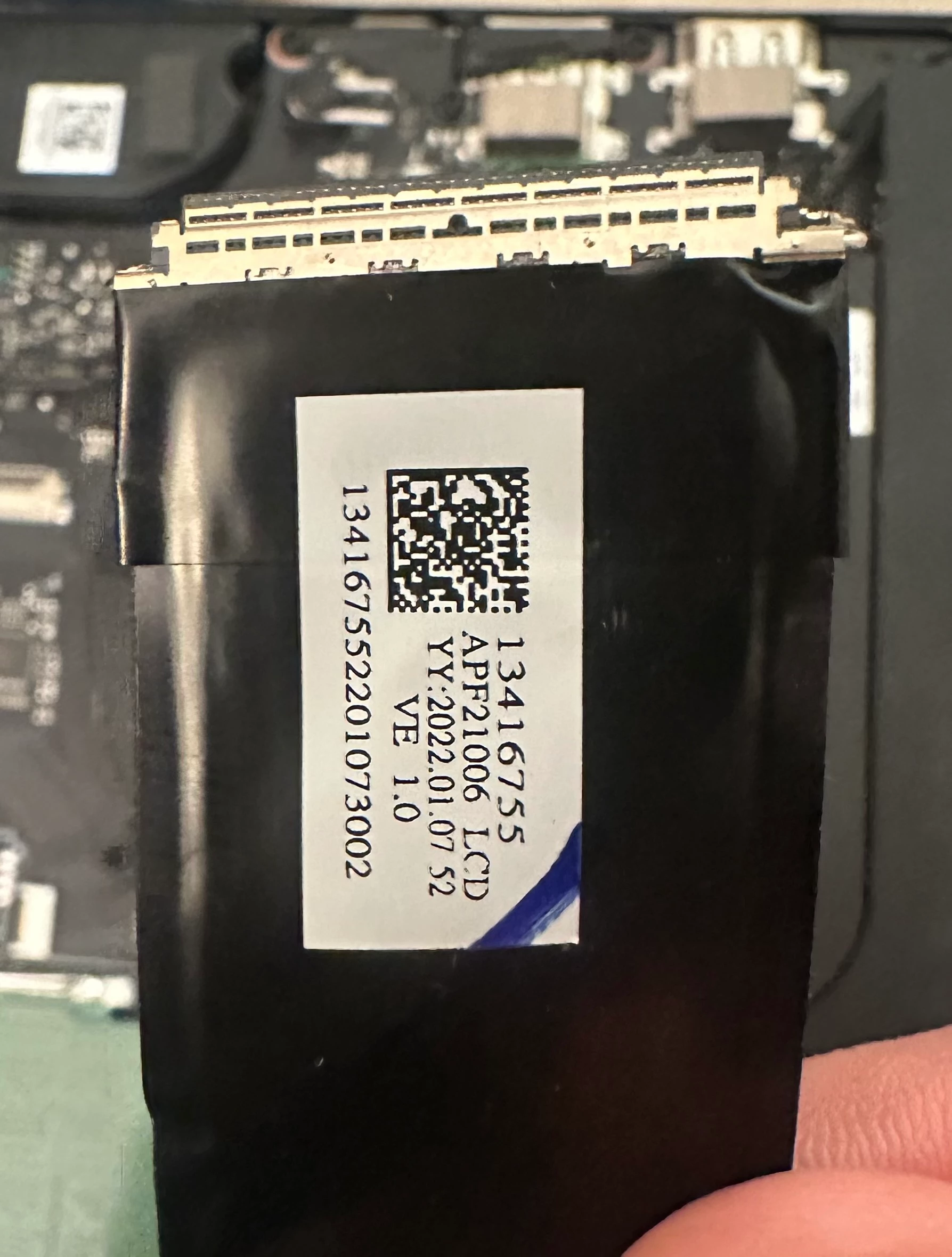
I am not sure about exact part number. It is probably written on the cable itself so I would need to open the laptop cover in order to find it.

There is a Youtube video where some person is showing how to replace the cable. Here is another thread with images so you can see how it looks like. There are also some numbers on the cable. → 


If screen is not working at all or image is distorted, the issue is in that ribbon cable because it is tied directly to the cooler. Cooler is very hot at times which brakes the cable… Totally messed up design.

I think I will never buy Razer ever again.


PlumWebbyteguide948

Me neither, but I have absolutely loved the laptop so far. Especially the OLED panel, which is not turning on anymore.

Thanks a lot for the info!


I’ll see what I can do, and worst case, I’ll just save up for an OLED monitor. Hoping you find your piece and peace with the issue.

Cheers!
Tarun from India.


  • Insider Mini
  • September 7, 2025

Funny enough I have the same issue sourcing this cable for the RZ09-0421 (Razer Blade 15 Advanced 2022). There’s a place in Miami that sells this cable but I think you have to purchase it in person. This is a picture of the tag on the cable.

Can anyone at Razer help me/us source this cable or the entire screen please?

In order to replace the cable you have to peel away the plastic surrounding of the screen, and also peel away the screen from the metal backing of the screen. You’re undoing the adhesive, so you’ll need adhesive for reassembly. And some guts because it’s not like you can just screw everything back together.

I tried troubleshooting via BUOS but was unsuccessful.

This all happened just after I replaced my battery, which was a literal nightmare to get Razer to send me with my $370 RazerCare Elite warranty, which expired 2 weeks ago.

I was just tryna play some GTA and my screen went fully black :( anyways if someone at Razer could help us with these parts we’d really appreciate it thanks!


  • Insider Mini
  • November 7, 2025

Pls I have similar issue,  this cable I know is a 40pin connector, is it 0.5mm or 0.4mm spacing?