Secure boot error | Razer Insider
Skip to main content
Question

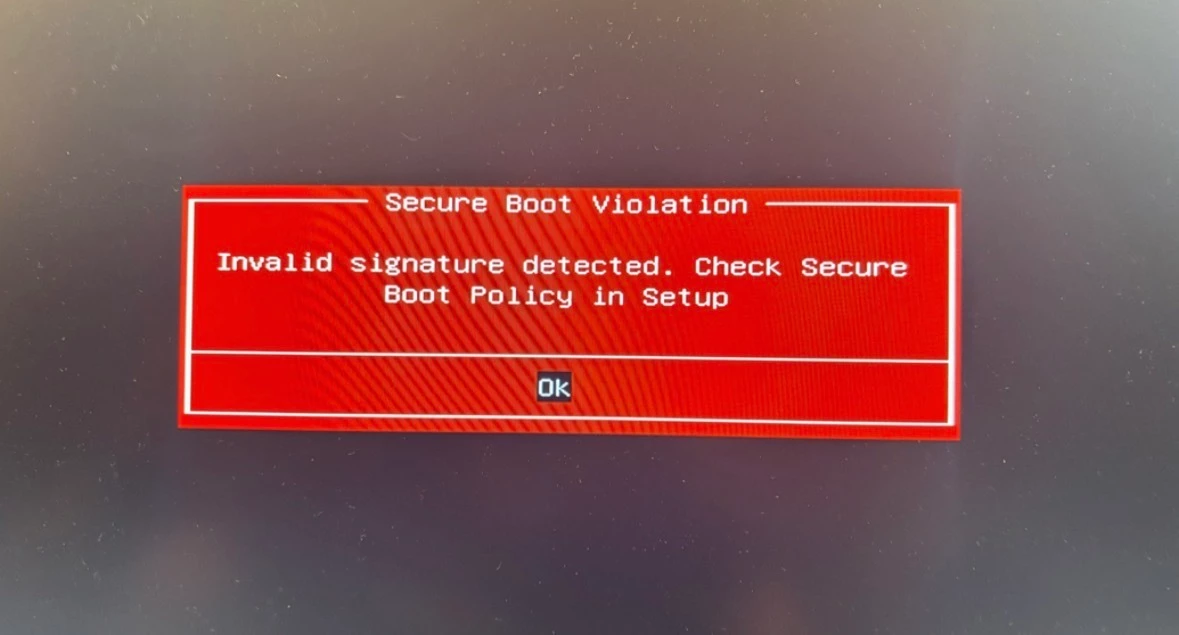
Secure boot error

  • February 4, 2026
  • 2 replies
  • 140 views

Hi,

after the last Windows 11 update , my Razer Blade Pro 17 suddenly displays error when I turn it on. I have tried everything, from EFI partition renewal with USB and Windows media creation tool, to trying to reload Secure boot keys, but due to BIOS protection from Razer it is unable. Has anyone the same problem?

 

This topic has been closed for replies.

2 Replies

Vydexus
  • Insider Mini
  • February 8, 2026

Hello,

Exact same issue on my Blade 14 (2021). The new BIOS update (1.08_v3) completely breaks Secure Boot, since Razer locks the options to reset the keys in setup.

This is a major oversight, but there is no way to manually resolve this until Razer releases a fix. Until then, your only option is to leave Secure Boot disabled.


Razer.ScarletRouge

Hey there, ​@webcore25 

Thanks for sharing the details of what you’ve tried so far. Before the issue began appearing after the recent Windows 11 update, were there any changes made in the BIOS settings or any advanced configuration? This will help us narrow down the cause and assist you further. 

Additionally, please send me a private message together with your device's serial number so I can check its details here in our system. Thank you!


*Thread locked to curb conversation to PM.