Synapse 4 and kraken v4 pro THX audio | Razer Insider
Skip to main content
Solved

Synapse 4 and kraken v4 pro THX audio

  • July 24, 2026
  • 3 replies
  • 41 views

Hi everyone

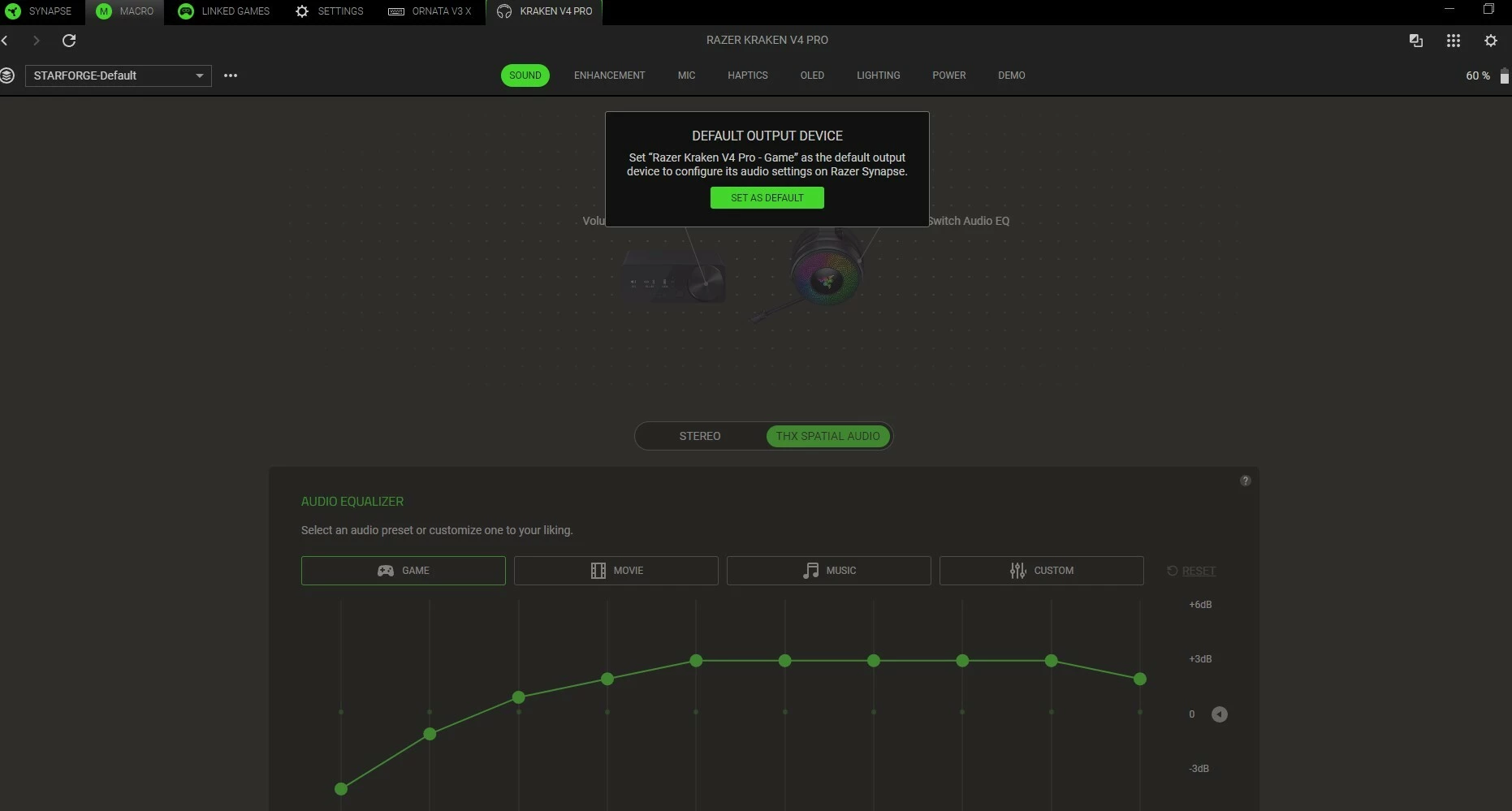
Iam a bit technologically  stupid. My kids say iam to old for technology. I have the kraken v4 pro headsets and I have followed directions to setup Spatial audio. When I go to synapse 4 it continues to ask me to make the kraken v4 pro as default device and i cant do anything else until I do. How do I stop this?

Thanks
 

Best answer by NELiXERY1738

That just means you need the Kraken to be your default device in Windows. When you click on the speaker icon in the taskbar, click on Sound Settings. Here you’ll want the Kraken as your default speaker. Then you’ll be able to adjust the settings within Synapse.

This topic has been closed for replies.

3 Replies

NELiXERY1738
  • Insider
  • Answer
  • July 24, 2026

That just means you need the Kraken to be your default device in Windows. When you click on the speaker icon in the taskbar, click on Sound Settings. Here you’ll want the Kraken as your default speaker. Then you’ll be able to adjust the settings within Synapse.


  • Author
  • Insider Mini
  • July 24, 2026

Thanks so much. I got confused. I thought it had to stay as thx audio as default. Thanks for clearing that up for me


Razer.Aero
Forum|alt.badge.img
  • Razer Support
  • July 24, 2026

Hi everyone

Iam a bit technologically  stupid. My kids say iam to old for technology. I have the kraken v4 pro headsets and I have followed directions to setup Spatial audio. When I go to synapse 4 it continues to ask me to make the kraken v4 pro as default device and i cant do anything else until I do. How do I stop this?

Thanks

 

Hi Preddie69,

To configure THX Spatial AUDIO via Razer Synapse 4, please follow the instructions in this support article as your guide. If you need further assistance, please PM me with the headset’s serial number so I can help you further. All the best!


Thread locked to curb the conversation to PMs.