Synapse 4 - breaking my Tartarus key bindings for the 2nd keymap layout. | Razer Insider
Skip to main content
Question

Synapse 4 - breaking my Tartarus key bindings for the 2nd keymap layout.

  • July 21, 2026
  • 8 replies
  • 21 views

trianglesis

I have set up two keymaps.

One is for active gameplay and the second is for other controls, like MAP or MENU (Esc)

Razer is wiping my second keymap each time it tries to sync in it somewhere, and my 2nd keymap becomes a copy of the first one (where ESC is not mapped)


I made a backup so every time I load it back - it works fine with both keymaps until it starts to sync again, and I lose an ability to enter the game menu during gameplay.


Later I was able to reproduce this out of the game by just switching profiles.

UPD: Q for support

  • Is there an ability to completely BLOCK or DISABLE cloud functions?

I don’t need them, and I don’t want to rely on YOUR network for my local activity and profiles switching.
 

8 Replies

trianglesis
  • Author
  • Insider Mini
  • July 22, 2026

It still happening.
As soon as my Tartarus profile uploaded to razer - it stops working!


trianglesis
  • Author
  • Insider Mini
  • July 23, 2026

It’s reproducible:

Create the first layout, then second, wait for some time: now your 1st layout is copy of 2nd or in reverse.
Each time!

I’m creating a local backup after assigning each key.


trianglesis
  • Author
  • Insider Mini
  • July 24, 2026

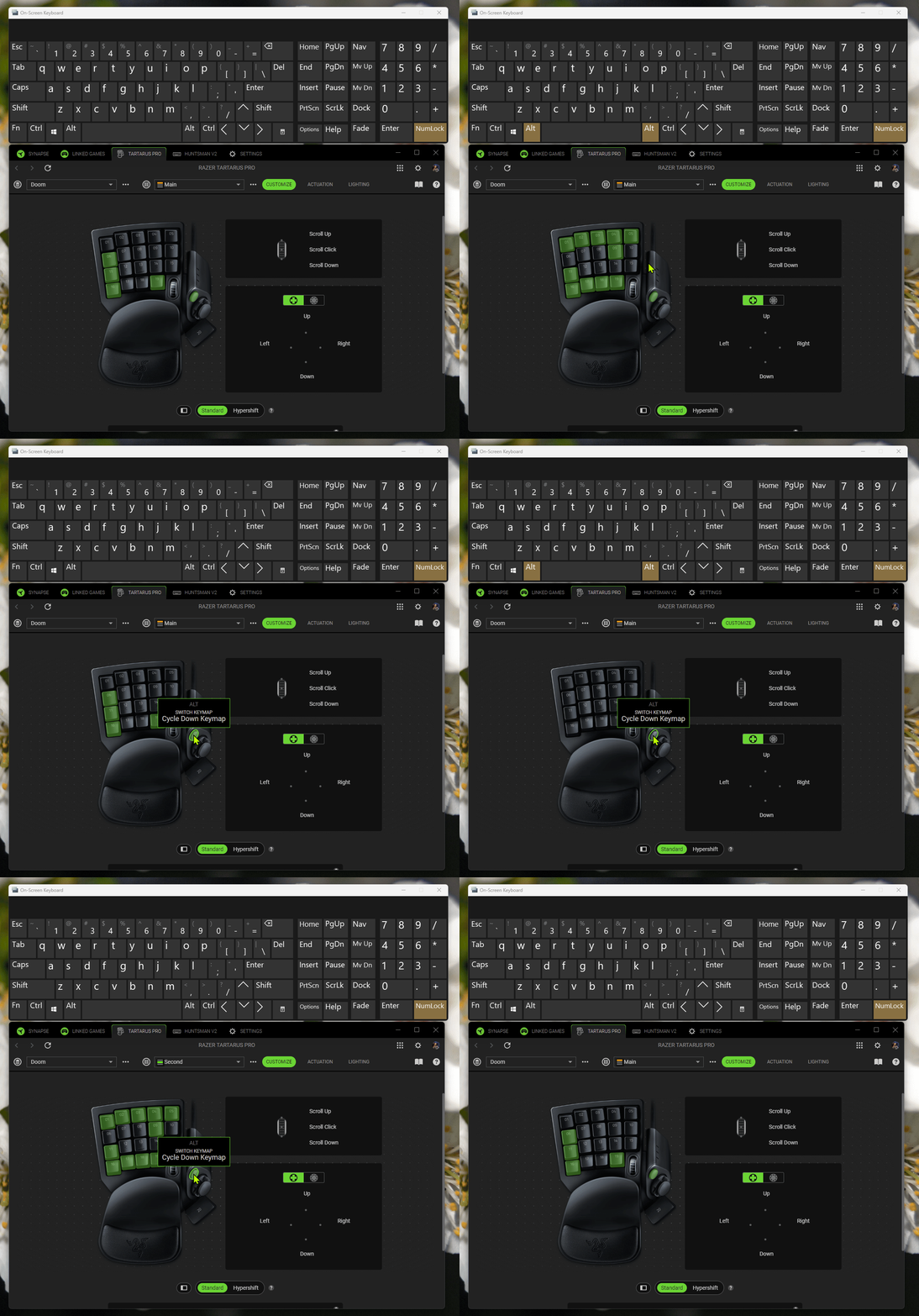
The button for profile switching became is now working unexpectedly it seems like it acts like Alt key pressed twice. There are a lot of issues in game, while you need to quickly switch between profiles and it keeps minimizing the game window instead!


Moreover it become slow, it does not work a few times in a row, sometimes it stuck in profile 2 after button released.

I had never faced such issues before, years before when it run at Synapse version 3.

I don’t understand what changed? I did not played for a few years and now, suddenly perfectly worked hardware become so laggy that it’s ruining immersion during gameplay, since I need to check twice if required button were pushed and profile activated.


trianglesis
  • Author
  • Insider Mini
  • July 24, 2026


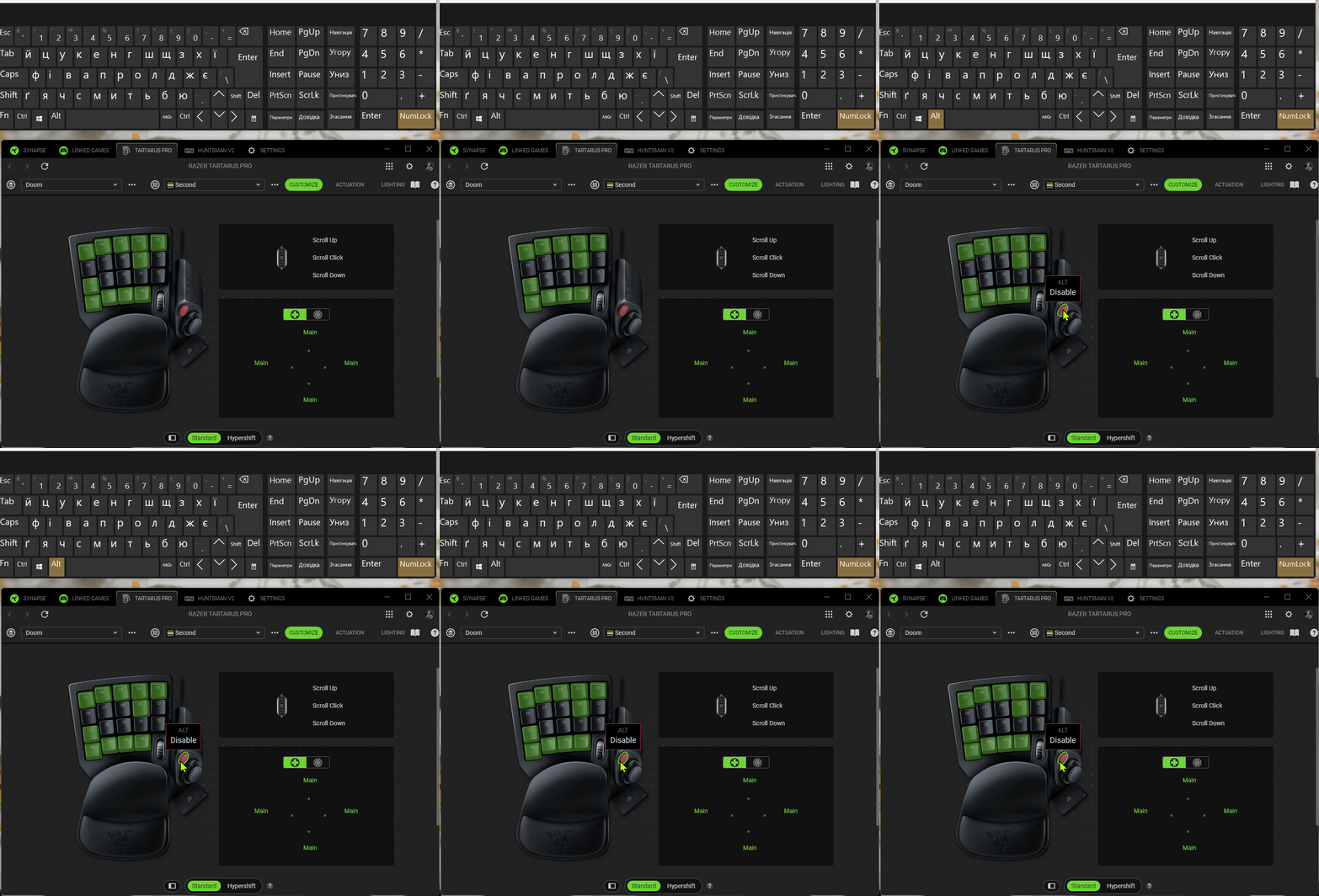
Issue #1

Pressing profile button - triggers multiple Alt keystrokes.


trianglesis
  • Author
  • Insider Mini
  • July 24, 2026

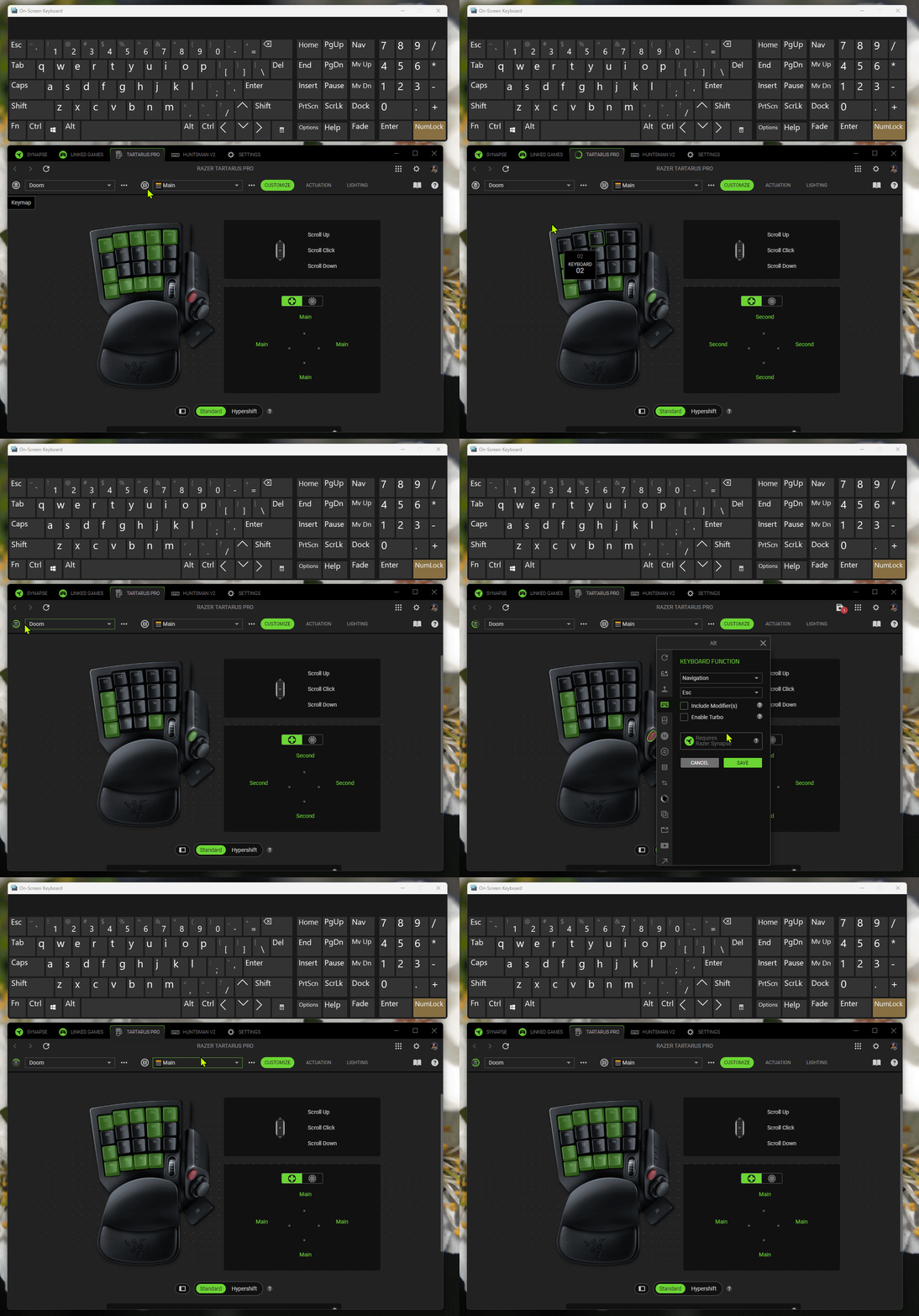
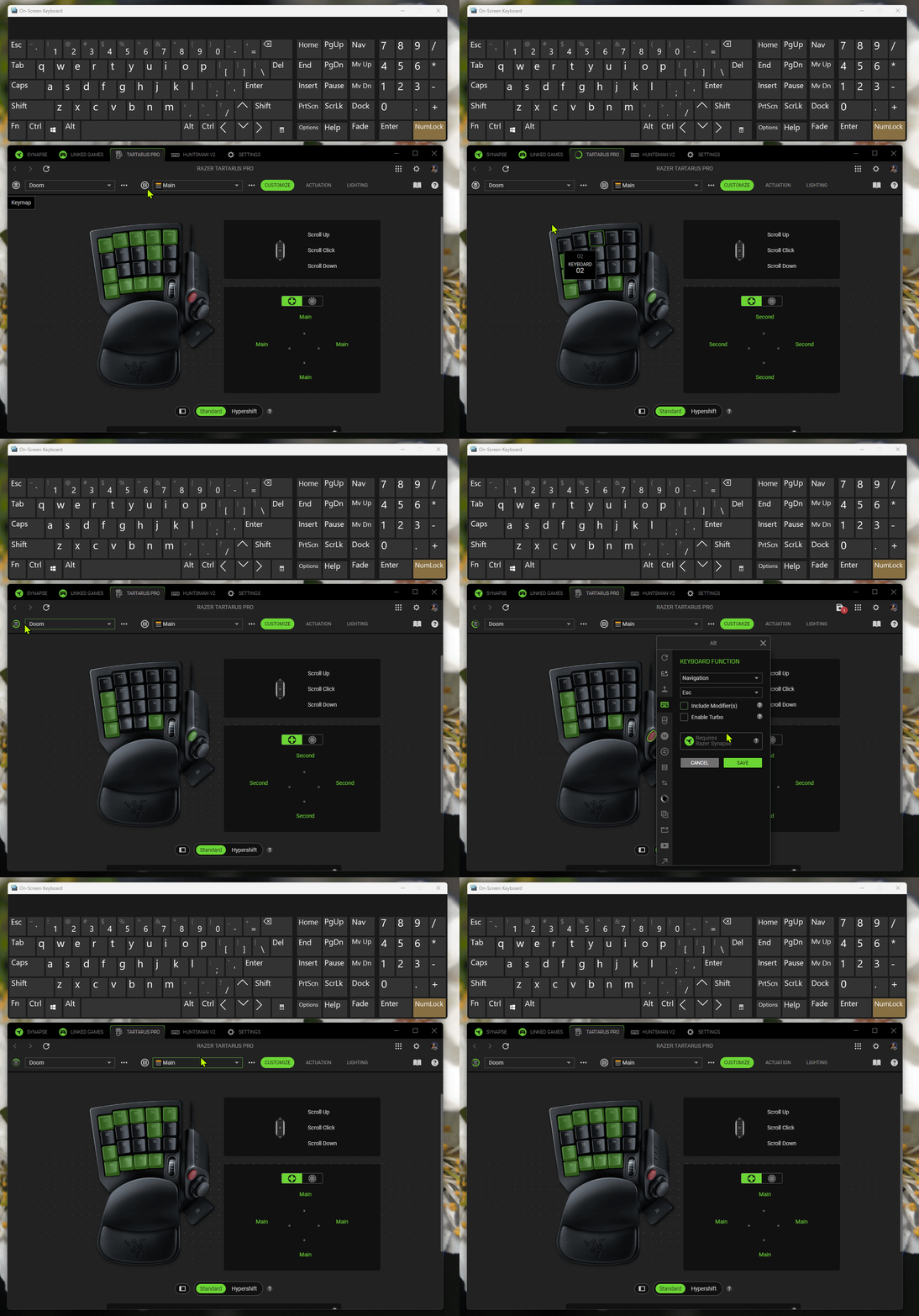
Issue #2

Profile sync is in progress - corrupting KEYMAP by completely overwriting one keymap by another. 
Long gif - 2 minues.
At the very end it happens - keymap “Second” become a “MAIN” too.


trianglesis
  • Author
  • Insider Mini
  • July 24, 2026

Issue #3 with Alt button again: even when button IS disabled completely OR switched to ESCAPE key - it still registering as Alt button.


Also it’s still registering ALT keystroke after sync process is fully finished!


trianglesis
  • Author
  • Insider Mini
  • July 24, 2026

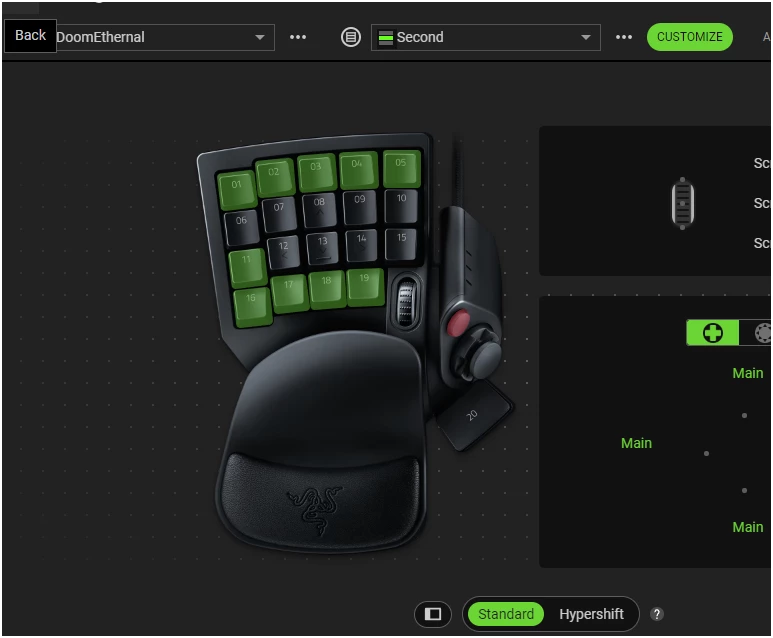
Next game: Doom Ethernal

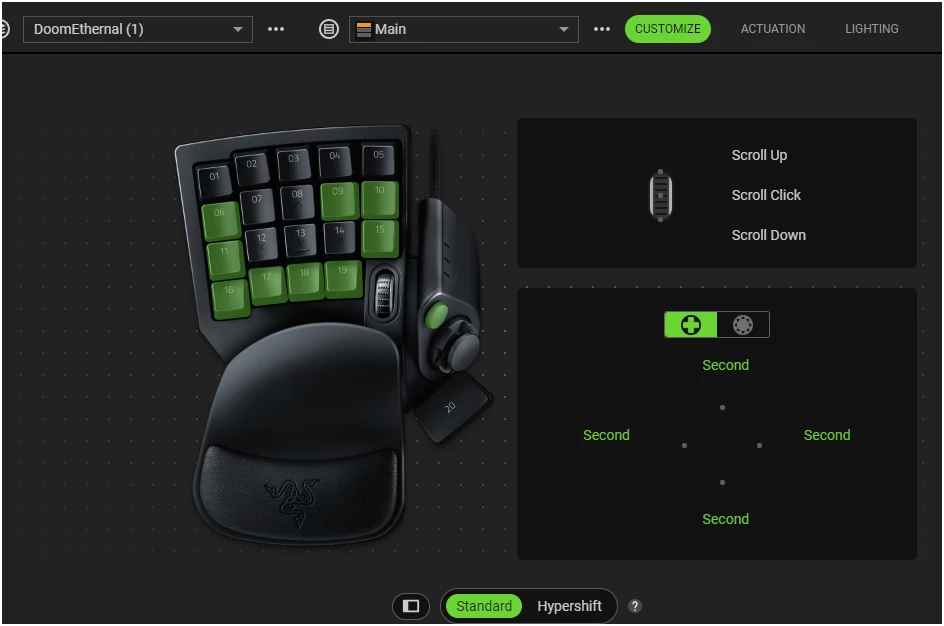
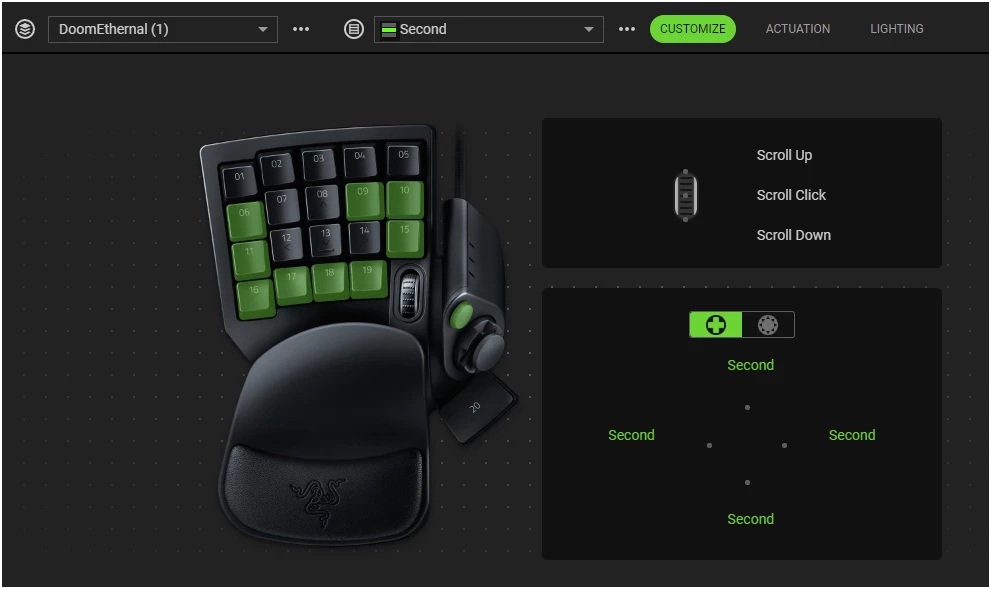
Same picture: switch keymap too often? Get your keymap wiped by another one! Now You have TWO identical keymaps right during gameplay.

This time I’ve assigned KEYMAP switch to joystick buttons, all 4 directions is switching 1st layout to the 2nd.

Main
 

Second (now overwritten by main)


How it should be at the second one:


trianglesis
  • Author
  • Insider Mini
  • July 24, 2026

Link to another issue but with the same nature: