Synapse won't let monitors auto shut off | Razer Insider
Skip to main content

Synapse won't let monitors auto shut off

  • November 19, 2020
  • 6 replies
  • 54 views

I've had this issue for months now, with no resolution. As long as Synapse is installed/running, my monitors will not turn off into stand-by. They will try to go into standby mode, flash black but then come right back on again. Any solutions would be helpful, if there is any. If not, please fix so I can continue using the software.
This topic has been closed for replies.


6 Replies

  • November 20, 2020
same, as soon as I installed Synapse my monitors no longer sleep when idle.

Razer.Speedcr0ss
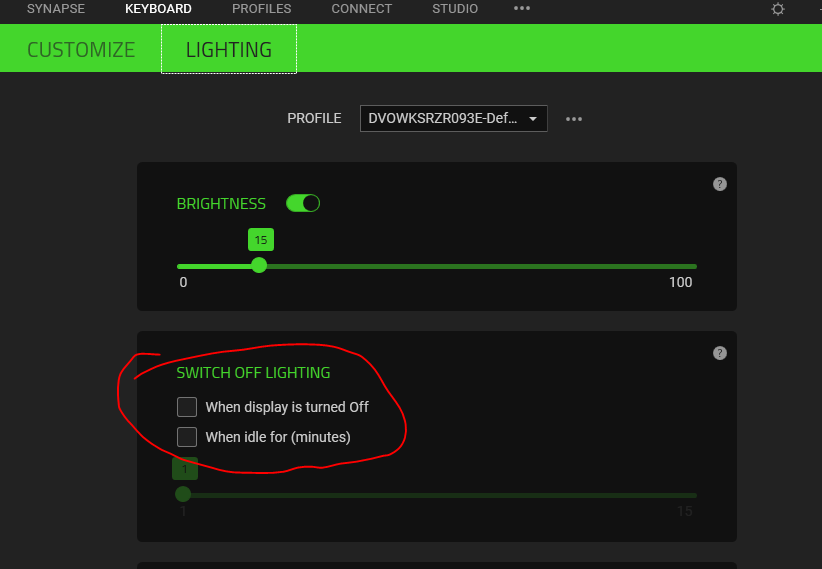
Hey everyone! Sorry to hear about your ongoing issue with Razer Synapse. What's your it's the current version? Please look for options below and uncheck it for both mouse and keyboard: Feel free to send me a PM should the issue persists. Let's continue from there.

  • November 24, 2020
Razer.SpeedCr0ss
Hey everyone! Sorry to hear about your ongoing issue with Razer Synapse. What's your it's the current version? Please look for options below and uncheck it for both mouse and keyboard: Feel free to send me a PM should the issue persists. Let's continue from there.
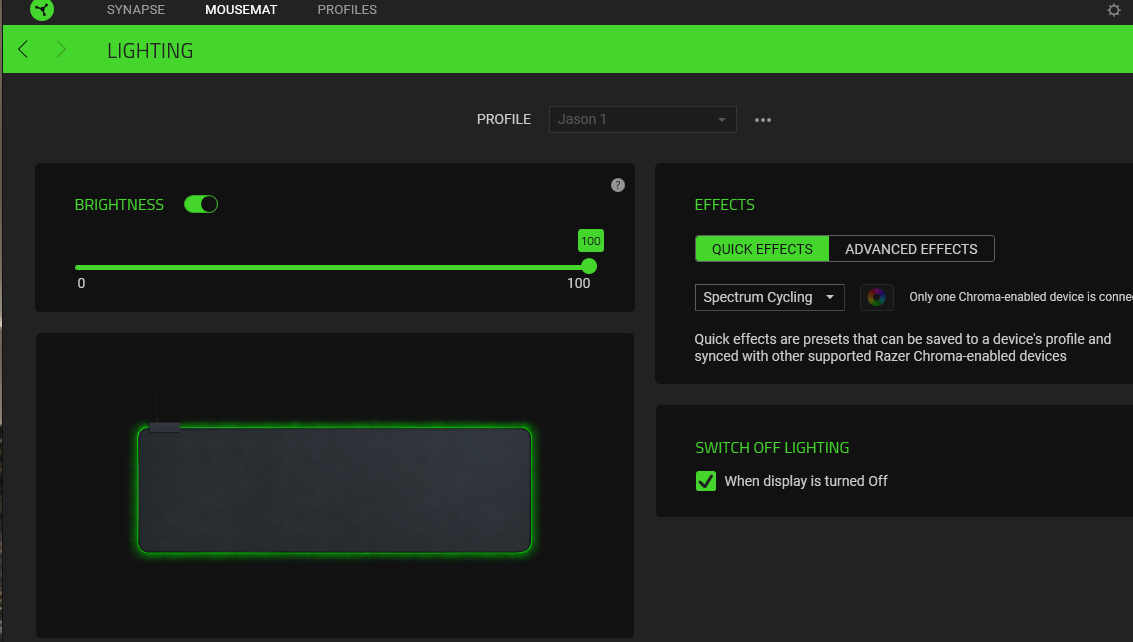
In my case it's a mat

Razer.Speedcr0ss
foyman1973
In my case it's a mat
Thanks for pointing that out. Have you tried unchecking the "switch off lighting" option? Should the issue persists, please send me a PM. Let's continue from there

  • November 25, 2020
Yes, I unchecked that option and it did not make a difference.

  • November 25, 2020