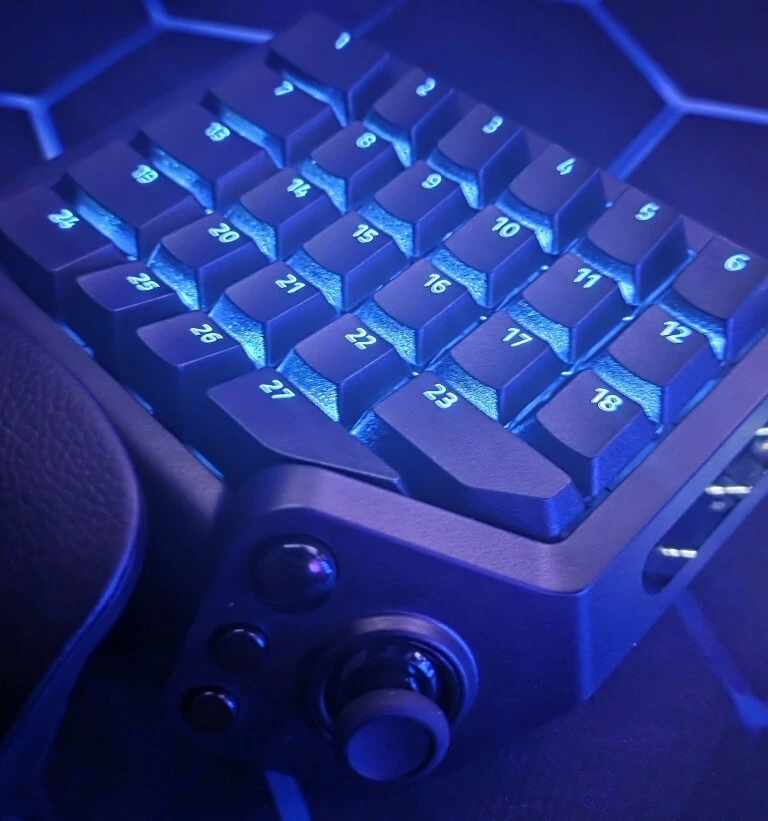
Tartarus V2 Pro: Reassigned Hypershift button still dims lighting (Turns off all keys except 19) - Bug? | Razer Insider
Skip to main content
Question

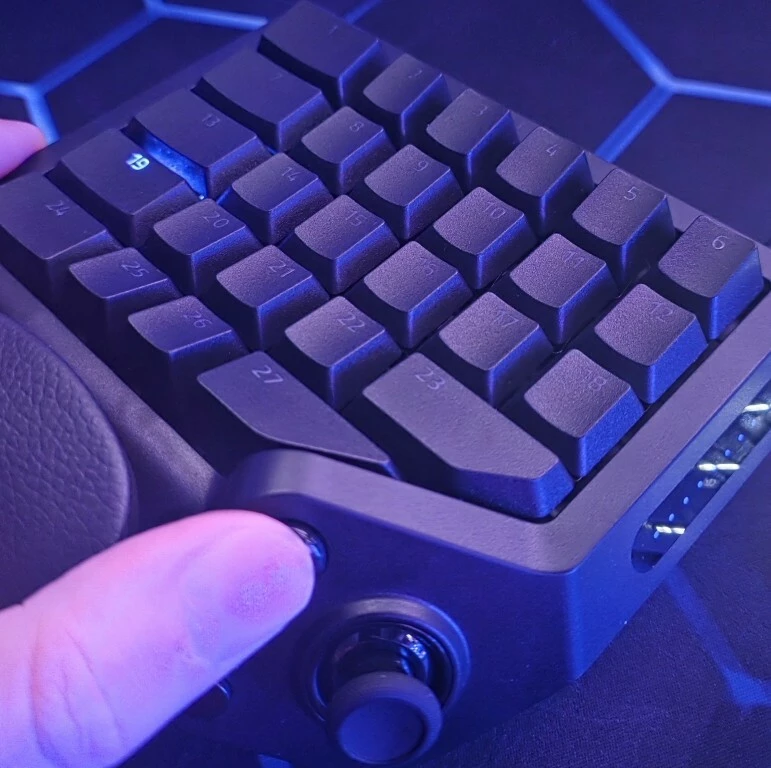
Tartarus V2 Pro: Reassigned Hypershift button still dims lighting (Turns off all keys except 19) - Bug?

  • Oct 4, 2026 1:41 AM UTC
  • 2 replies
  • 129 views

Hi everyone,

I am having an issue with the dedicated Hypershift button on my Razer Tartarus V2 Pro. I decided to reassign this button to be my "Space" key instead of Hypershift.

The key mapping works, but every time I press it, it still triggers the hardcoded Hypershift lighting effect: it turns off the RGB on all my keys except key "19". The actual Hypershift secondary functions do not trigger (which is correct since I reassigned it), but the lighting still behaves as if I am pressing a Hypershift modifier.

Because I am using this button as "Space", it is very distracting to have my entire device go dark every time I press it.

My questions are:

  1. Is this a known bug in Synapse for the Tartarus V2 Pro? (The lighting shouldn't trigger if the button is no longer assigned to Hypershift).

  2. Is there any workaround to stop this button from turning off the lights, so I can use it normally as a Spacebar?

Thanks in advance for the help!
 

This topic has been closed for replies.

2 Replies

Having this exact issue. Remapped but still does the hypershift dimming. Needs fixing asap.


Razer.ScarletRouge
Forum|alt.badge.img

Hey there, ​@UrsaMajorisDube 

I understand that you are having issues with your Razer Tartarus V2 Pro, where the dedicated Hypershift button continues to trigger the Hypershift lighting effect even after being reassigned to the Space key. 

To help me isolate the issue, could you please let me know when the issue started occurring? Did it begin after a Synapse update, a profile change, or has it always behaved this way? In the meantime, please try the following:

  1. Update Razer Synapse to the latest version and check if the issue persists.
  2. Delete the current profile where the key has been reassigned.
  3. Create a new profile and remap the button to Space again to see if the behavior remains the same.

If the issue persists after performing the troubleshooting steps, please send me a private message along with your device's serial number so I can check its details in our system and assist you further. Thank you!


*Thread locked to curb conversation to PM.