

the latest synapse update broke my Basilisk v3 24k scroll | Razer Insider
Skip to main content
Question

the latest synapse update broke my Basilisk v3 24k scroll

  • June 24, 2026
  • 2 replies
  • 44 views

After the latest update my basilisk v3 24k (wired) scroll wheel is broken. As with previous issues everything works on the wheel except the  scrolling up and down ( click in scroll works fine). I know this a problem caused by synapses because if you take a-look at the photo i provided  the update is full of fixing scroll related issues on multiple razer devices. I keep it very clean and haven't touched it since using it before update was installed. also the mouse is about 3 months old. I have tried the following to resolve the issue:

  • uninstalled synapses & cortex, resetting pc and reinstalling.
  • Resetting the mouse by holding left, right & scroll click for 7 seconds while unplugged and plugging in while holding.
     
  • Uninstalling mouse from device manager resetting and reinstalling.
  • cleaned the scroll wheel and double checked any debris or dust was cleared with compressed air.
  • repairing all razer apps. 
     
  • Used different usb ports
  • double checked if windows was fully updated. 
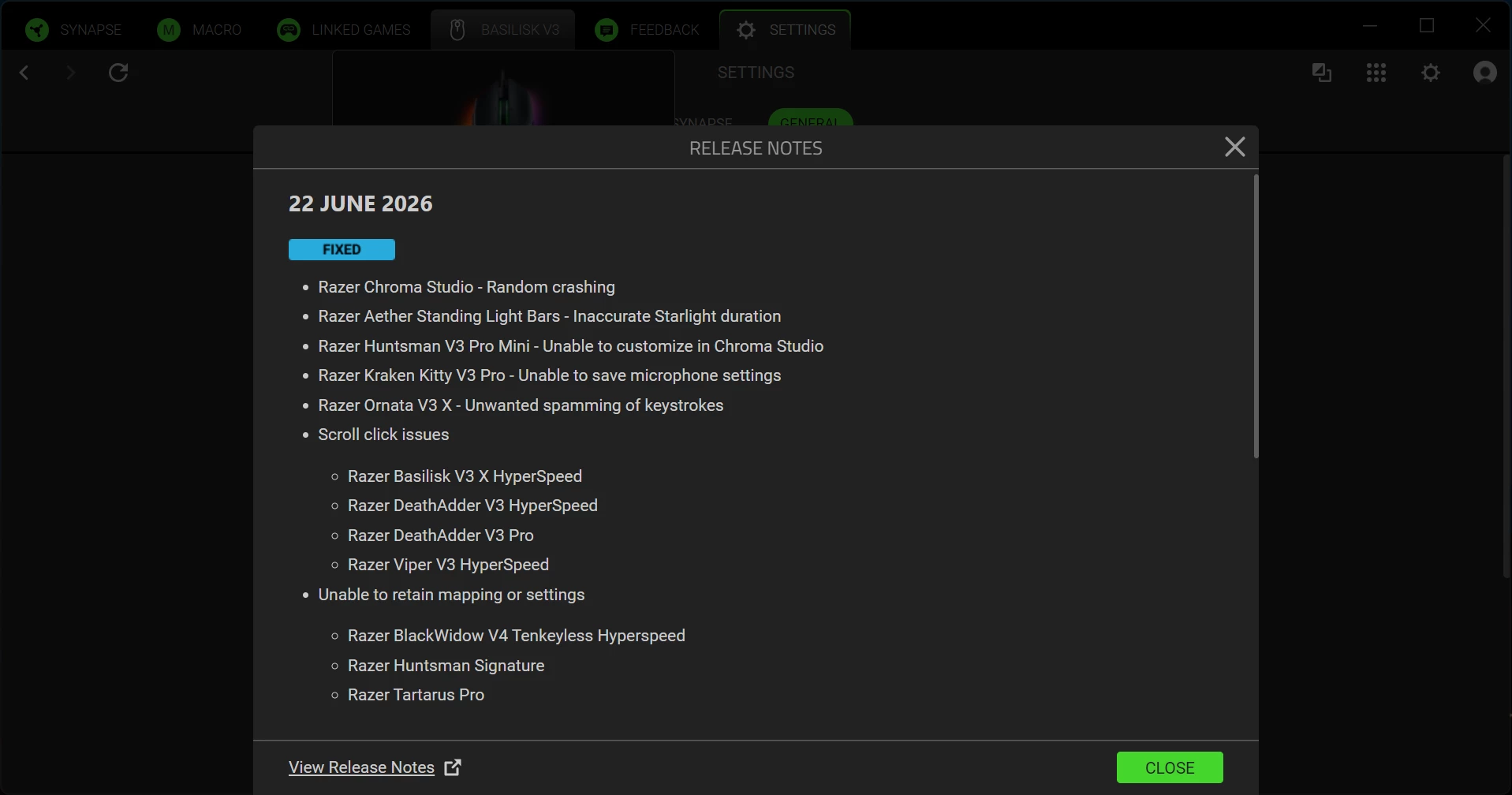


this is the latest update i spoke of. It shows that synapses have been doing damage related to scrolls. Has anyone ran into this problem? If so how did you fix the issue? It is wired only so the common  fix i see for basilisk v3 issues of switching from BT to 2.4 sadly isnt an option

This topic has been closed for replies.

2 Replies

BlueIVORYever793

Yep, Having the exact same issue on my Basilisk V3 pro- Scroll wheel randomly stopped responding the other day, and low-and-behold, i opened synapse to find it updated itself again- glad to confirm my suspicions


Razer.Aero
Forum|alt.badge.img
  • Razer Support
  • June 24, 2026

Hello Twistedremi and BlueIVORYever793,

Thanks for bring this to our attention and for trying the possible troubleshooting to fix the issue. Allow me to ask a few questions to further isolate the problem. 

  • Does the scroll wheel work if Razer Synapse is closed or disabled?
  • Does scrolling fail in everything or just certain apps?
  • Have you tested it on another PC without Razer Synapse installed?
  • In Synapse, are scroll up and scroll down still assigned correctly?

Please send me a PM with the information below so I can escalated this issue to our Support team.

Full Name:
Email:
Phone number:
Country:
Product Name: 
Product Code/Number: 
Product serial number: 
Place of Purchase: (seller's website or physical store address)
Date of purchase:
Proof of purchase:
Short video showing the issue and upload it to Google Drive, and set it to "Public" or “Anyone Who Has The Link” so we can access the file. Then share the link with us. Thanks for your cooperation. 


*Thread locked to curb conversation to PM.


