Why is Hyperboost not displayed in Razer blade 16? | Razer Insider
Skip to main content
Answer

Why is Hyperboost not displayed in Razer blade 16?

  • August 16, 2025
  • 4 replies
  • 164 views

ProFikProStrike

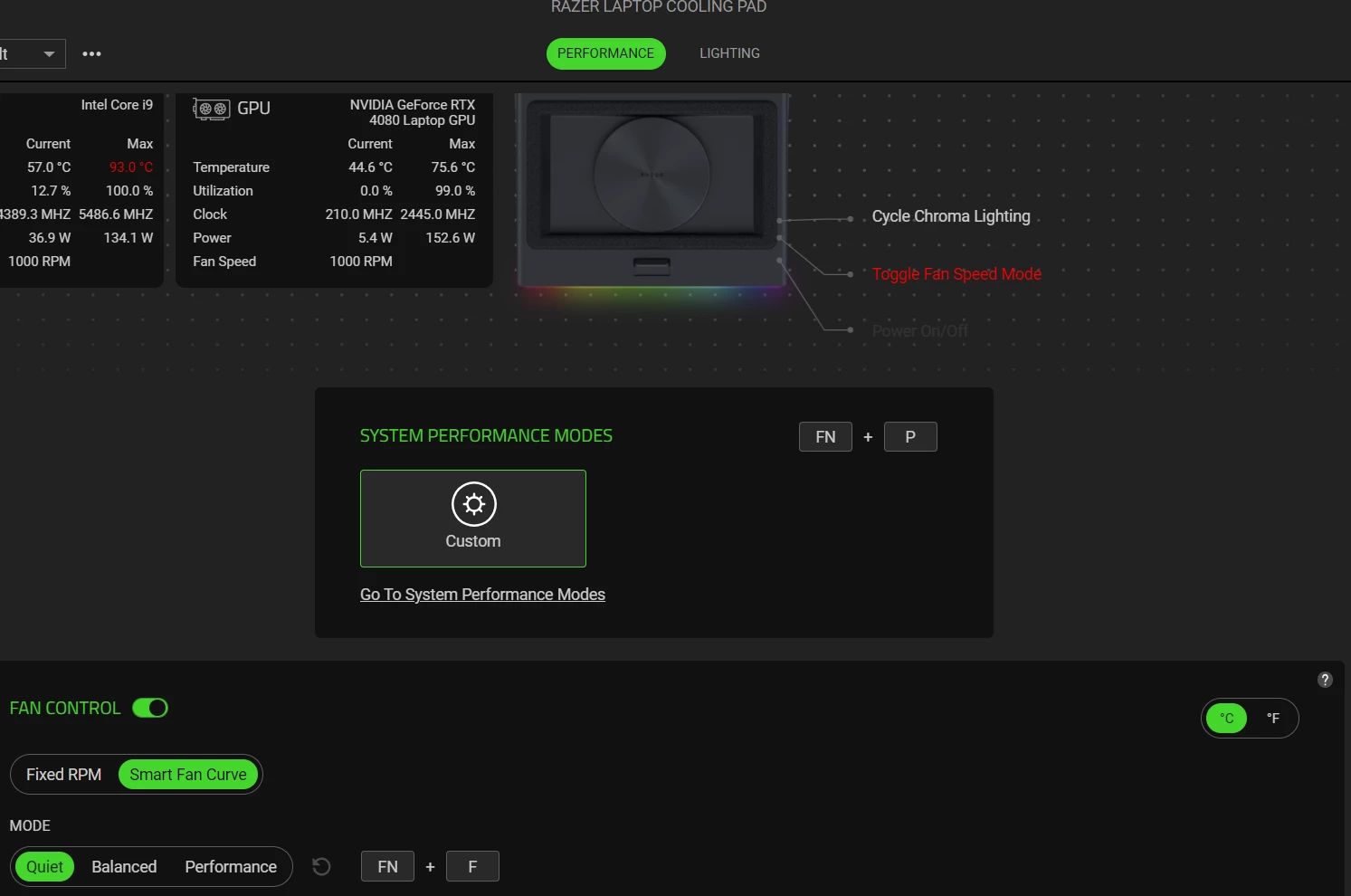
Hello Razer fans! I bought a Razer Laptop Cooling Pad. I want to try Hyperboost mode, but I don't see where to turn it on. Please help me! 🤕
 

Best answer by Razer.Speedcr0ss

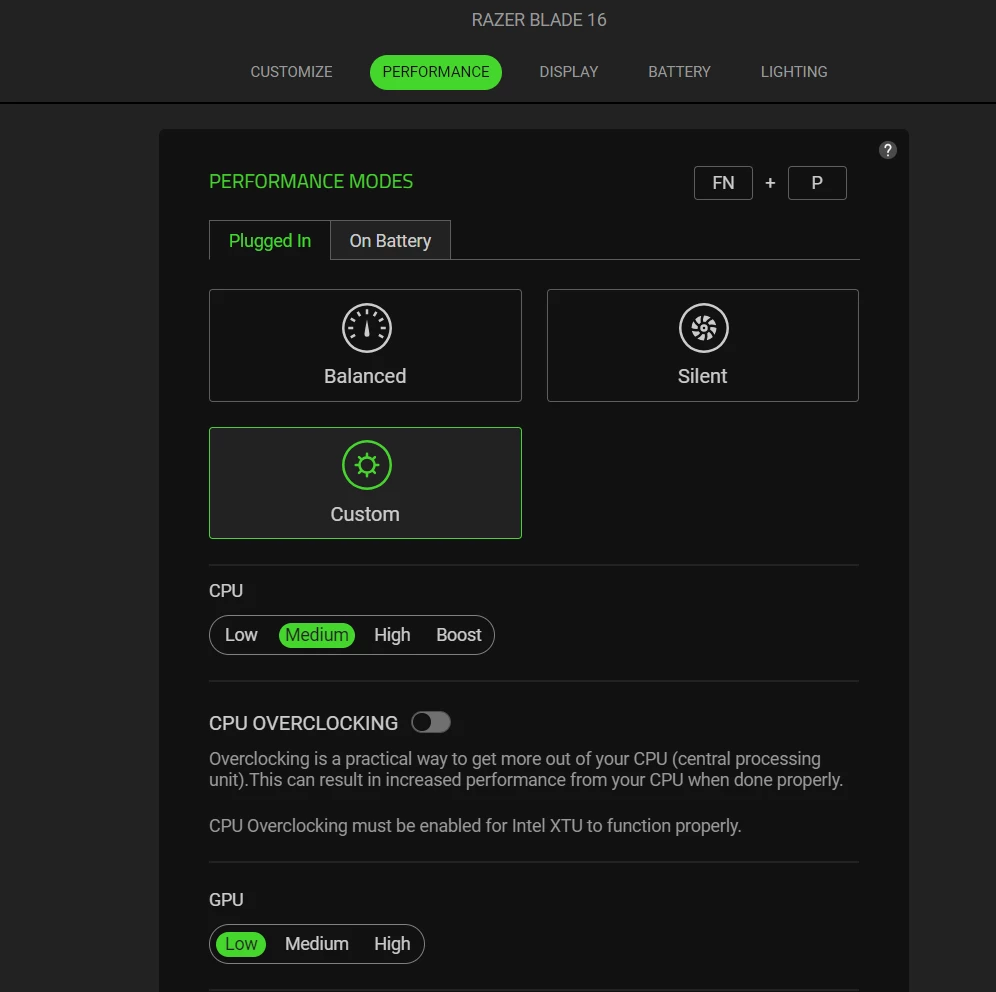
Same issue hyperboost mode suddenly disappeared from the performance options around 2 days ago, reinstalling does not work.

Razer Blade 16 4090 (2023)

Hi ​@ProFikProStrike, ​@Johnny986, ​@qjqqyy, and ​@athan614.

Thanks for reporting this behavior in your Blade 16 2023 while using Razer Synapse. Does it happen in both Synapse 3 & 4? I suggest initiating a case here: Warranty Support. Ensure you select PC Products > Laptops, enter the device serial number, and then submit to access the contact support option for chat & email. Thanks for your cooperation. Otherwise, feel free to send me a PM should you so I can help create a support ticket on your behalf.


*Closing this thread now.

This topic has been closed for replies.

4 Replies

  • Insider Mini
  • August 17, 2025

I am having the exact same issue, following this thread for a fix.  2023 Razer Blade 16 4090 here.


  • Insider Mini
  • August 17, 2025

2023 razer blade 16 4080 here

seeing the exact same issue

I have tried reinstalling synapse multiple times


Hyperboost was working for me a few weeks ago


athan614
  • Insider Mini
  • August 18, 2025

Same issue hyperboost mode suddenly disappeared from the performance options around 2 days ago, reinstalling does not work.

Razer Blade 16 4090 (2023)


Razer.Speedcr0ss

Same issue hyperboost mode suddenly disappeared from the performance options around 2 days ago, reinstalling does not work.

Razer Blade 16 4090 (2023)

Hi ​@ProFikProStrike, ​@Johnny986, ​@qjqqyy, and ​@athan614.

Thanks for reporting this behavior in your Blade 16 2023 while using Razer Synapse. Does it happen in both Synapse 3 & 4? I suggest initiating a case here: Warranty Support. Ensure you select PC Products > Laptops, enter the device serial number, and then submit to access the contact support option for chat & email. Thanks for your cooperation. Otherwise, feel free to send me a PM should you so I can help create a support ticket on your behalf.


*Closing this thread now.