'Your laptop has countered a problem and needs to restart' error Razer Blade 14 | Razer Insider
Skip to main content
Question

'Your laptop has countered a problem and needs to restart' error Razer Blade 14

  • December 3, 2025
  • 3 replies
  • 16 views

My Razer Blade 14 is about two weeks old.

I’ve had consistent issues now (once every few days) of my laptop screen saying ‘your laptop has encountered a problem and needs to restart’, before immediately restarting like nothing ever happened.


I’ve no idea what’s causing it, I’ve barely used it, haven’t been on any dodgy websites or anything like that and can’t see anything on ‘event viewer’ in Task Manager. After forking out £1600, it’s pretty disappointing. I got a premium product because I thought it would be reliable, it’s been anything but lol… Never had any issues like this with my Mac and I had that for 11 years.


  1. Can I fix this myself? if so, how?
  2. Can Razer fix this for me?
  3. If not, do I just send it back and get another?


Thanks,

Rich

3 Replies

FiszPL
Vanguard
Forum|alt.badge.img+1
  • VANGUARD
  • December 4, 2025

First I’d check the OS event viewer for the errors or use app like BlueScreenView to check what failed.

Also I’d run CMD as an admin and type: sfc /scannow - it’ll just scan all OS files, and if there’s some corruption it’ll try to fix it.


  • Author
  • Insider Mini
  • December 4, 2025

Appreciate the response.


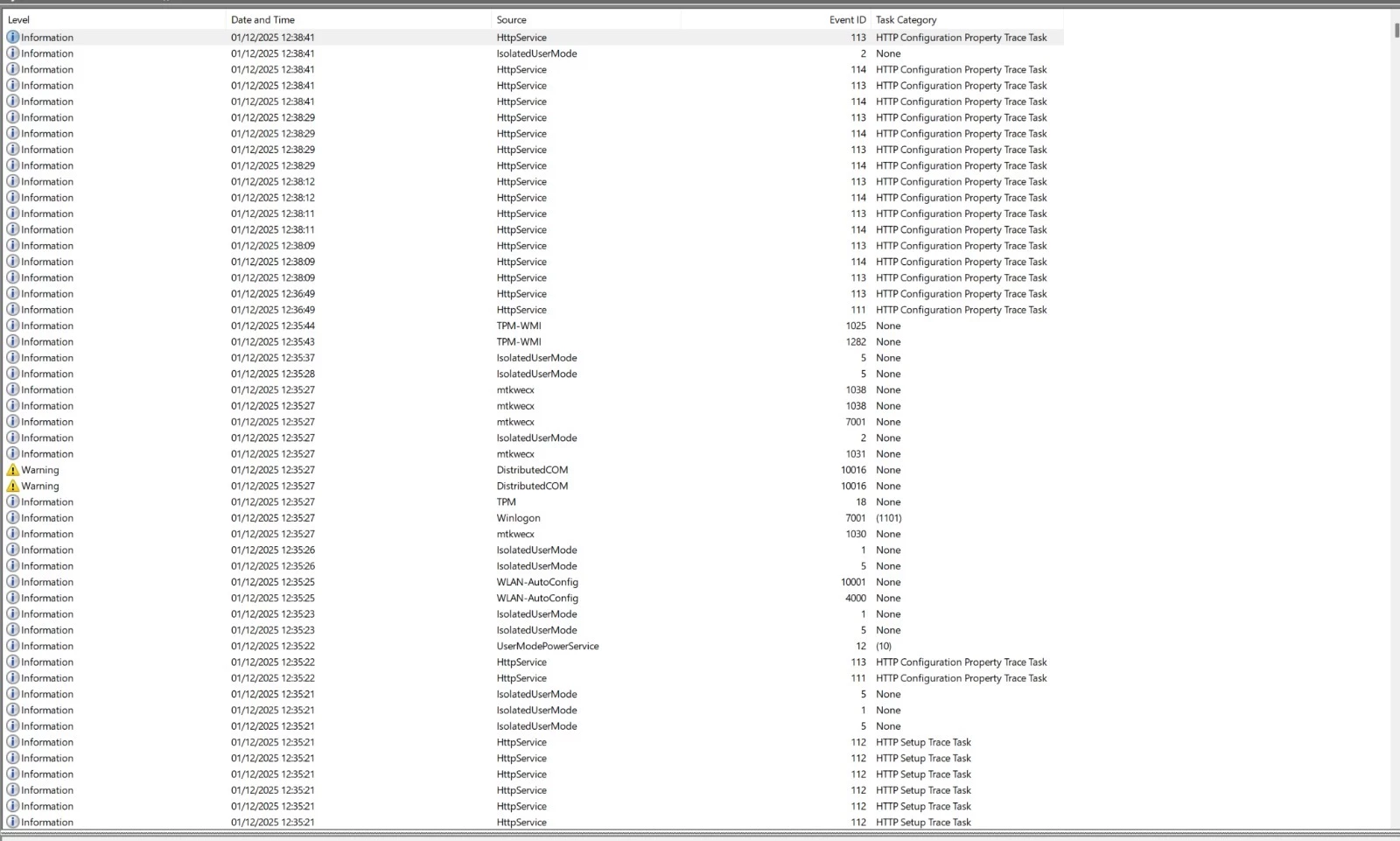
The last time it happened this is what my event viewer spat out - I can’t see any anything obvious that would be causing the problem?


I did the sfc/scannow piece you recommended but that didn’t return anything of interest either.


I’ll see if it happens again, but on a 2 week old machine surely this type of stuff shouldn’t be happening? It’s such a shame because it’s a lovely piece of kit.


Thanks,

Rich


FiszPL
Vanguard
Forum|alt.badge.img+1
  • VANGUARD
  • December 5, 2025

Appreciate the response.


The last time it happened this is what my event viewer spat out - I can’t see any anything obvious that would be causing the problem?


I did the sfc/scannow piece you recommended but that didn’t return anything of interest either.


I’ll see if it happens again, but on a 2 week old machine surely this type of stuff shouldn’t be happening? It’s such a shame because it’s a lovely piece of kit.


Thanks,

Rich

You should search for errors / critical ones.

This is windows, shit happens. This OS is getting worse from release by release.
 

On the other side you can try also to clean install whole OS and see if it’ll crash or not.