

- Home
- Community Overview
- The Razer Armory
- Systems
- I present to you Firebat's Blade 15! (144hz/i7-8750H)
I present to you Firebat's Blade 15! (144hz/i7-8750H)
- May 24, 2018
- 447 replies
- 1341 views



- The One
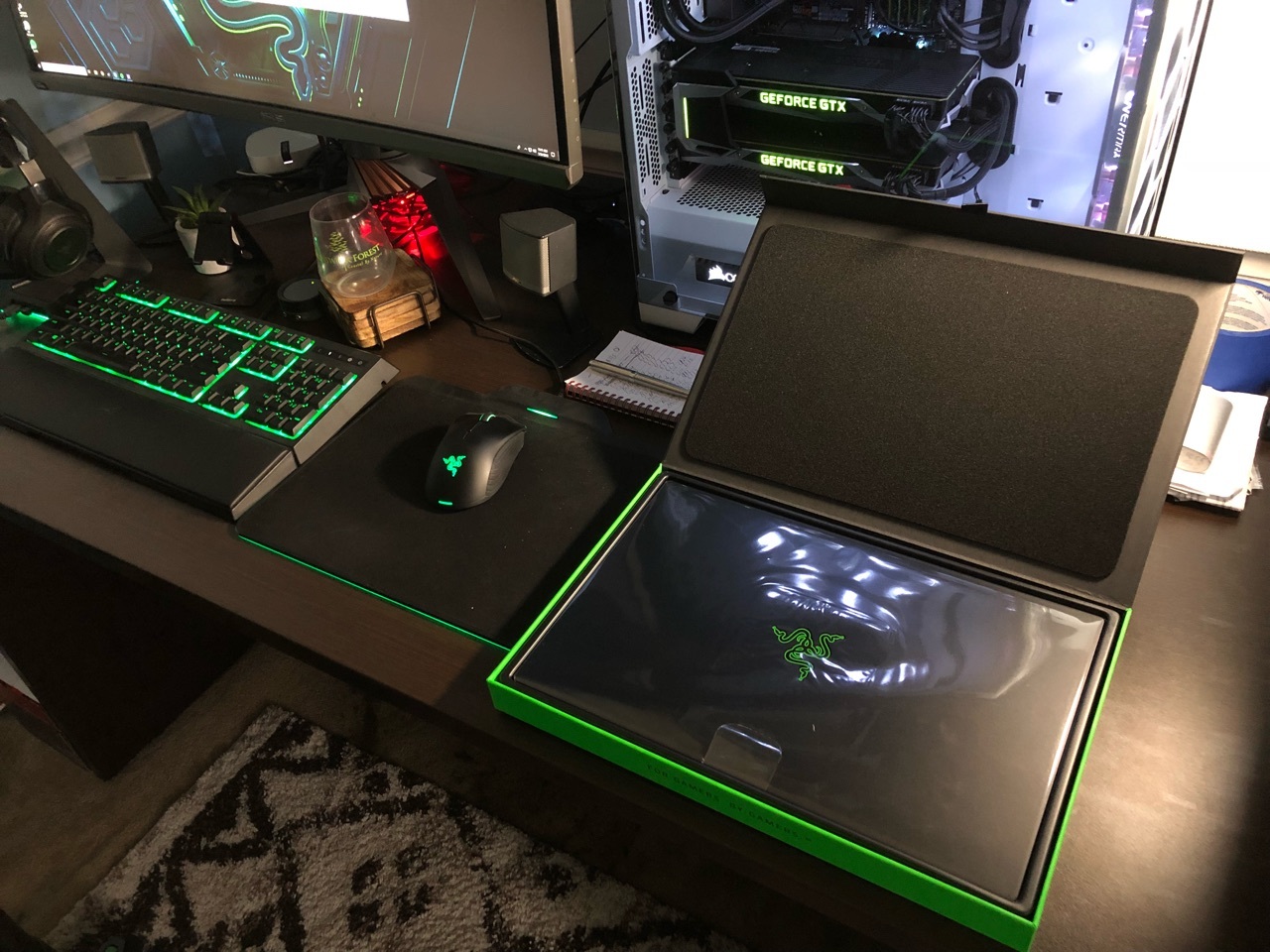
Hey everyone i'm happy to announce I received my Blade today! I will do my best to answer questions about it. Hopefully this thread gets some traction so we can use is as an information thread/comparison thread. Post pictures when you get your Blade etc. Let the games begin!
This topic has been closed for replies.
447 Replies
- November 3, 2018
misterg36Hi Not a gamer but what's this driver thing you mentioned? I've already uninstalled intel (running the cleaner) and Nvidia driver and then reinstalled in that order. Is there any other voodoo I need to know about?
I think we may be talking about different things. I totally agree with you if you are talking about pushing the performance until the machine cant cope and you get low frame rates, or frame rate dips etc. I found that running a benchmark even at the lowest spec would produce micro and often large stuttering - which totally kills the frame rate, but worse than that is massively distracting. Overwatch for some reason was really choppy even when other games ran fine (again even at low resolution). Once I fixed the drivers, switch etc the games and benchmarks ran smoothly, no jittering or stuttering at LOW settings (1080p everything minimal). Then I pushed the performance/settings/resolution as high as I could while hitting 45-60fps min. So you are right, when you are pushing the performance, the TB3 will be a bottleneck (of about 20% lower than in a 16x slot in my testing). The stuttering and micro jittering I'm seeing is down to drivers and compatibility etc and nothing to do with TB3 bandwidth. The way to tell is watch what should be a smooth benchmark at all low settings, if it gives any stutters or jittering, solve this first then you will have a better gaming experience and probably an extra 10-20fps. If you are already running smoothly, congrats, but watch it if you ever change drivers.
Razer Blade 15 2019 FHD 144Hz | i7-8750H | GTX 2080MQ | 6 GB GDDR6 VRAM | 16GB DDR4 2666MHz | 512 GB| FireStrike TimeSpy

- Community Ranger
- November 3, 2018
atrac7Because it’s still on Beta not optimized imo, it may discharge your battery life faster.
Glad that the Razer GPU switcher is working for you. I'm not sure why Razer doesn't list this as something for all Blades with a discrete GPU instead of the just the 14. It's made life so much easier when I hook up to the core.
Razer Blade 14 2021 QHD 165Hz | Ryzen 9 5900HX| RTX 3070 100W | 16GB DDR4 3200MHz | 1TB l Razer Blade 15 Advanced 2018 FHD 144Hz | i7-8750H | GTX 1070MQ | 16GB DDR4 2666MHz | 256 GB Corev2 | RTX 3070 Zotac Twin Edge OC | Razer Book 13 2020 FHD | i7-1165g7 | Intel Xe 96EU | 16GB LPDDR4X 4266MHz | 1Tb GB Razer Core V2 | RTX3070 | Zotac TwinOC Razer | Blade Stealth 13 2019 FHD | i7-1065g7 | GTX 1650MQ | 16GB LPDDR4 3744MHz | 512 GB | | Blade 14 2017 FHD | i7-7700HQ | GTX 1060 | 16GB DDR4 2400MHz | 512 GB | Razer Blade Stealth V2 2016 12,5 QHD | i7-7500U | HD620 | 8GB DDR3 1866MHz | 128 GB | | Blade 14 2015 IGZO QHD+ | i7–4720HQ | GT970M 3GB VRAM| 16GB DDR4 2400MHz | 256 GB | Razer Edge 2013 | i5-3317U | GT 640LE | 16GB DDR3 | 128 GB | Razer Phone 2| Razer Phone L33T Edition
- November 3, 2018
crypticcSo the first thing to check is: Are you having any stuttering issues at all performance levels? If you can run a gaming benchmark (any one really), and it runs smoothly at low and medium everything is fine, and any glitching is probably a performance bottleneck and this is normal. I was seeing two different things:
Hi Not a gamer but what's this driver thing you mentioned? I've already uninstalled intel (running the cleaner) and Nvidia driver and then reinstalled in that order. Is there any other voodoo I need to know about?
- Micro stuttering - a very regular pattern of smooth......stutter stutter...... smooth constantly
- Big stuttering - again fairly regular in terms of time, but if I spin a game character around, or even the mouse on the game menu in circles it would pause for a fraction of a second
- With onboard Nvidia GPU:
- Go to the Nvidia Control Panel --> Manage 3D settings --> change prefered 3d to Nvidia
- Doing this can kill your battery, so what I did was set it to NVIDIA when I used ThrottleStop this way when I'm not gaming I don't need throttlestop and I can use the Intel card and get battery life - but when I game I start Throttlestop and kick the NVIDIA into action
- Author
- The One
- November 8, 2018
misterg36I am still waiting on the eGPU scene to get a little more saturated. When they have dedicated lanes and can get full performance out of the eGPU, then I'll buy in. On a side note, I am glad I see less and less complaints about systems and more and more praise. My machine has worked great after my initial swap (which was overheating). I also had like a day one unit and I know things happen.
So the first thing to check is: Are you having any stuttering issues at all performance levels? If you can run a gaming benchmark (any one really), and it runs smoothly at low and medium everything is fine, and any glitching is probably a performance bottleneck and this is normal. I was seeing two different things:If you are seeing one of the above, it's both a driver AND an intel optimus issue. So some of the "black magic" I used was:
- Micro stuttering - a very regular pattern of smooth......stutter stutter...... smooth constantly
- Big stuttering - again fairly regular in terms of time, but if I spin a game character around, or even the mouse on the game menu in circles it would pause for a fraction of a second
- With onboard Nvidia GPU:
- Go to the Nvidia Control Panel --> Manage 3D settings --> change prefered 3d to Nvidia
- Doing this can kill your battery, so what I did was set it to NVIDIA when I used ThrottleStop this way when I'm not gaming I don't need throttlestop and I can use the Intel card and get battery life - but when I game I start Throttlestop and kick the NVIDIA into action
In "Driver manager" on windows look at the GPU drivers --> update them, choose manual-->from my computer --> choose from a list --> then make sure it's the most recent drive Install the NVIDIA drivers twice (once with DDU, once with Gforce experience) With an eGPU (Razer core etc)
In "Driver manager" on windows look at the GPU drivers --> update them, choose manual-->from my computer --> choose from a list --> then make sure it's the most recent driver
Repeat for onboard and external GPU - they must be on the same driver Use the Razer Switch - this made a huge difference for Overwatch which was affected the worst Good luck :)
- November 12, 2018
Firebat246To be fair, having used them extensively eGPU's are amazing. Although you don't get "full"/desktop performance you do get much better performance than the laptop's GPU and it is really really close. The "lack of bandwidth" isn't an issue at all, and you just don't get such a high frame rate - but there is no choppiness The only real problem is when using Optimus technology. On the blade it's perfect 80-90% of the time but can get a bit tied up due to the 3 GPUs all competing. Compared to none optimus machines where it's flawless 99% of the time. Once the drivers are right, it runs like a dream and gives a worthwhile boost (it also keeps your laptop cooler as the onboard GPU doesn't compete for heat. I've also run one on an Intel-NUC and AlienWare and both were flawless. The razer core/core2 are also useful because it's also a docking station - one cable and you also get an rj45 connection (though I found mice and keyboards can suffer a little) - the bandwidth of a 1gb net connection doesn't affect it. If you want a great comparison, look here and see the score for (in order left to right):
I am still waiting on the eGPU scene to get a little more saturated. When they have dedicated lanes and can get full performance out of the eGPU, then I'll buy in. On a side note, I am glad I see less and less complaints about systems and more and more praise. My machine has worked great after my initial swap (which was overheating). I also had like a day one unit and I know things happen.
- Razer Blade + 1070 maxQ
- Razer Blade + core with 1080Ti
- Intel Nuc + core with 1080Ti
- Desktop with 1080Ti (7th Gen)
- Desktop with 2x 1080Ti in SLi
- November 20, 2018
Hi all, you all seem to be RB15 owners and I am unsure what is the right place to post this, but it seems that my blade runs on abnormally high temperatures which I am unsure whether they are normal or not.
Some background:
 This are the temperatures I am getting:
 What else can I do?
- I have the RB15 with the GTX1070;
- I have tested the temperatures by playing Star Wars battlefront II on medium settings for 20minutes under a normal environment (in terms of external temperature);
- I followed the tutorial available on reddit (this one) on how to undervolt the blade and I have undervolted it -130.9mv on CPU and CPU cache; and -30 on Intel GPU. It does not seem that I can undervolt more the CPU as the blade crashes while gaming.
This are the temperatures I am getting:
What else can I do?- November 20, 2018
nc_ptYou've got it pretty much perfect. almost all 8th gen (and most 7th gen) thermal throttle - ant hit way above 95c - so anything not throttling and hitting NO MORE THAN 95c is a huge win for a thin gaming laptop. I'm guessing you are running in normal mode rather than "gaming", so the only other thing left is the physical stuff - but like I said you nailed it :) Just make sure the underneath is well ventilated as air is sucked from there (so I use one of these: https://www.amazon.co.uk/gp/product/B0796RVRL4/ref=oh_aui_search_detailpage?ie=UTF8&psc=1 ) as it just has two arms, so keeps it off the desk, not too high but lets the air get to it's undercarriage. An eGPU will drop it by another 10-15c, but that's a whole other expense. Mine runs exactly the same - with some games (destiny, fortnite) running cooler as they use more GPU than CPU
Hi all, you all seem to be RB15 owners and I am unsure what is the right place to post this, but it seems that my blade runs on abnormally high temperatures which I am unsure whether they are normal or not. What else can I do?

- November 20, 2018
nc_ptWhat temps are you getting if you disable TurboBoost?
Hi all, you all seem to be RB15 owners and I am unsure what is the right place to post this, but it seems that my blade runs on abnormally high temperatures which I am unsure whether they are normal or not. Some background:Here's my throttlestop configuration:
- I have the RB15 with the GTX1070;
- I have tested the temperatures by playing Star Wars battlefront II on medium settings for 20minutes under a normal environment (in terms of external temperature);
- I followed the tutorial available on reddit (this one) on how to undervolt the blade and I have undervolted it -130.9mv on CPU and CPU cache; and -30 on Intel GPU. It does not seem that I can undervolt more the CPU as the blade crashes while gaming.
-----------------------------------------
lots of RΛZΞR gear
- November 20, 2018
misterg36Thanks! I was worried that these were to high as I have seen a bunch of people stating that good temperatures for long time gaming are 70C-80C a lot of RB15 users seem to be hitting that ballpark with several games on ultra. Given that I am playing on medium settings ... those seemed indeed a bit high. I guess I will wait to see what other users have to say as well.
You've got it pretty much perfect. almost all 8th gen (and most 7th gen) thermal throttle - ant hit way above 95c - so anything not throttling and hitting NO MORE THAN 95c is a huge win for a thin gaming laptop. I'm guessing you are running in normal mode rather than "gaming", so the only other thing left is the physical stuff - but like I said you nailed it :) Just make sure the underneath is well ventilated as air is sucked from there (so I use one of these: https://www.amazon.co.uk/gp/product/B0796RVRL4/ref=oh_aui_search_detailpage?ie=UTF8&psc=1 ) as it just has two arms, so keeps it off the desk, not too high but lets the air get to it's undercarriage. An eGPU will drop it by another 10-15c, but that's a whole other expense. Mine runs exactly the same - with some games (destiny, fortnite) running cooler as they use more GPU than CPU
- November 20, 2018
nc_ptYou will find none of the graphics settings make a difference on temps, medium and ultra will probably be the same. The intel chips at the moment run way hotter than any before 7th gen, so 85-95 is the new norm - unless the 9th gen do better. You will get the worst heat for games using cpu AND gpu as they fight for the cooling. Personally I found the turbo lowering made the most difference (i use 38:37:36:36:34:34).
Thanks! I was worried that these were to high as I have seen a bunch of people stating that good temperatures for long time gaming are 70C-80C a lot of RB15 users seem to be hitting that ballpark with several games on ultra. Given that I am playing on medium settings ... those seemed indeed a bit high. I guess I will wait to see what other users have to say as well.
- Community Ranger
- November 20, 2018
nc_ptJust tried the game, yes as @misterg36 said there will no difference between graphics setting on cpu temperature, it may change gpu temperatures but not cpu, on cpu demanding games like this game limiting cpu may decrease temperature. I don’t limit the core clock though only undervolting via xtu and balanced mode with fans 4700rpm. It is around same as yours maybe slightly higher, some core hit almost mid 90 for not a second but mostly it stays on 80ish with no cpu thermal throttling (average cores temperature right after 30 minutes gaming session 84). Using gaming mode should increase the cores temperature since it’s basically overclocking the gpu. With that setting i get mostly 80 to 90ish FPS ultra 1080p which is above 1070maxq Laptops average.
Hi all, you all seem to be RB15 owners and I am unsure what is the right place to post this, but it seems that my blade runs on abnormally high temperatures which I am unsure whether they are normal or not. Some background:Here's my throttlestop configuration:
- I have the RB15 with the GTX1070;
- I have tested the temperatures by playing Star Wars battlefront II on medium settings for 20minutes under a normal environment (in terms of external temperature);
- I followed the tutorial available on reddit (this one) on how to undervolt the blade and I have undervolted it -130.9mv on CPU and CPU cache; and -30 on Intel GPU. It does not seem that I can undervolt more the CPU as the blade crashes while gaming.
Razer Blade 14 2021 QHD 165Hz | Ryzen 9 5900HX| RTX 3070 100W | 16GB DDR4 3200MHz | 1TB l Razer Blade 15 Advanced 2018 FHD 144Hz | i7-8750H | GTX 1070MQ | 16GB DDR4 2666MHz | 256 GB Corev2 | RTX 3070 Zotac Twin Edge OC | Razer Book 13 2020 FHD | i7-1165g7 | Intel Xe 96EU | 16GB LPDDR4X 4266MHz | 1Tb GB Razer Core V2 | RTX3070 | Zotac TwinOC Razer | Blade Stealth 13 2019 FHD | i7-1065g7 | GTX 1650MQ | 16GB LPDDR4 3744MHz | 512 GB | | Blade 14 2017 FHD | i7-7700HQ | GTX 1060 | 16GB DDR4 2400MHz | 512 GB | Razer Blade Stealth V2 2016 12,5 QHD | i7-7500U | HD620 | 8GB DDR3 1866MHz | 128 GB | | Blade 14 2015 IGZO QHD+ | i7–4720HQ | GT970M 3GB VRAM| 16GB DDR4 2400MHz | 256 GB | Razer Edge 2013 | i5-3317U | GT 640LE | 16GB DDR3 | 128 GB | Razer Phone 2| Razer Phone L33T Edition
- November 21, 2018
JoikansaiThis is very useful. Thank you very much!
Just tried the game, yes as @misterg36 said there will no difference between graphics setting on cpu temperature, it may change gpu temperatures but not cpu, on cpu demanding games like this game limiting cpu may decrease temperature. I don’t limit the core clock though only undervolting via xtu and balanced mode with fans 4700rpm. It is around same as yours maybe slightly higher, some core hit almost mid 90 for not a second but mostly it stays on 80ish with no cpu thermal throttling (average cores temperature right after 30 minutes gaming session 84). Using gaming mode should increase the cores temperature since it’s basically overclocking the gpu. With that setting i get mostly 80 to 90ish FPS ultra 1080p which is above 1070maxq Laptops average.
- Author
- The One
- December 2, 2018
JoikansaiSo far.. after some more use on my latest Blade (the one I have had for a while now) I have not had issues with thermals getting out of control. IF any throttling happens it's always due to the power limit issue but never temps. My point is basically that I seem to have a pretty solid machine even with stock paste. So I really am wondering where some of these super high temps are coming from. It is also not just Blades.. I have seen this on other models. It really just may be down to Intel this time honestly...
Just tried the game, yes as @misterg36 said there will no difference between graphics setting on cpu temperature, it may change gpu temperatures but not cpu, on cpu demanding games like this game limiting cpu may decrease temperature. I don’t limit the core clock though only undervolting via xtu and balanced mode with fans 4700rpm. It is around same as yours maybe slightly higher, some core hit almost mid 90 for not a second but mostly it stays on 80ish with no cpu thermal throttling (average cores temperature right after 30 minutes gaming session 84). Using gaming mode should increase the cores temperature since it’s basically overclocking the gpu. With that setting i get mostly 80 to 90ish FPS ultra 1080p which is above 1070maxq Laptops average.
- Community Ranger
- December 2, 2018
Firebat246Yes mine also still stock paste, unlike yours it’s my first only unit from EU first batch, the black vapor chamber one. On some titles like Far Cry 5, AC Odyssey, SoTR that really stress the cpu in some scenes, unless I disabling Turbo Boost, limiting clock frequency, which I don’t like (it’s already wasting the meaning having latest hardware), Core temperature may spikes to mid 90ish, and it’s acceptable behavior on this cpu, the important one is overall cores average temperatures on long session gaming like 2 hours or more imo, in those 3 titles I mentioned, are between high 70ish to mid 80ish, sometimes but not always some one or rarely 2 cores that hyper active;) may show thermal throttling on mid 90ish, but it’s spikes only for seconds. I noticed that because running always afterburner osd, Intel XTU Graph always on, and HWinfo64 as well on task tab. Btw playing Overwatch or other light games, running firestrike or xtu stress test won’t sweat it.
So far.. after some more use on my latest Blade (the one I have had for a while now) I have not had issues with thermals getting out of control. IF any throttling happens it's always due to the power limit issue but never temps. My point is basically that I seem to have a pretty solid machine even with stock paste. So I really am wondering where some of these super high temps are coming from. It is also not just Blades.. I have seen this on other models. It really just may be down to Intel this time honestly...
Razer Blade 14 2021 QHD 165Hz | Ryzen 9 5900HX| RTX 3070 100W | 16GB DDR4 3200MHz | 1TB l Razer Blade 15 Advanced 2018 FHD 144Hz | i7-8750H | GTX 1070MQ | 16GB DDR4 2666MHz | 256 GB Corev2 | RTX 3070 Zotac Twin Edge OC | Razer Book 13 2020 FHD | i7-1165g7 | Intel Xe 96EU | 16GB LPDDR4X 4266MHz | 1Tb GB Razer Core V2 | RTX3070 | Zotac TwinOC Razer | Blade Stealth 13 2019 FHD | i7-1065g7 | GTX 1650MQ | 16GB LPDDR4 3744MHz | 512 GB | | Blade 14 2017 FHD | i7-7700HQ | GTX 1060 | 16GB DDR4 2400MHz | 512 GB | Razer Blade Stealth V2 2016 12,5 QHD | i7-7500U | HD620 | 8GB DDR3 1866MHz | 128 GB | | Blade 14 2015 IGZO QHD+ | i7–4720HQ | GT970M 3GB VRAM| 16GB DDR4 2400MHz | 256 GB | Razer Edge 2013 | i5-3317U | GT 640LE | 16GB DDR3 | 128 GB | Razer Phone 2| Razer Phone L33T Edition
- Author
- The One
- January 8, 2019
So who is looking to upgrade to the RTX models (that already has a 10 series Blade???) Meeeee!

- January 8, 2019
So close but not for me this round. My Razer Core with Titan XP is running better benchmarks than the mobile 2080s. Probably going to wait for 21 series.
You going to pick up one for the first batches or wait for the reviews/forums?
- January 8, 2019
Firebat246Guy just stop that game, you make guys jalous and the think is that money or not in my land we can't receive Blade so... if you can respect others guys or continue but speak with Razer to ship in Swiss THANK YOU
So who is looking to upgrade to the RTX models (that already has a 10 series Blade???) Meeeee!
- January 8, 2019
Firebat246I'll actually wait for you to get yours and post your comments before making the move :p
So who is looking to upgrade to the RTX models (that already has a 10 series Blade???) Meeeee!
-----------------------------------------
lots of RΛZΞR gear

- January 8, 2019
I’m pretty sure I will. Not just for the new video card, but for the nice iterative things like Windows Hello and fully illuminated function keys.
- January 8, 2019
MannymalVery good point.
I’m pretty sure I will. Not just for the new video card, but for the nice iterative things like Windows Hello and fully illuminated function keys.
- Author
- The One
- January 8, 2019
OceanBluetrendfresh859I normally do... but with the OLED/2080 option I want to wait to possibly get the OLED model or the 240hz model. Definitely going 2080, though.
So close but not for me this round. My Razer Core with Titan XP is running better benchmarks than the mobile 2080s. Probably going to wait for 21 series. You going to pick up one for the first batches or wait for the reviews/forums?
BadgertistaThat could work, haha
I'll actually wait for you to get yours and post your comments before making the move 😜
- January 8, 2019
I did not see the OLED news. WHOA! That would make me give up the cash. I had the AW 13 with OLED and have the LG in the house. It truly is a better display experience.
- January 8, 2019
Firebat246But do we have any insight regarding when we should expect the OLED version, because it seems that it can be within q2 but also q4 or even I do not know maybe next year.
I normally do... but with the OLED/2080 option I want to wait to possibly get the OLED model or the 240hz model. Definitely going 2080, though. That could work, haha
- Community Ranger
- January 8, 2019
No one know when Razer releasing things, but it’s great, 4K amoled for RTX cards is needed for its dlss, finger crossed for high refresh rate:)Saving money for that!! Hope become a true!!
Razer Blade 14 2021 QHD 165Hz | Ryzen 9 5900HX| RTX 3070 100W | 16GB DDR4 3200MHz | 1TB l Razer Blade 15 Advanced 2018 FHD 144Hz | i7-8750H | GTX 1070MQ | 16GB DDR4 2666MHz | 256 GB Corev2 | RTX 3070 Zotac Twin Edge OC | Razer Book 13 2020 FHD | i7-1165g7 | Intel Xe 96EU | 16GB LPDDR4X 4266MHz | 1Tb GB Razer Core V2 | RTX3070 | Zotac TwinOC Razer | Blade Stealth 13 2019 FHD | i7-1065g7 | GTX 1650MQ | 16GB LPDDR4 3744MHz | 512 GB | | Blade 14 2017 FHD | i7-7700HQ | GTX 1060 | 16GB DDR4 2400MHz | 512 GB | Razer Blade Stealth V2 2016 12,5 QHD | i7-7500U | HD620 | 8GB DDR3 1866MHz | 128 GB | | Blade 14 2015 IGZO QHD+ | i7–4720HQ | GT970M 3GB VRAM| 16GB DDR4 2400MHz | 256 GB | Razer Edge 2013 | i5-3317U | GT 640LE | 16GB DDR3 | 128 GB | Razer Phone 2| Razer Phone L33T Edition
- January 9, 2019
I'm torn about trying to upgrade to the new RTX versions...ironically the biggest thing I want from it is the function and symbols keys that can actually light up (finally...)
Other than that, I have been very satisfied with my current Blade 15 (1070/144hz). Windows Hello is nice on the new machine too but I can live without it. The current blade is plenty zippy, and plays games at decent enough levels for me. Most of my gaming issues with perofrmance appears to be CPU/throttle based versus the GTX Max Q 1070 or graphics card based restrictions.
Will probably wait it out unless I see some sort of phat deal and if I got good money for my Blade. I think I'm more interested in the true next gen display models when they get out of the proto stages.
I was a bit sad after reading the announcement of the new Blades, thinking my machine instantly felt "dated". Then i came home and got on my Blade and was like....shit, this is still a damn good computer. I've been lucky to get a super reliable model in my case with Razer, so might as well ride the wave.
Sign up
Already have an account? Login
Log in with Razer ID to create new threads and earn badges.
LOG INEnter your E-mail address. We'll send you an e-mail with instructions to reset your password.