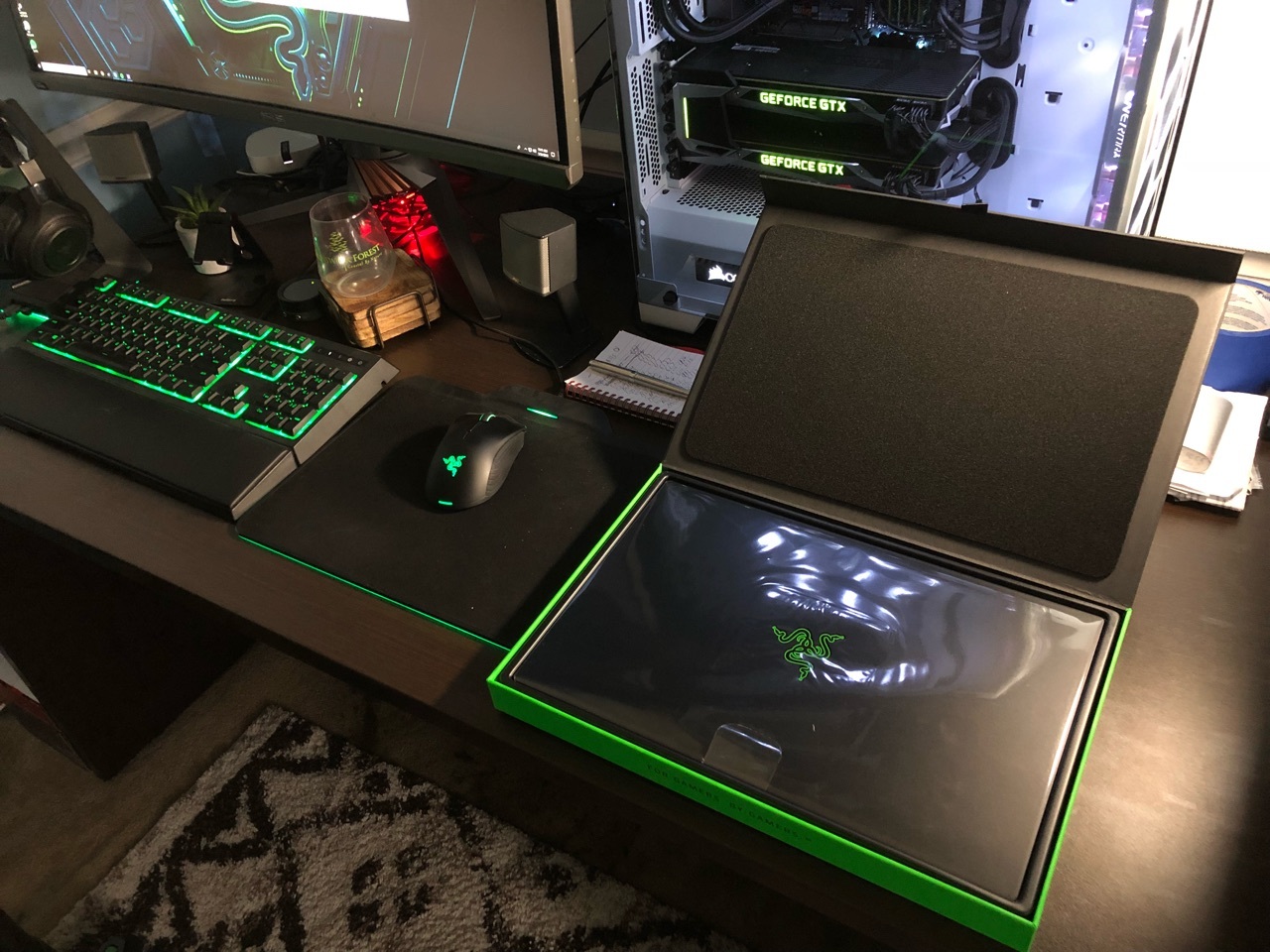

I present to you Firebat's Blade 15! (144hz/i7-8750H) | Razer Insider
Skip to main content

I present to you Firebat's Blade 15! (144hz/i7-8750H)

  • May 24, 2018
  • 447 replies
  • 612 views

Show first post
This topic has been closed for replies.

447 Replies

labotsirc
  • Insider Mini
  • May 27, 2018
Firebat246
Thanks Dave!!
Great Review, so those are the temps we should be getting

  • May 27, 2018
Joikansai
Is it from metal? It is usb powered like usb A tipe HUB right? It’ll be nice if you can upload some pictures of it. Website pictures always edited well I think.
Metal, well made, with some kind of rubber on it.

Firebat246
Vanguard
Forum|alt.badge.img
  • Author
  • The One
  • May 27, 2018
sevenex
Thanks fire bat. Have you opted to manually overclock the GPU as opposed to just going into performance mode?
I tried the OC through synapse just to see exactly what it did.. but I manually OC my GPU through Precision XOC or Afterburner.

  • Insider Mini
  • May 28, 2018
Does Synapse 3 allows us to have the laptop auto switch the monitor to 60hz when on battery and auto switch to 144hz when plugged in?

  • May 28, 2018
Firebat246
Just use xtu or throttle stop. If you have never undervolted before xtu is more user friendly. You should be able to easily achieve at least a -.110mv.
Is there still a system process running called RZPerformance (can be found in the service menu of windows) which causes the UV to be resetted by Synapse? I experienced this at my 2017 RBP but not on my 2016 RBP (which had no "Gaming Mode" in Synapse 2.0 though). I had to permanently disable this, which of cause caused the "Gaming Mode" of Synapse to be without any function. Can someone please check this?

Firebat246
Vanguard
Forum|alt.badge.img
  • Author
  • The One
  • May 29, 2018
psionix
Does Synapse 3 allows us to have the laptop auto switch the monitor to 60hz when on battery and auto switch to 144hz when plugged in?
I did not see an option in there for that.. I imagine you need to do that through display settings.

  • May 29, 2018
tostendorf
Is there still a system process running called RZPerformance (can be found in the service menu of windows) which causes the UV to be resetted by Synapse? I experienced this at my 2017 RBP but not on my 2016 RBP (which had no "Gaming Mode" in Synapse 2.0 though). I had to permanently disable this, which of cause caused the "Gaming Mode" of Synapse to be without any function. Can someone please check this?
I just checked and did not see this service.

  • May 29, 2018
sevenex
I just checked and did not see this service.
Sounds good. What about XTU resets? Anybody experienced his/her undervolt to be set back to 0?

Joikansai
Vanguard
  • Community Ranger
  • May 29, 2018
tostendorf
Sounds good. What about XTU resets? Anybody experienced his/her undervolt to be set back to 0?
Yes XTU often resets the setting when restarting or hard restart after some crash, errors etc. On Throttlestop undervolting, I never experienced that.

Firebat246
Vanguard
Forum|alt.badge.img
  • Author
  • The One
  • May 30, 2018
Update: I should be getting my replacement Blade either tomorrow or thursday I will keep you guys posted

So got my 15 today, and have been testing it out. Getting consistent Firestrike scores between 14300-14600. Have run XTU and currently at -.110 UV. CPU shows massive bouncing in FS and Time Spy test, going from max down as low as 1850 at times, but scores are solid. Last XTU cpu stress test showed the processor pegged at 3.8 for 5 minutes, so not sure if I should be worried or not. Could there be some driver issues causing some 3DMark inconsistencies?? Hope I don’t have cpu issues, my temps stay in the 70-80s, with maybe 1-2 peaks in the low 90s during the last part of the FS combined. Thoughts?

Firebat246
Vanguard
Forum|alt.badge.img
  • Author
  • The One
  • May 30, 2018
Tubernator
So got my 15 today, and have been testing it out. Getting consistent Firestrike scores between 14300-14600. Have run XTU and currently at -.110 UV. CPU shows massive bouncing in FS and Time Spy test, going from max down as low as 1850 at times, but scores are solid. Last XTU cpu stress test showed the processor pegged at 3.8 for 5 minutes, so not sure if I should be worried or not. Could there be some driver issues causing some 3DMark inconsistencies?? Hope I don’t have cpu issues, my temps stay in the 70-80s, with maybe 1-2 peaks in the low 90s during the last part of the FS combined. Thoughts?
Those scores arent bad. Are you running windows balanced power plan?

That is on gaming through Synapse. With balanced in Synapse I am getting 13k scores. XTU showing power limit throttling again. Here is what the proc is doing in Fire Strike:

  • May 30, 2018
anyone know when the 4k will be available? Testing should be interesting.

  • May 31, 2018
I have a quick question: I used to own the 2017 13.3" Blade Stealth. (Needed something bigger screen, 4k, went to Dell XPS 15). One noticeable difference i remember was going from the palm rest area on the RBS to the XPS. On certain angles, the RBS had a tendency to dig into the wrists along the edges. The XPS on another hand has almost a soft touch feeling around the edges and entire palm rest area. I know it's not a spec related topic, but little things like this sometimes can make a difference on owning a premium product. Does the new 15 blade feel comfortable around edges on the wrists/palm area? If so, i would gladly go back to the Razer brand. It is a great looking machine and seems to tick all of my check boxes (aside from winning the Razer lottery on quality on first gen builds)

  • Insider Mini
  • May 31, 2018
atrac7
I have a quick question: I used to own the 2017 13.3" Blade Stealth. (Needed something bigger screen, 4k, went to Dell XPS 15). One noticeable difference i remember was going from the palm rest area on the RBS to the XPS. On certain angles, the RBS had a tendency to dig into the wrists along the edges. The XPS on another hand has almost a soft touch feeling around the edges and entire palm rest area. I know it's not a spec related topic, but little things like this sometimes can make a difference on owning a premium product. Does the new 15 blade feel comfortable around edges on the wrists/palm area? If so, i would gladly go back to the Razer brand. It is a great looking machine and seems to tick all of my check boxes (aside from winning the Razer lottery on quality on first gen builds)
Is there such a thing as first gen builds? Do we know when the second gen will be out?

Firebat246
Vanguard
Forum|alt.badge.img
  • Author
  • The One
  • May 31, 2018
My replacement is scheduled to come today! Updates will roll out as I test.

  • Insider
  • May 31, 2018
Firebat246
My replacement is scheduled to come today! Updates will roll out as I test.
I look forward to hearing more information, as a potential customer I'm very interested in its thermals. How was dealing with customer support? Were you on the phone a long time?

  • May 31, 2018
@Firebat246 And Who ever else has a Blade 15 now. Is Windows 10 running like Crap on your Machines right now? When Receiving my Machine i went through the standerd Protocol on Updating windows 10 and all supporting drivers and i have to say its been a pain Dealing with the Constant Freezing and Ridiculous Restarts and just total crap of this OS right now. I checked back on my blade 14 if i had the same Windows and everything is flying colors on that machine. I am currently about to do a 2TB NVme and 32gb ram upgrade on my Blade 15 and wanted to Get some feed back on other owners if they are experiencing the same? If so i think i just might do a fresh install and go with windows 10 pro on the new Hard drive.

@Firebat246 did/does your Blade's fans have a distinct high pitched whine to them or do they just make a whooshing noise without the whine?

Firebat246
Vanguard
Forum|alt.badge.img
  • Author
  • The One
  • May 31, 2018
New Blade has some good scores. I am pleased so far. Edit: Even better score updated https://www.3dmark.com/3dm/26873054?
Soelreaver
@Firebat246 And Who ever else has a Blade 15 now. Is Windows 10 running like Crap on your Machines right now? When Receiving my Machine i went through the standerd Protocol on Updating windows 10 and all supporting drivers and i have to say its been a pain Dealing with the Constant Freezing and Ridiculous Restarts and just total crap of this OS right now. I checked back on my blade 14 if i had the same Windows and everything is flying colors on that machine. I am currently about to do a 2TB NVme and 32gb ram upgrade on my Blade 15 and wanted to Get some feed back on other owners if they are experiencing the same? If so i think i just might do a fresh install and go with windows 10 pro on the new Hard drive.
I have a 2tb Samsung 970 Evo coming in tomorrow... there is some driver issues if you install a fresh windows 10. I think instead I will clone the 512gb drive to the 2tb to avoid issues. My windows seems to be running fine so far.
easytruckBeauBlue589
@Firebat246 did/does your Blade's fans have a distinct high pitched whine to them or do they just make a whooshing noise without the whine?
It has a slight whine to it but its much much less pronounced then the Blade 14.

labotsirc
  • Insider Mini
  • May 31, 2018
Firebat246
New Blade has some good scores. I am pleased so far. Edit: Even better score updated https://www.3dmark.com/3dm/26873054? I have a 2tb Samsung 970 Evo coming in tomorrow... there is some driver issues if you install a fresh windows 10. I think instead I will clone the 512gb drive to the 2tb to avoid issues. My windows seems to be running fine so far. It has a slight whine to it but its much much less pronounced then the Blade 14.
How are the temps now?

RepubliCommando
Are the speakers THX like the phone? I only ask because I couldn't find that bit advertised if it did

  • May 31, 2018
RepubliCommando
Are the speakers THX like the phone? I only ask because I couldn't find that bit advertised if it did
No they are not
Firebat246
New Blade has some good scores. I am pleased so far. Edit: Even better score updated https://www.3dmark.com/3dm/26873054? I have a 2tb Samsung 970 Evo coming in tomorrow... there is some driver issues if you install a fresh windows 10. I think instead I will clone the 512gb drive to the 2tb to avoid issues. My windows seems to be running fine so far. It has a slight whine to it but its much much less pronounced then the Blade 14.
Thats the same HD i have Ready to POP in. What are you using to Clone your ssd?

Firebat246
Vanguard
Forum|alt.badge.img
  • Author
  • The One
  • May 31, 2018
Soelreaver
Thats the same HD i have Ready to POP in. What are you using to Clone your ssd?
Paragon drive or easeus. I actually am second guessing the cloning option and may try fresh install. If I'm unhappy with it I'll just clone my 512 since I'm not wiping it.