New Blade 15 2022 3070 Ti, Overwatch locked at 60fps, but not other games? | Razer Insider
Skip to main content

New Blade 15 2022 3070 Ti, Overwatch locked at 60fps, but not other games?

  • September 11, 2022
  • 2 replies
  • 42 views

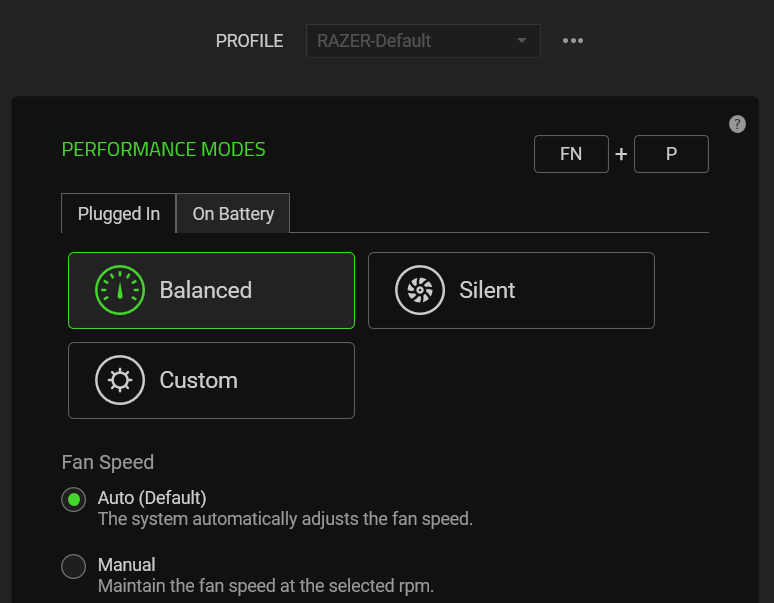
So this is what happens: 1) Single GPU enabled (through Synapse > System > Performance > Dedicated GPU only): Overwatch gets more than 60fps 2) Nvidia Optimus enabled (through Synapse > System > Performance), Overwatch at full screen: locked at 60fps maximum 2) Nvidia Optimus enabled, Overwatch at windowed or borderless windowed: more than 60fps I'm using "more than 60fps" because it varies depending on how I configure the settings. Using full screen does not affect Mass Effect 1, nor Diablo Immortal. So, finally, my question: is this a "me" problem because I'm not setting something like I should, or is this an overwatch problem that I should use the workaround until a fix comes? My working theory is that having both GPUs enabled has Overwatch detect the lowest GPU (which I imagine maxes out at 60fps), and then apply that to the "real" GPU in use at the moment, which is the Nvidia. But I have no idea why that would happen only in full screen, but not in windowed. I read that using windowed introduces a measure of lag but considering I'm nowhere near the master levels in OW (metal rank), I'm guessing that won't be a roadblock for me.
This topic has been closed for replies.


2 Replies

Razer.Speedcr0ss
aahnntu
So this is what happens: 1) Single GPU enabled (through Synapse > System > Performance > Dedicated GPU only): Overwatch gets more than 60fps 2) Nvidia Optimus enabled (through Synapse > System > Performance), Overwatch at full screen: locked at 60fps maximum 2) Nvidia Optimus enabled, Overwatch at windowed or borderless windowed: more than 60fps I'm using "more than 60fps" because it varies depending on how I configure the settings. Using full screen does not affect Mass Effect 1, nor Diablo Immortal. So, finally, my question: is this a "me" problem because I'm not setting something like I should, or is this an overwatch problem that I should use the workaround until a fix comes? My working theory is that having both GPUs enabled has Overwatch detect the lowest GPU (which I imagine maxes out at 60fps), and then apply that to the "real" GPU in use at the moment, which is the Nvidia. But I have no idea why that would happen only in full screen, but not in windowed. I read that using windowed introduces a measure of lag but considering I'm nowhere near the master levels in OW (metal rank), I'm guessing that won't be a roadblock for me.
I may have to present this performance/display-related behavior to our Support Team and devs. By the way, did you try the steps from this article?

  • Author
  • September 11, 2022
Hello Razer.Speedcr0ss, Thank you for getting back to me. And yes I did! Wel, except for steps 10 and 12, because I don't have a performance mode to select and because it's a new laptop. I can create a performance profile if that makes a difference, and I can try to restore to factory settings if you feel that will make a difference.