

Razer Synapse stopped detecting devices | Razer Insider
Skip to main content

Razer Synapse stopped detecting devices

  • October 4, 2019
  • 9 replies
  • 25 views

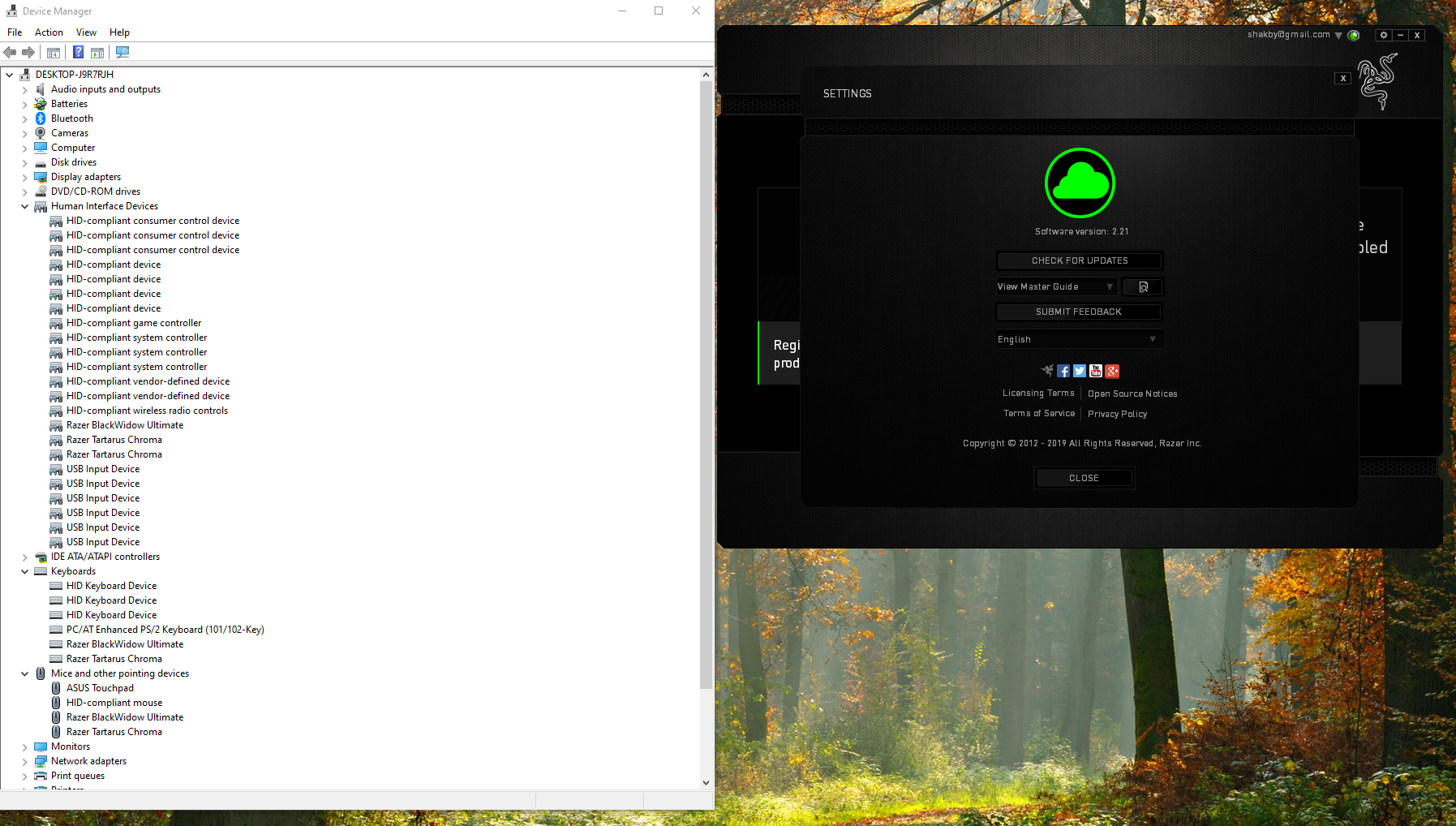
I've got a Razer Tartarus Chroma and a Razer BlackWidow Ultimate keyboard that both stopped being detected by Razer Synapse 2. I've tried uninstalling/reinstalling Razer Synapse 2, uninstalling, reinstalling and updating the device drivers, and made sure I didn't have any Windows updates available. Using Windows 10 home, and Windows appears to be able to identify the devices without issue. Here's a screenshot of my device manager and Synapse about page. Any other suggestions?
This topic has been closed for replies.

9 Replies

  • October 12, 2019
Same issue with Tartarus Chroma, i also use Naga and Cynosa Chroma with synapse 3 that works normal. But Tartarus needs synapse 2

  • Guardian of the Forest
  • October 13, 2019
Hi there guys! Have you tried reinstalling Synapse? If you haven't yet, please do and let me know how it goes.

Khetix
  • October 13, 2019
My headset, mousepad, and keyboard are recognized by Synapse 3.0. While my Razer Epic Chroma stopped being detected when I went to Synapse 3.0. I've never really bothered with it, since reinstalling Synapse 3.0, removing the device drivers for my mouse, and following by a reboot did not fix it. Would love to know of a resolution if anyone finds one though. :-)

  • Guardian of the Forest
  • October 14, 2019
Khetix
My headset, mousepad, and keyboard are recognized by Synapse 3.0. While my Razer Epic Chroma stopped being detected when I went to Synapse 3.0. I've never really bothered with it, since reinstalling Synapse 3.0, removing the device drivers for my mouse, and following by a reboot did not fix it. Would love to know of a resolution if anyone finds one though. :)
Hi there! The Razer Naga Epic Chroma is not supported by Synapse 3. You will have to use Synapse 2 for it.
Mobiss
Same issue with Tartarus Chroma, i also use Naga and Cynosa Chroma with synapse 3 that works normal. But Tartarus needs synapse 2
The same goes for Tartarus Chroma. It is not supported by Synapse 3 and therefore needs Synapse 2.

  • October 14, 2019
I have similar problem: Synapse 3.0 doesn't detect Naga Trinity. At all. OS: Win7 x64 Ultimate, port - USB 2.0. Naga is my only Razer device, bought some two weeks ago. P.S. Tried on another computer (not mine) with Win10 - Synapse recognized mouse.

Khetix
  • October 14, 2019
Razer.RedPanda
Hi there! The Razer Naga Epic Chroma is not supported by Synapse 3. You will have to use Synapse 2 for it. The same goes for Tartarus Chroma. It is not supported by Synapse 3 and therefore needs Synapse 2.
Ohhh, I had read somewhere on Reddit that Synapse 3 now supported it. That makes a lot more sense. :-P Thanks!

  • Guardian of the Forest
  • October 17, 2019
DarkCourt
I have similar problem: Synapse 3.0 doesn't detect Naga Trinity. At all. OS: Win7 x64 Ultimate, port - USB 2.0. Naga is my only Razer device, bought some two weeks ago. P.S. Tried on another computer (not mine) with Win10 - Synapse recognized mouse.
That's odd. Is the Naga Trinity detected properly by your PC? Also, please try reinstalling Synapse.
Khetix
Ohhh, I had read somewhere on Reddit that Synapse 3 now supported it. That makes a lot more sense. 😜 Thanks!
No worries! Devices supported by Synapse 3 can be found here. Let me know if you need more help.

  • October 19, 2019
Naga was and is detected properly. Oddly enough, reinstalling worked this time (tried it before without any effect), problem solved for now.

  • Guardian of the Forest
  • October 20, 2019
Thanks for the update. Let me know if you need more help.