


I'm on a Razer Blade Stealth Quartz edition 13" (2019).
Windows 11
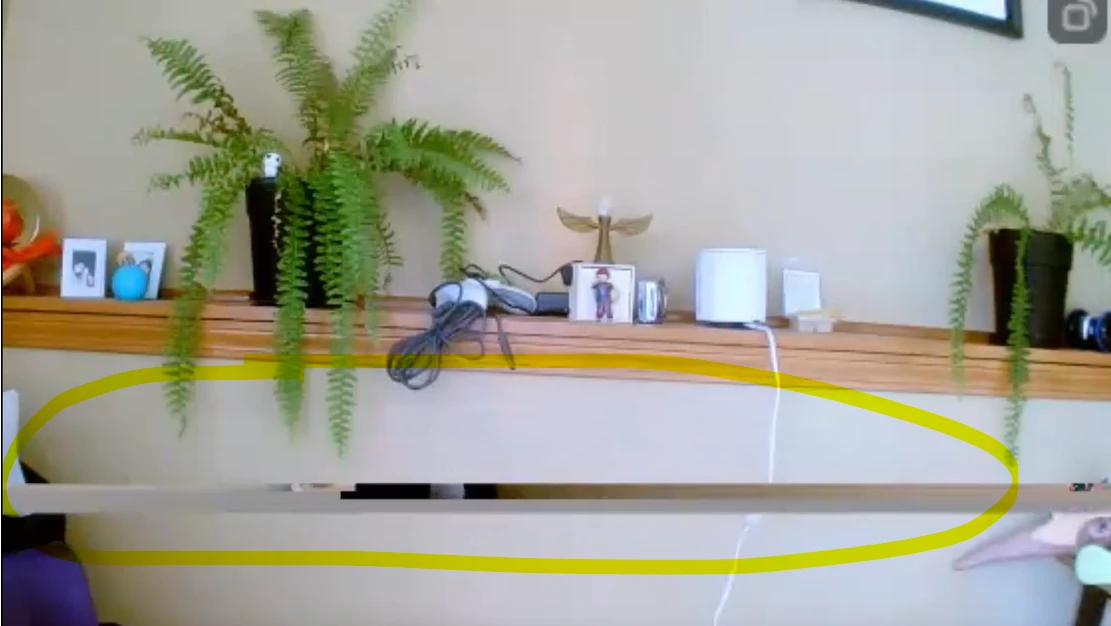
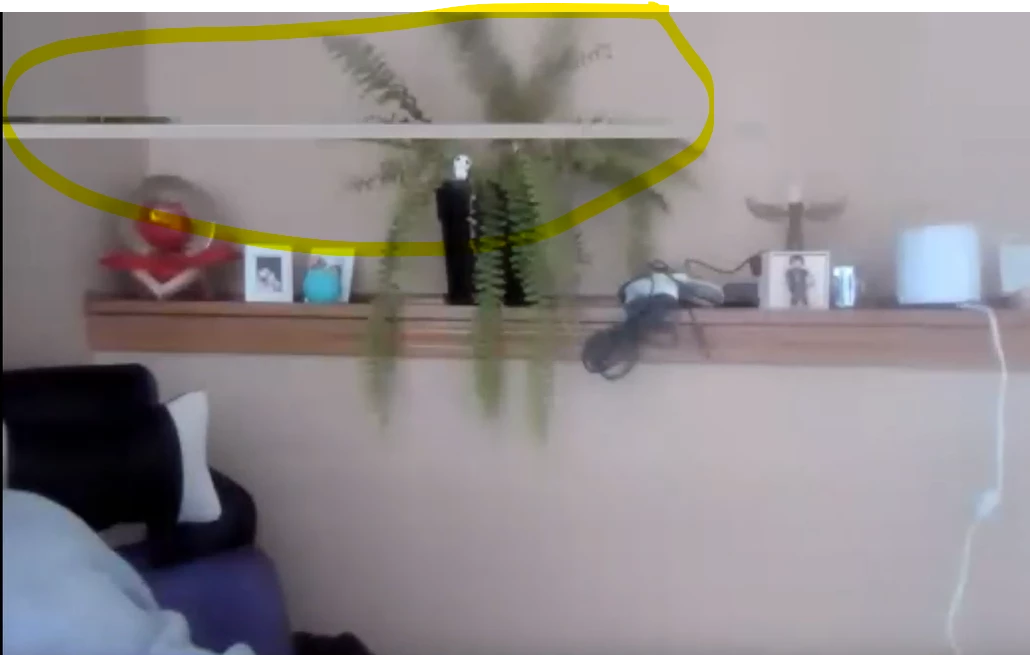
Almost never used the cam. Lately using it for school and work, it's flickering a lot. A professor told me it's annoying, so I got an external one, USB plug and play and streaming video still does the same. So I guessed it's related to frame rate, I tried:
- Changing frame rate, on both screens (extended and laptop)
- Change settings on Camera App (Windows)
- Uninstall driver
- Re installed driver
- Updated driver
Happens on Windows Camera app, Skype, Meet, Teams, Zoom, any app you tell me. Tried every suggested fix:
- checked Microsoft system updates,
- updated chipset…
- got another camera (Logi - USB)
- I even re-started the whole thing, I did a clean Factory reset including HDD wipe
Please help, I'm desperate. Can't find any particular time or reason for this problem.
There are some days the integrated camera works fine, it almost never happens. That's how I know the camera lense is ok, because there are rarely occasions where it works - for a short period of time -
Pic 1: With external brand-new USB camera
Pic 2.Integrated Camera:
P.S. New external USB camera works fine with other devices. . (I don't move my laptop, I use a dock so it always stays on the same place, not even closing the lid).
TLDR **** First part of the video is integrated camera, second part is new USB camera. Same issue on both no matter the app ****
https://youtu.be/YP3auGRCE3o