LEFT CLICK BUTTON ISSUE (DOES NOT WORK) | Razer Insider
Skip to main content

LEFT CLICK BUTTON ISSUE (DOES NOT WORK)

  • July 6, 2025
  • 2 replies
  • 97 views

zoneheadAzure355

Hello, I have an issue with my left click button (Razer Viper v3 Hyperspeed). It’s suddendly disabled in Razer Synapse and I am unable to use the left click button anymore.

 I've tried restarting my profile my profile many times and it doesn't work.

This was sudden, it was working fine yesterday, I need help please, how can I fix?
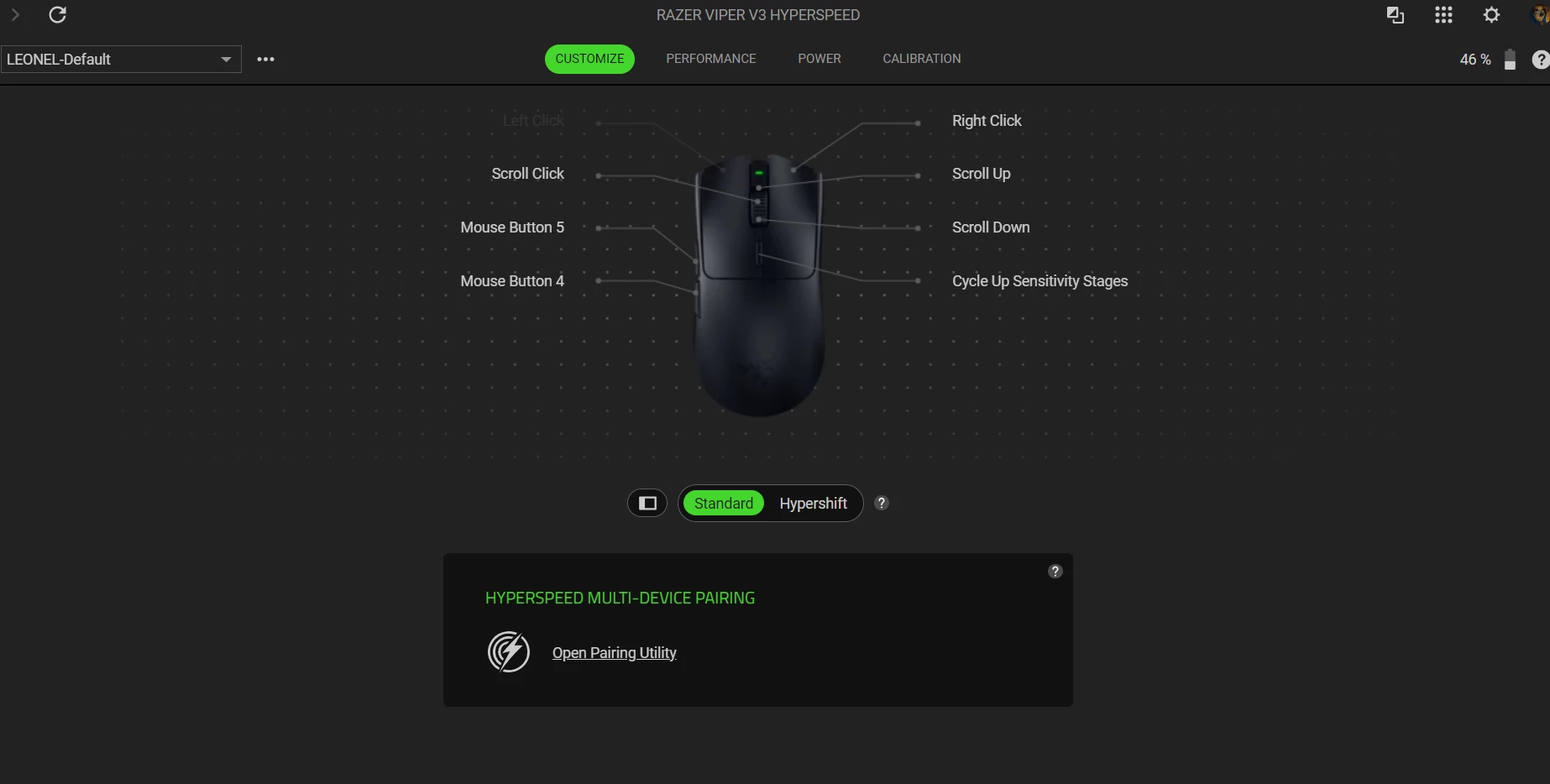
 

This topic has been closed for replies.

2 Replies

I’ve got a similar issue on the same mouse where my left click only works on certain icons. Is yours completely unable to left click?


Razer.sushi.boi

Hello guys!


Try to reinstall your mouse’s drivers by following the steps below:


- Search “Device Manager” from the Windows search bar.

- Click on “Mice and other pointing devices”.

- Right-click on your Razer mouse > “Uninstall device”.

- Click on “Human Interface Devices”.

- Right-click on your Razer mouse > “Uninstall device”.

- Restart your computer.

- The drivers will automatically reinstall after your computer restarts.


You can also update its firmware. If that didn’t do the trick, then shoot me a PM along with your device’s serial number so I can validate it and check for other workarounds.


*Thread locked to curb conversation to PM.